Beginner AI voice generator guide
In 2026, you don't need a voice actor, a camera, or a budget. We tested the best free AI voiceover and text-to-speech tools to go from script to publish-ready video.
Why solo creators are switching to free AI voice generator tools
Just a few years ago, having a YouTube channel meant you needed to show your face or, at the very least, voice your videos. If you needed a pro-level voiceover for a podcast or audiobooks narration, you had to hire a human artist or spend hundreds of dollars on custom AI text-to-speech apps that still weren’t able to produce a convincing, consistent, and lifelike voice.
Now, with modern text-to-speech tools, you can generate high-quality video content with AI that sounds exactly like human speech — sometimes without your viewers even realizing they’re watching an AI avatar or listening to voiceovers that are fully AI-generated.
A realistic AI voice is easier and cheaper to get than ever before to power your video content, podcasts, TikTok videos, and more. Now, the issue is not professional, lifelike AI voice. You need to know which tools to use, in what order, to get the best result. This is what we’re going to go over in this article, with real-life workflow we use in our projects.
Best text to speech tools for your workflow
Before we jump into the workflow, let's decide which tool is right for you. ElevenLabs is our top pick, but it's not the right fit for every creator. Three other tools are worth knowing — each solves a slightly different problem.
ElevenLabs: Best value for money
There's no shortage of free AI voice generators in 2026. Murf, PlayHT AI, Speechify, and a handful of others all sit in the same category. But we recommend ElevenLabs to generate AI voices universally.
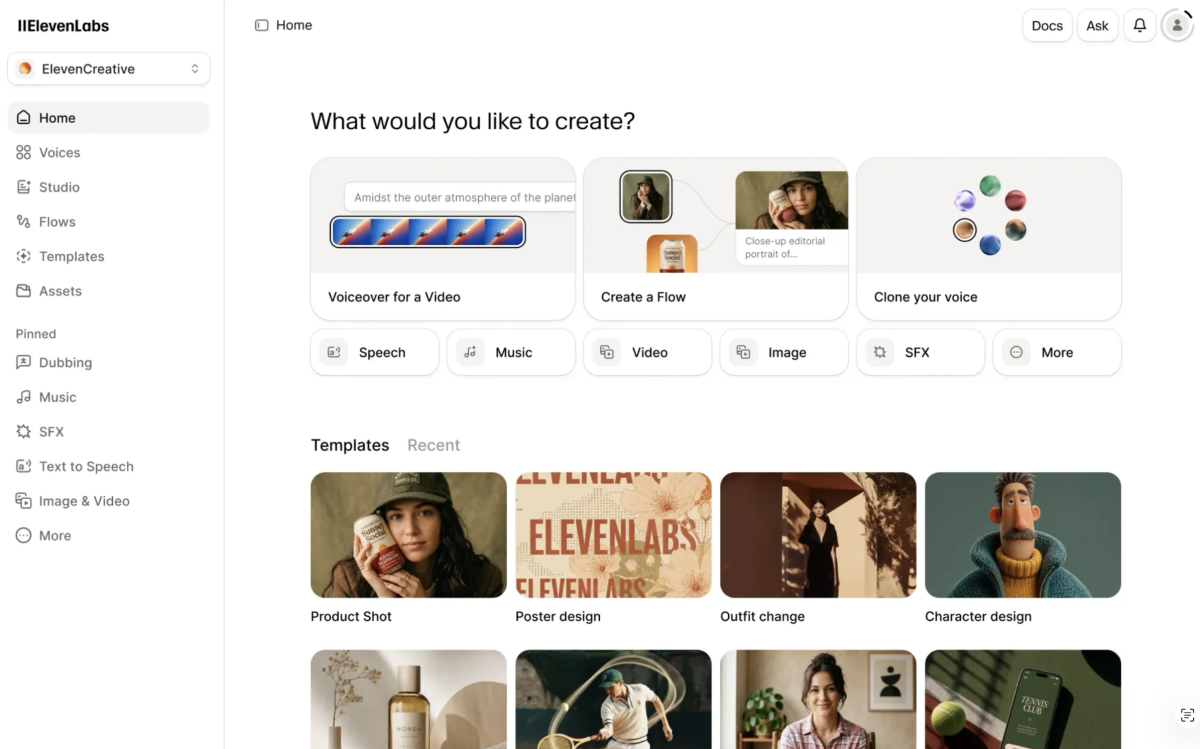
Voice quality is high-quality, even on free tier. Most free AI voiceover tools produce audio that sounds clean but AI generated. ElevenLabs handles emotional range, natural pacing, and pronunciation that’s quite human-like. Sentences don't all land with the same weight. Pauses feel intentional.
Voice cloning is available on the free tier. Most tools gate voice cloning behind paid plans. ElevenLabs lets you clone your own voice with just one minute of clean audio. You can maintain a consistent vocal identity across every format, even the ones you never actually record.
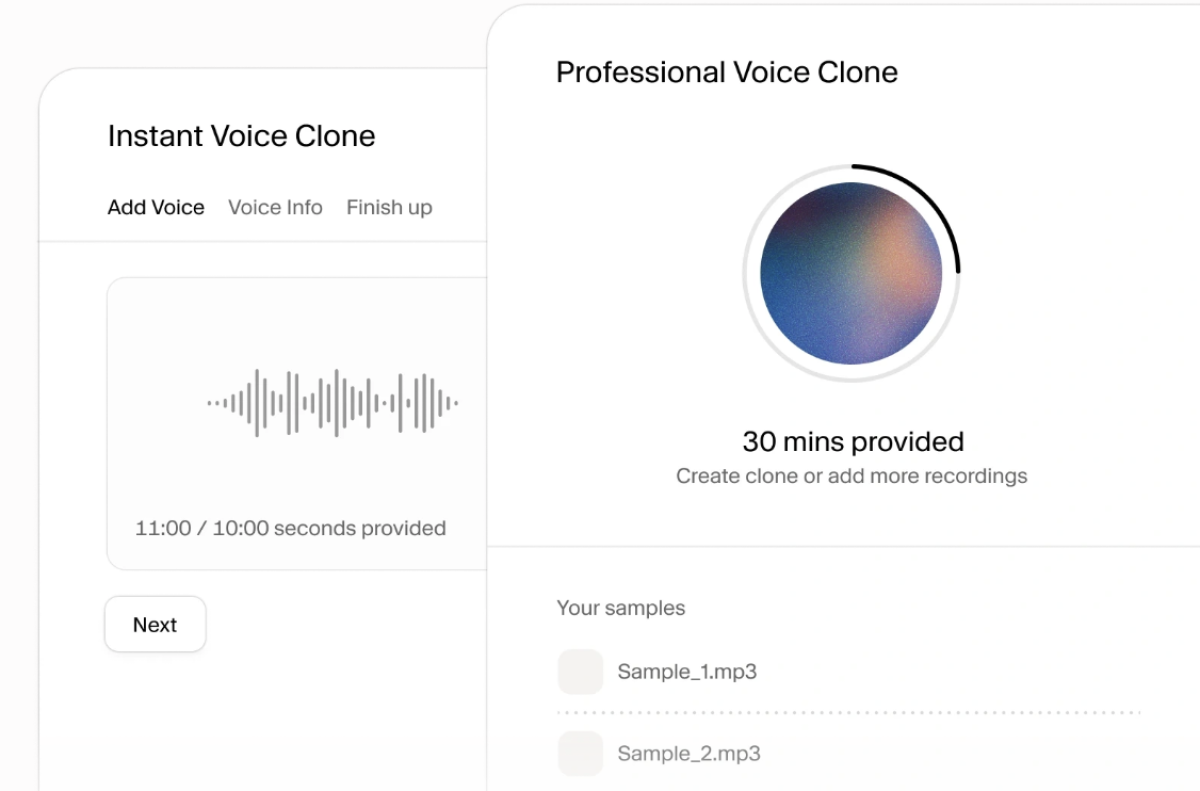
The interface is built for socials. Paste your script, choose a voice, adjust stability and clarity settings, generate. If a sentence lands wrong, regenerate just that line. The process is fast enough so you can run multiple versions of a single section to find the right delivery, which is exactly how pro-level audio is produced.
The free tier gives you 10,000 characters per month. At an average speaking pace, that's roughly 7-8 minutes of narration, enough for two solid YouTube videos or ten short-form clips. For most creators starting out, you won't hit the ceiling for months.
The best free AI voice generator for realistic, human-like narration with voice cloning.
CapCut: Best beginner-friendly, all-in-one option
ElevenLabs makes the most realistic voice. CapCut makes the realistic-enough voice you never have to export. That's the trade, and for most short-form creators it's the right one — the text-to-speech lives inside the same editor where you'll cut the video, add captions, and publish. No bouncing audio files between tabs.
Text-to-speech is built into the timeline. Type or paste your script, pick a voice, and CapCut drops the generated narration straight onto your video track. You can adjust pitch, speed, and tone per clip and re-generate a single line without leaving the project. For anyone who hates juggling tools, that's the entire pitch.
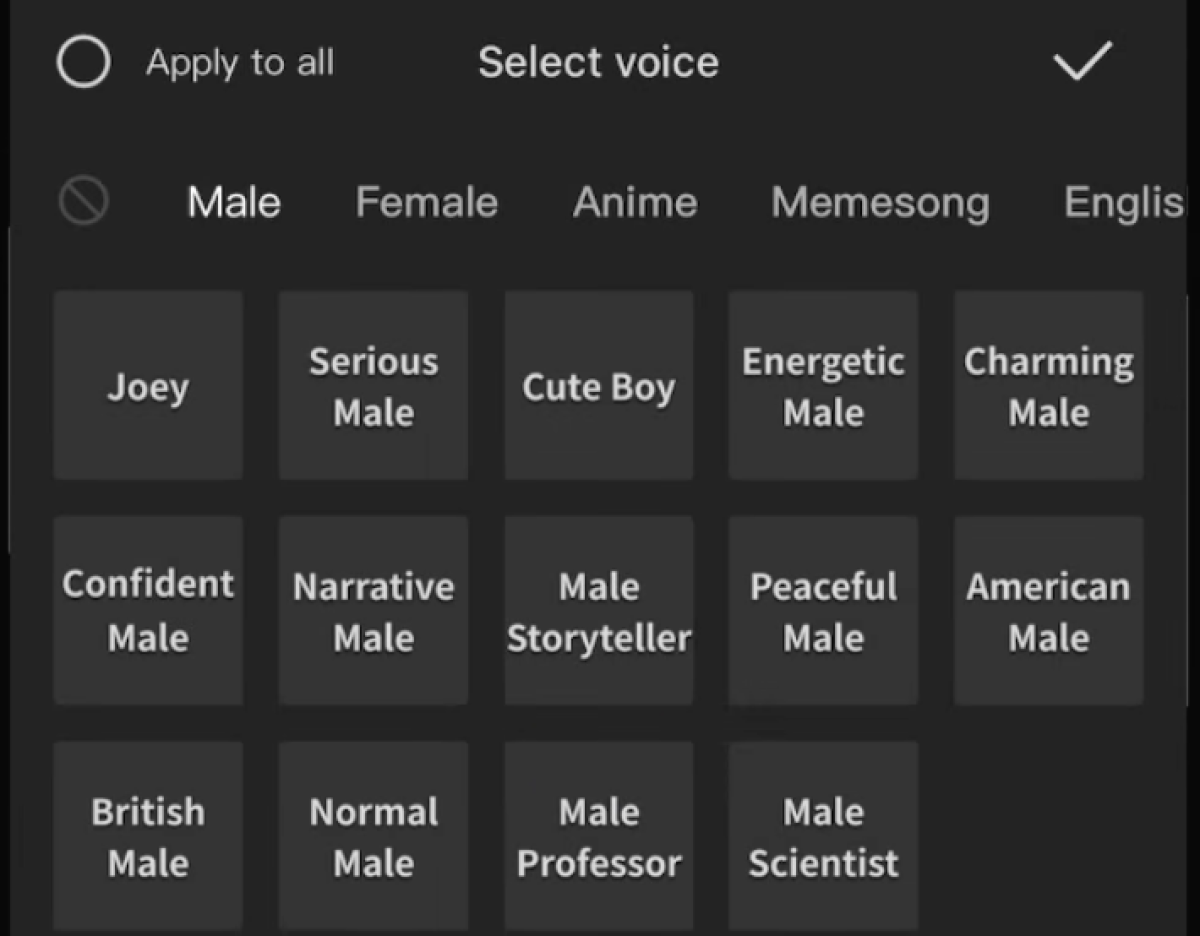
Voice cloning is here too — just gated. CapCut can clone a voice from a short sample, the same as ElevenLabs, except it sits behind the paid tier. Only clone a voice you actually own; CapCut, like every major platform, prohibits cloning anyone else without consent.
The all-in-one mobile editor that was made for Instagram and TikTok, with AI voice features.
Murf AI: Best for quality, not speed
Murf is the most studio-polished tool of all on the list. Where ElevenLabs feels built for creators who want to iterate fast, Murf is designed for people who want a finished, professional-sounding result with minimal fuss.
You get a clean script editor, a voice library sorted by use case (narration, explainer, ads), and fine-grained control over pitch, speed, and emphasis on individual words — without touching any advanced settings.
The free tier is limited: 10 minutes of audio output with no downloads. That makes it better as a testing ground than a production tool at zero cost.
But if you hit ElevenLabs' character limit mid-month, Murf is a solid backup. When you're ready to pay, its Studio plan comes at $29/month.
It also has one feature ElevenLabs doesn't: a built-in video sync tool that lets you drop your footage directly into Murf and align the voiceover in the same window. For creators who want fewer tabs open, that matters.
Studio-quality AI voiceover with built-in video sync.
PlayHT AI: Best for multilingual content
PlayHT sits between ElevenLabs and Murf: it has a large voice library (over 900 voices across 142 languages), strong multilingual output, and voice cloning on paid plans. Where it earns its place in this list is for creators producing content in multiple languages or targeting non-English-speaking audiences. The language coverage and accent accuracy is the best of the three.
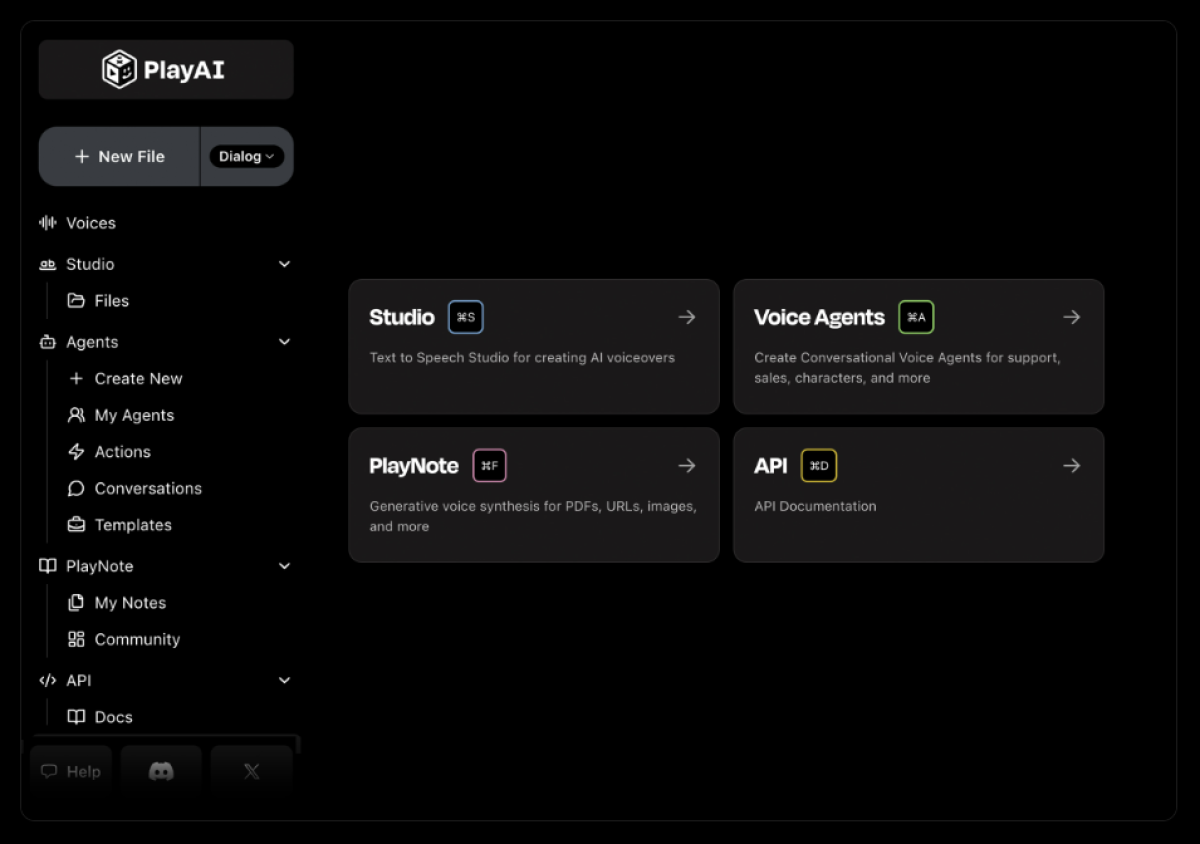
The free tier gives you 12,500 characters per month, which is slightly more generous than ElevenLabs, but the base voice quality on free voices isn't quite as natural. The premium voices (which require a paid plan) close that gap considerably.
For a creator producing English-only content, ElevenLabs wins. For anyone publishing in Spanish, Portuguese, Hindi, French, or another major language, PlayHT is worth testing first.
The strongest multilingual AI voiceover tool — best for non-English markets.
Which AI text to speech tool is best for you?
| Top pick ElevenLabs | CapCut | Murf AI | PlayHT AI | |
|---|---|---|---|---|
| Free characters/month | 10,000 characters | Unlimited | ~800 words | 12,500 characters |
| Downloads on free tier | ✅ Yes | ✅ Yes | ❌ No | ✅ Yes |
| Voice cloning | ✅ Yes | ✅ Yes | ❌ Paid only | ❌ Paid only |
| Voice quality (free) | High | Mid | Mid | Mid |
| Multilingual support | Good | Good | Excellent | Excellent |
| Built-in video sync | ❌ No | ✅ Yes | ✅ Yes | ❌ No |
| Best for | Most solo creators | Beginners | Quality | Multilingual content |
| Demilked Score | 9.4 / 10 | 9.4 / 10 | 8.6 / 10 | 8.4 / 10 |
Step 1: Write and structure your script
No matter if you use a human voice or use AI to create a natural-sounding, human-like narration, to create engaging videos, you need a good script. This sounds obvious, but it's where most creators lose time, writing for readers, not viewers and/or listeners. Script written to be read and script written to be viewed or heard are two completely different styles and use cases.
A few rules that improve voiceover quality:
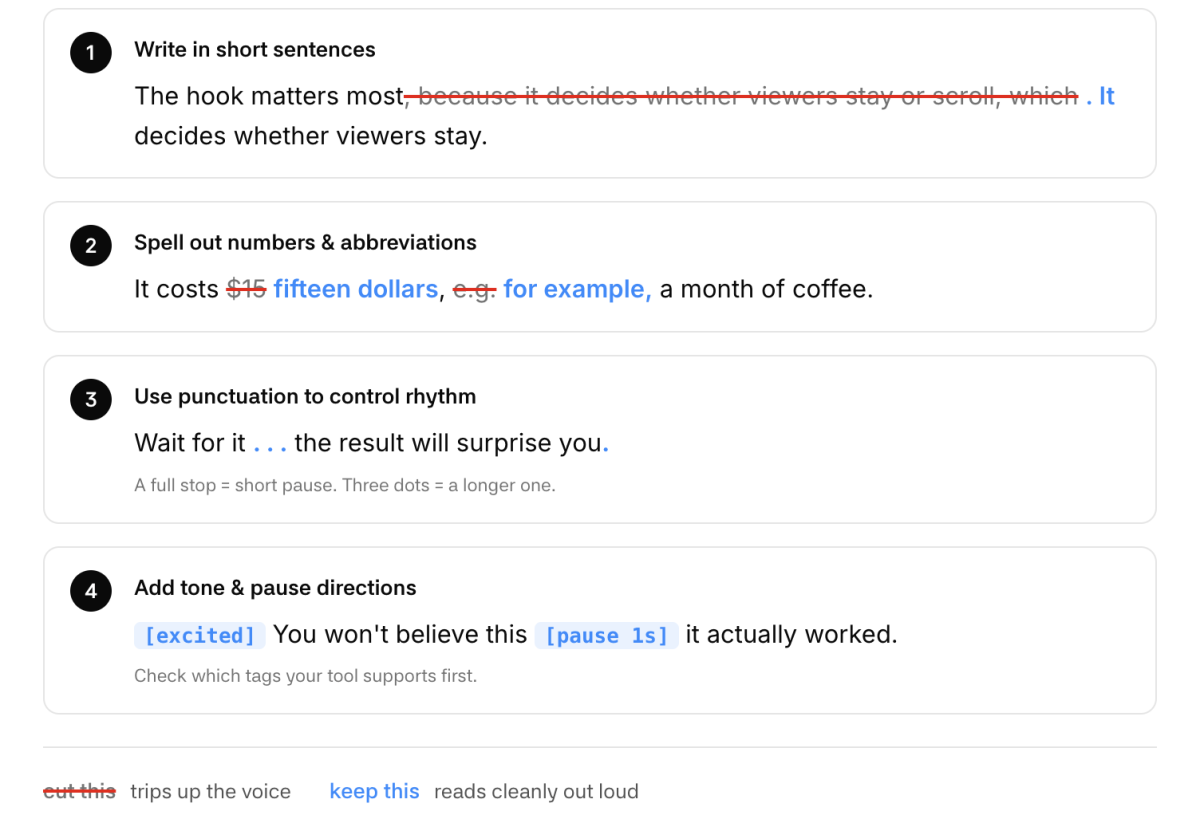
Write in short sentences. Long, comma-heavy sentences cause AI voice generators to stumble on pacing.
Spell out numbers and abbreviations. Write “fifteen dollars” not “$15.” Write “for example,” not “e.g.”
Use punctuation to your advantage. A full stop creates a natural pause. Three dots create a longer one. Use them to control the rhythm of your narration.
Add tone directions for emotional tone. Some tools support tags like [excited] or [pause 1s] — check which ones work in your chosen tool.
Once your script is clean, export it as plain text. This becomes the source document you'll paste into your AI voiceover generator in the next step.
Step 2: Generate your AI voiceover
With a clean script in hand, you're ready to generate your AI voice. Here's how to get the best output from free AI voiceover tools, and what key decisions you need to make before jumping into actual generation.
Choose a voice for text-to-speech voice first
Most AI voiceover generators offer a library of preset voices, from neutral narrators to character voices across multiple languages. For YouTube videos and short-form video content, a clear, mid-paced neutral voice tends to perform best. Avoid anything that sounds overtly robotic or exaggerated.
If you want to clone your own voice, ElevenLabs offers voice cloning on their free tier with a short audio sample. This is the most brand-consistent option if you occasionally show up on camera and want continuity across formats.
Alternatively, consider this: Do you want the same “AI character” to voice all your videos? Then consistency needs to be your number one priority. Viewers notice if your voice changes from video to video. In that case, it makes sense to create custom voices that not only generate lifelike speech but also stay similar throughout your workflow.
Generate in segments for lifelike speech
Don't paste your entire script into a free AI voice generator at once. Most free tiers have character or minute limits. More importantly, generating in 2-3 minute segments gives you more control over pacing, pronunciation, pauses, and lets you re-generate individual sections without starting over. This is crucial for quality.
Export text-to-speech output with these settings
Always export at the highest available audio quality (WAV or high-bitrate MP3). Free tiers sometimes default to compressed formats. Check the settings before downloading.
Step 3: Finish video editing
With your voiceover generated, the final step is assembly: combining audio, visuals, captions, and any B-roll into a publish-ready file.
For most solo creators, CapCut is the right tool here. It handles auto-captions (critical for video content watched without sound, which is most of it), aspect ratio conversion for TikTok and Reels, and text overlay creation. The free version covers everything you need.
If you want a more advanced video editor with AI features built in, including the ability to edit video content by editing text, Descript is worth trying. It's strong if you're repurposing longer content across formats. The free plan includes 1 hour of transcription per month.
Workflow note
For short-form video content (under 60 seconds), CapCut is faster. For longer YouTube videos or anything that needs transcript-based editing, Descript saves more time overall.
Which tool stack should you actually use?
The answer depends on what you're making:
Faceless YouTube channel (educational / commentary)
Script → ElevenLabs (AI voice) → CapCut (assembly + captions)
Optional: Descript if you're editing videos over 10 minutes
Time to produce: 90 minutes per video once the workflow is set up
Short-form video content (TikTok / Reels / Shorts)
Script → ElevenLabs (AI voice) → CapCut (vertical format, auto-captions, effects)
Time to produce: 30-45 minutes per clip
FAQ
What are the best free AI voiceover tools available?
The top free AI voiceover tools for content creators in 2026 are ElevenLabs, Murf AI, and PlayHT. ElevenLabs leads on voice quality and offers voice cloning on its free version. Murf is the better choice if you want a more polished, studio-style output with built-in video sync. PlayHT wins on multilingual support, with natural-sounding AI voices across 140+ languages.
How do AI voice generators work?
AI voice generators convert text to speech using deep learning models trained on thousands of hours of real human voice recordings. You type or paste your script, select a voice, and the tool generates speech that mirrors the rhythm, pronunciation, and tone of a human speaker.
More advanced tools, like ElevenLabs, go further, modelling the subtle variations in natural speech that make generated voices sound lifelike rather than robotic. Some tools also allow voice cloning, where you upload a short audio sample to create a custom AI voice based on a real person's voice.
How can I make AI-generated voices sound more human?
The biggest factor is how you write the script, not which tool you use. Short sentences, spelled-out numbers, and deliberate punctuation all improve how natural-sounding the output is, because the AI reads exactly what you give it.
Beyond that: use a tool with high voice quality on its free version (ElevenLabs is the benchmark here), generate in short segments so you can re-run individual lines, and use stability and style settings to reduce overly flat delivery. Some tools also support SSML tags or inline markers like [pause] and [emphasis] that give you finer control over the generated speech.
Can AI voice generators clone voices?
Yes, several free AI voice tools now offer voice cloning, though most gate it behind paid plans. ElevenLabs is the notable exception: its free version lets you clone your own voice with a short audio sample, making it a strong option for creators who want consistent voice options across formats without recording every piece of content themselves.
PlayHT and Murf offer voice cloning on paid tiers. If you plan to clone your own voice, record in a quiet environment with minimal background noise — voice quality of the source recording directly affects the output.
Are AI-generated voices safe and legal for commercial use?
For your own content (YouTube videos, podcasts, social media) AI voiceover tools are generally safe to use commercially, provided you stay within each platform's terms of service. ElevenLabs, Murf, and PlayHT all permit commercial use on paid plans, with some restrictions on free tiers.
Where it gets more complex is voice cloning: cloning another person's voice without consent is legally problematic and prohibited by all major platforms. Stick to preset voices or clone your own, and always check the specific commercial license of whichever tool you use before monetizing content.
With 5+ years in the creator, entertainment, and publishing spaces, Mia shortlists, reviews, and ranks leading tools that actually make your life easier.