Best social media schedulers for Solo Creators in 2026 (Tested)
The tool isn’t the system. We tested and ranked the most popular social media schedulers in 2026, and built the free-first posting workflow around top picks.
This article contains affiliate links. If you purchase a tool through them, we may earn a commission — at no extra cost to you. It never influences our rankings or what we recommend.
The real reason your posting schedule is inconsistent
Here’s how it usually goes: someone discovers a scheduling tool, signs up, spends an afternoon setting it up, posts for two weeks, and then disappears.
The tool didn’t fail them. The system did. Or rather: there was no system. There was just a tool.
Scheduling tools do not solve inconsistency. They remove friction for creators who already have a system. If your problem is that you don’t know what to post, or you keep putting it off, or you run out of ideas mid-week — a scheduler won’t fix that. Build the system first. Then pick the tool.
Most solo creator advice skips straight to “use Buffer” or “Later is great for Instagram” without solving the actual problem: they don’t have a repeatable weekly process.
Here’s how to solve that before investing time and money into a tool you have no use for (yet).
01. Buffer: best free option for beginners
Buffer is the most approachable scheduling tool on this list, and its free plan is the most suitable for a creator just getting started.
The interface strips everything to the essentials: connect your accounts, write a post, set a time, done. There are no unnecessary features and UX/UI learning curve you have to go through. You can be set up and have your first week scheduled within a single session.
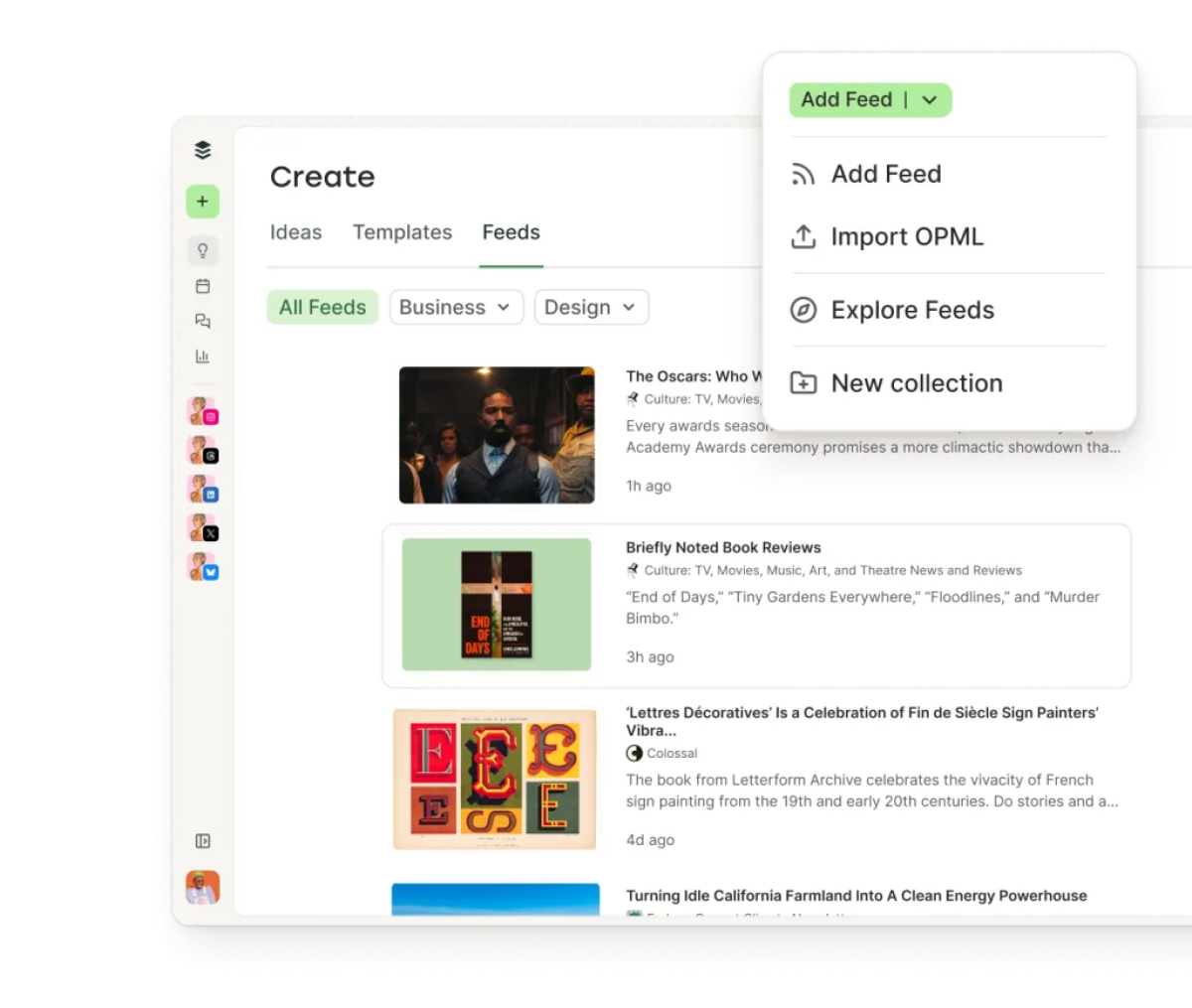
The free plan covers three social channels and ten scheduled posts per channel at any time. For a creator posting 3-4 times per week across two platforms, that’s enough. You clear the queue as posts go out and refill it in your next batch session.
What the free plan gives you:
3 social channels (Instagram, Facebook, X, LinkedIn, TikTok, Pinterest, Mastodon, Threads — your pick)
10 scheduled posts per channel at any given time
Basic per-post analytics (engagement, impressions, clicks)
Landing page builder (Start Page) — a lightweight link-in-bio included free
Where the free plan falls short: Analytics stay basic. If you want to see your content mapped across the week visually, you’ll need the Essentials plan ($6/month per channel). For most beginners, that’s not urgent.
Upgrade when: You’re consistently hitting the 10-post queue limit and want calendar view and deeper analytics.
The simplest scheduler and the most usable free plan for new creators.
02. Later — best free scheduler for visual platforms
Later was built for Instagram, and the free plan reflects that focus. If Instagram or Pinterest is your primary platform, it’s the strongest free option on this list for visual content planning.
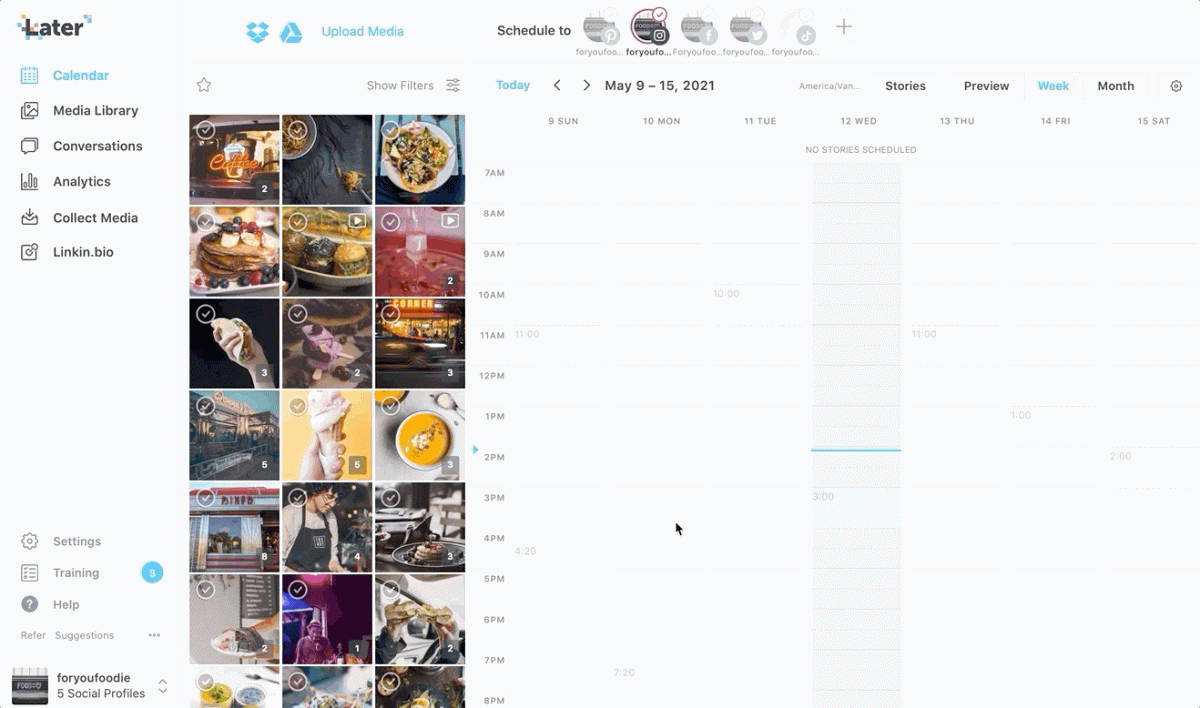
The visual content calendar is the best feature: you can see your grid before posts go live and drag and drop to adjust the visual rhythm. For creators whose brand identity depends on how their feed looks, Later will be a better pick than Buffer
What the free plan gives you:
1 social set (Instagram, Facebook, X, LinkedIn, TikTok, Pinterest)
30 posts per month per profile
Visual Instagram grid planner
Basic analytics
1 user seat
Where the free plan falls short: 30 posts per month per profile is 7-8 posts per week — tight if you’re posting daily. Stories scheduling requires a paid plan. If you post to more than one brand or workspace, you’ll need to upgrade.
Upgrade when: You need Stories scheduling, more posts per month, or multi-user access.
Pro tip: Use Later’s free plan for Instagram planning, and pair it with Buffer’s free plan for your other platforms. Two free tools, zero cost, most bases covered.
Visual-first scheduler with the best free Instagram grid planning on this list.
03. Metricool — best free all-in-one scheduler
Metricool has the most generous free plan. Unlike most “free tiers,” it’s legitimately usable as a long-term setup for solo creators.
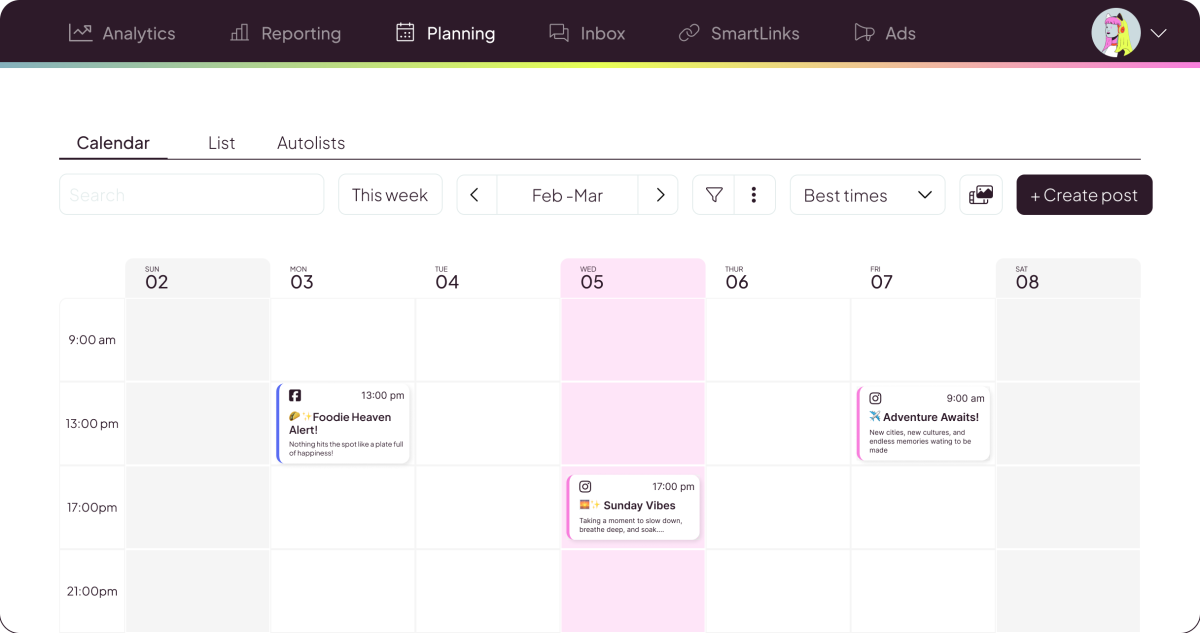
The free plan covers one brand with unlimited post scheduling, analytics going back three months, and the widest platform support on this list.
What the free plan gives you:
1 brand with unlimited post scheduling
Instagram, TikTok, Facebook, X, LinkedIn, Pinterest, YouTube, Google My Business, Twitch, Bluesky
3 months of analytics history
Best Time to Post recommendations (based on your own audience data)
Competitor analysis (up to 5 competitors)
Unified inbox for comments and DMs
Where the free plan falls short: Some advanced analytics features and longer data history require a paid plan. No team collaboration on the free tier. But for a solo creator, this is the most complete free setup available.
Upgrade when: You manage multiple brands or need more than 3 months of analytics history.
If you’re a solo creator who wants to start with analytics from day one without paying, Metricool’s free plan is the pick. It gives you the data to run your batch sessions intelligently. You’ll know which content pillar is performing and which platform deserves more energy.
The most complete free plan on this list. Unlimited scheduling plus real analytics.
04. Planable — best for visual planning & approvals
Planable is the most visually intuitive scheduler on this list. Most tools focus on queues and calendars, but Planable is built around how content actually looks before it goes live — and how a creator (or a small team) reviews and approves it before it does.
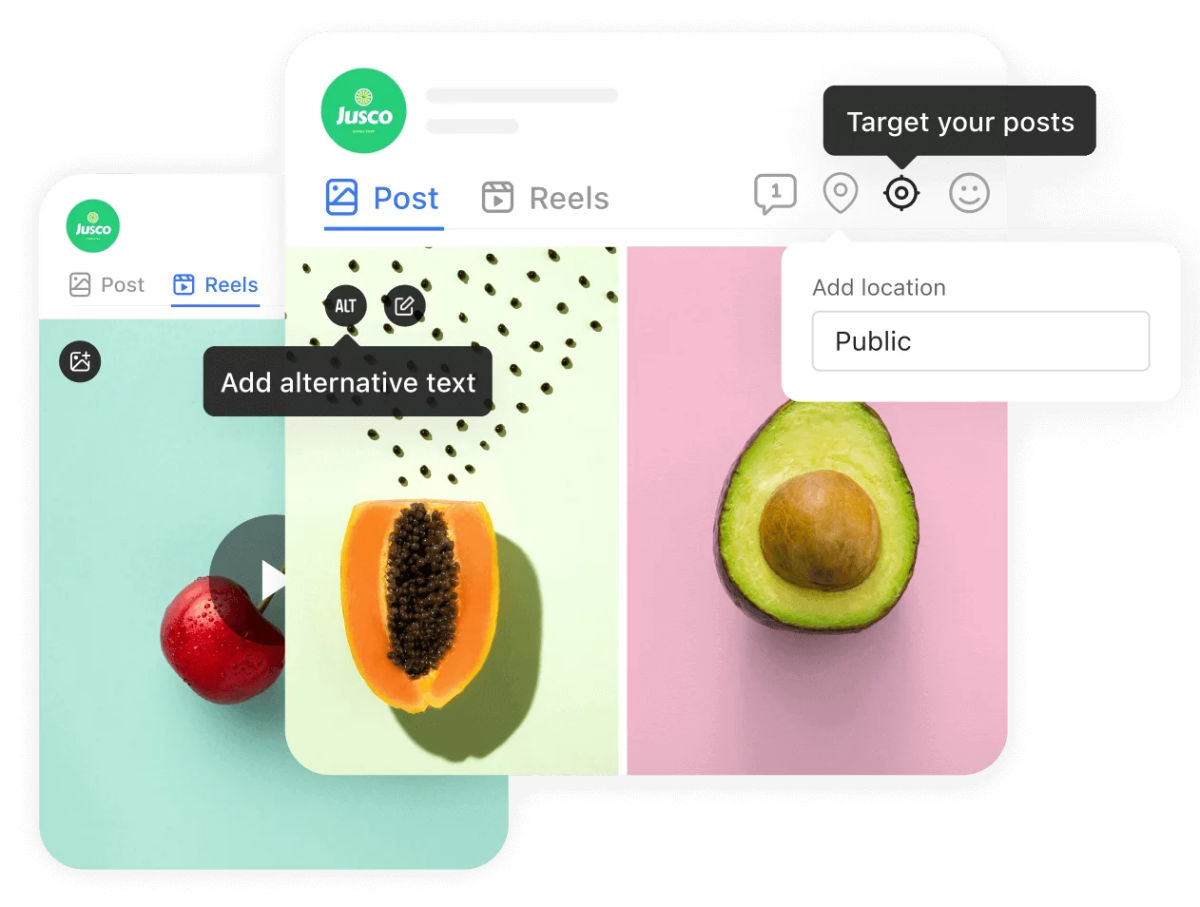
The approval workflow is the other standout feature. You can leave comments directly on individual posts, request sign-off from a collaborator, editor, or brand contact, and track what's approved and what needs work, without email or Slack chains. For solo creators who occasionally work with a brand manager or client, this replaces a messy part of the process.
Platform coverage spans all nine major channels: Instagram, Facebook, X, LinkedIn, TikTok, Pinterest, YouTube, Google Business Profile, and Threads. AI caption generation and hashtag suggestions are built in across all plans.
What the free plan gives you:
50 lifetime posts (a one-time allowance, not a monthly reset)
1 workspace with all views: feed, grid, calendar, list
Collaboration and approval features
AI caption and hashtag generation
All 9 platform connections
Where it falls short: Analytics are a paid add-on, not included in base plans. If data is central to your workflow, pair Planable with Metricool's free tier for analytics and use Planable purely for planning and scheduling.
Best for: Creators who want the most visual planning experience available, or anyone who collaborates with clients, brands, or editors and needs a clean approval process without the back-and-forth.
Upgrade when: You've used your 50 free posts and the workflow fits. Paid plans start at $33/month per workspace.
Social media scheduling, collaboration, and organization in one place, with focus on visuals.
05. SocialPilot — best scheduled for multiple brands
SocialPilot is the tool that makes the most sense once you've outgrown a free plan and are managing more than a handful of accounts. It's not the simplest tool on this list, but it delivers the best capability-to-price ratio at the point where free plans stop being enough.
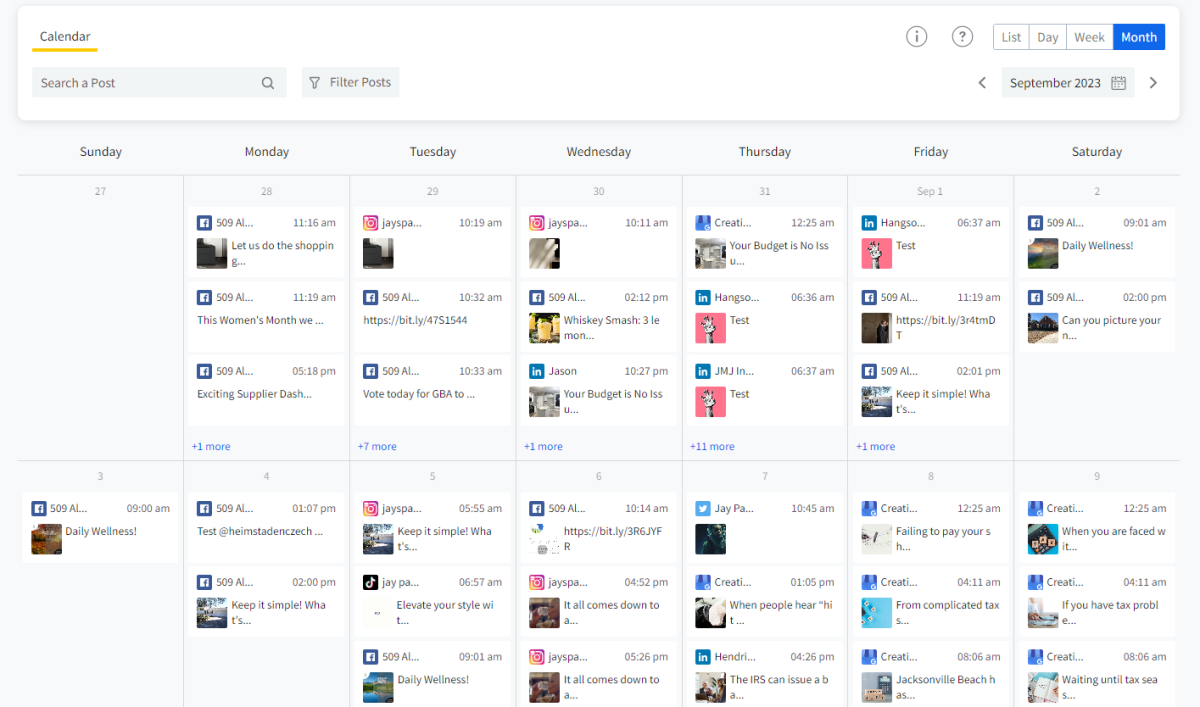
What the free plan gives you:
14-day free trial, no credit card required
Full access to all features on your chosen plan
Enough time to run 2 full batch sessions and make a real assessment
Where it falls short: The interface is built for agencies managing multiple clients, which can feel over-engineered for a solo creator on 2-3 platforms. There's a learning curve that simply doesn't exist with Buffer or Later.
Best for: Solo creators managing 4+ accounts or multiple brands, or anyone who needs bulk scheduling, client approvals, and analytics in one paid tool without agency-level pricing.
Upgrade when: You've hit the ceiling on a free plan and need more profiles, real analytics, or bulk upload. The 14-day trial is the right place to start.
Social media planner, scheduled, and analytics platform for scale and growth.
System first: the Solo Creator Posting Framework
Before you open any of the tools below, you need three things locked in. This takes one sitting, ±45 minutes. Skip it and you’ll be back here in six weeks wondering why the tool isn’t working.
1. Define your posting cadence — not ideal, realistic.
Not “I want to post every day.” How many times per week can you actually produce quality content without burning out?
For most solo creators with a day job or other commitments, that’s 3-5 posts per week across 2-3 platforms. Write that number down. That’s your system’s output target.
2. Pick your content pillars. 3 is enough.
Content pillars are the recurring themes your account returns to. Educational (teach something), personal (your story or POV), and promotional (your offer, your newsletter, your product).
Rotate through them. This is what fills your queue without starting from scratch every time.
3. Set a weekly batch session: Same day, same time.
One 60-90 minute session per week is enough to load up your entire queue. Most creators who stay consistent long-term batch on Sunday evening or Monday morning.
Pick your slot and treat it like a meeting. This is when you write copy, resize visuals, and schedule everything for the week ahead — and when the actual tools come in.
You show up to your batch session with a clear brief (your pillars), a clear output target (your cadence), and a tool that handles the distribution.
How to pick a social media scheduling tool
With the system in place, here’s how to find the right social media scheduler for you. For most solo creators, the free plan is okay to start, and in some cases, for the long term. We’ve tested and flagged exactly what each free plan actually gives you.
Platform coverage: Does it cover the 2-3 platforms you’re actually posting to? Don’t pay for coverage you won’t use.
Free plan viability: Is the free tier usable, or just a bait to upgrade? We compared each one.
Bulk scheduling: The ability to load a full week of content in one session is non-negotiable for batch workflows.
Analytics (even basic): You need to know which posts are performing. Even free-tier analytics beat posting blind, and are usually more extensive than native analytics.
Ease of first use: If setup takes more than an hour, you’ll hate the tool. It needs to feel intuitive.
06. Quick comparison: free plan breakdown
If budget is a constraint, here’s exactly what you get for free from each tool:
Buffer | Later | Top pick Metricool | Planable | SocialPilot | |
|---|---|---|---|---|---|
| Free plan | 3 channels, 10 posts/channel | 1 set, 30 posts/month | 1 brand, unlimited posts + analytics | 50 posts | 14 days for free |
| Best free for | Beginners, simplicity | Instagram-first | All-round free setup | Visual grid | Scaling |
| Platforms | 9 | 7 | 12+ | 9 | 12 & integrations |
| Demilked Trust Score | 8.1 / 10 | 8.4 / 10 | 9.1 / 10 | 7.8 / 10 | 7.4 / 10 |
🏆 Best free-forever pick: Metricool. Unlimited scheduling, 10+ platforms, real analytics, and Best Time to Post — all free for one brand. It’s the tool we’d recommend to any solo creator who wants a full workflow without spending anything.
Whichever tool you pick, do this in your first week:
Set your cadence
Decide how many posts per week, on which platforms. Write it down.
Define 3 content pillars
Educational, personal, promotional. That’s your content rotation.
Book your batch session
Block 60-90 minutes this Sunday or Monday morning. This is your weekly system slot.
Load your first two weeks
Use your batch session to draft and schedule two full weeks of content. Seeing it all queued up is the moment it clicks.
Review and adjust
After two weeks, check your analytics. Which pillar performed best? Which platform drove the most reach? Let the data shape the next batch session.
Pro tip: Don’t switch tools in the first 30 days. The temptation to try a different scheduler is a form of procrastination. Commit to one tool for a month, run the system, and make your assessment with real usage data behind it.
With 5+ years in the creator, entertainment, and publishing spaces, Mia shortlists, reviews, and ranks leading tools that actually make your life easier.