Post-once, publish-everywhere system: How to repurpose content for free
Steal the auto-repurposing system that turns a single video, newsletter, or podcast episode into a week of content, without you spending hours on reuploads.
This article contains affiliate links. If you purchase a tool through them, we may earn a commission — at no extra cost to you. It never influences our rankings or what we recommend.
Here's the pattern: you make one great piece of content. You post it to its home platform. Then you open five more tabs and manually reformat, re-caption, and re-upload the same idea to Instagram, LinkedIn, X, TikTok, and your newsletter.
By the third platform, you're rushing. By the fifth, you're skipping it.
Content isn’t the bottleneck. You just don’t have an effective (and reusable) system for repurposing your hero content to collateral channels. This workflow solves that — with one tool.
We’ve created a source-to-everywhere system, split by content type. Because a video, a newsletter, and a podcast episode each repurpose differently, and forcing them through one tool creates more friction, not less.
System first: set these 3 things first
Before opening any tool, lock in three things.
01. Pick your one source format
You don't need to produce video, written, and audio content every week. Pick the ONE format you already create consistently — that's your source. Everything else in this guide branches out from it.
02. Decide what's autopilot vs. what needs human touch
Some repurposing can run entirely unattended (a video auto-clipped and cross-posted). Some needs a person to write the caption or pick the pull-quote. Knowing which is which upfront is what keeps this system from turning into a second full-time job.
03. Pick 3-4 destination platforms, not eight
More platforms mean more upkeep, not more reach. Pick where your actual audience already is, and let the rest go.
Pro tip
Run this system for one source format for two weeks before adding a second. Don’t try to automate video, written content, and podcast all in one go — that’s how you burn out and come back to the manual grind. Slow and steady.
Track 1: Video. Auto-distribute one video into every short-form platform
Auto-clips and cross-posts long-form video into every short-form platform.
If your source is a long-form video (YouTube, a livestream, a recorded talk), this track turns it into short-form content on autopilot.
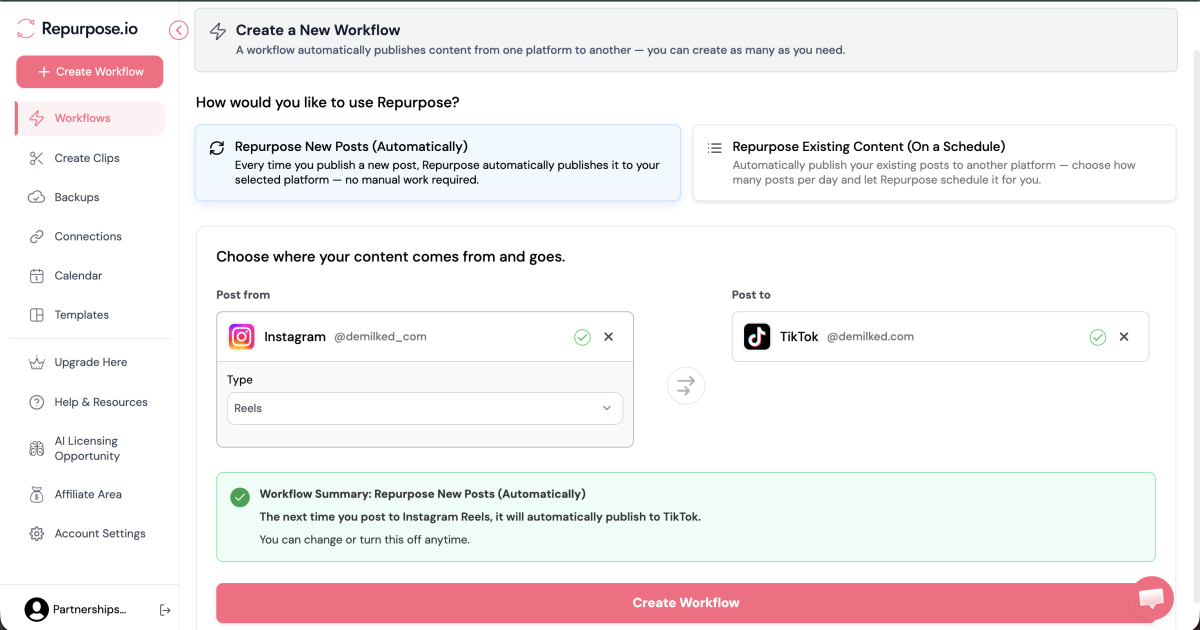
The setup is dead simple. Set up an automation: pick your source platform (where you post your main video) and the destination (where you want the main video reuploaded). It automatically clips your video into short-form pieces, resizes them per platform, and publishes on a schedule you set once. After the initial setup, this runs without you opening the dashboard again.
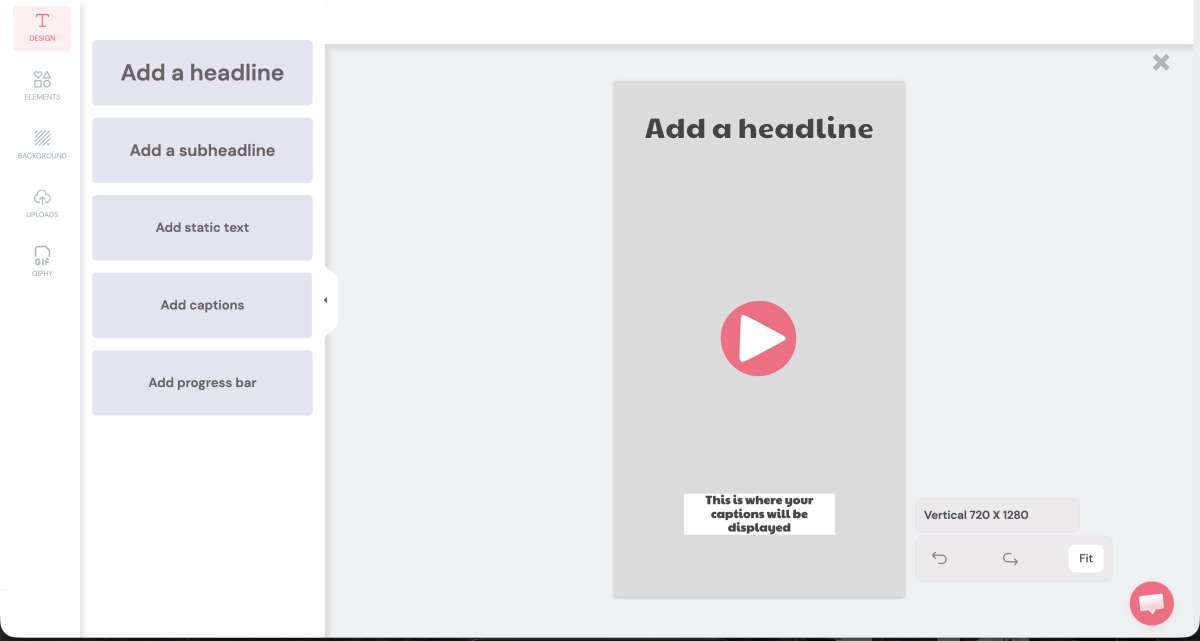
The tool also has basic editing capabilities for short-form content, with the ability to save templates. This way, each repurposed/reuploaded video has the same format and looks consistent.
Repurpose.io is video/audio-only: no text posts, no image carousels, and no analytics dashboard of its own. That's intentional scope, not a flaw, but it means this track needs Track 4 (below) to cover what it can't.
Track 2: Written — turn one blog post or newsletter into a drip of social content
Turns one blog post or newsletter issue into a year-long drip of social posts.
If your source is written (a newsletter issue or a blog post), this track will help you squeeze months of content from it instead of promoting it once and letting it die.
Connect your blog or newsletter RSS feed to Missinglettr. It pulls quotes, stats, and images from the post and builds a drip campaign. A drip campaign, in simple words, is a long-running automation: the tool will automatically create new posts based on your hero article (or whatever it is) and post it to your other socials. So you get 10+ pieces of content from one big piece.
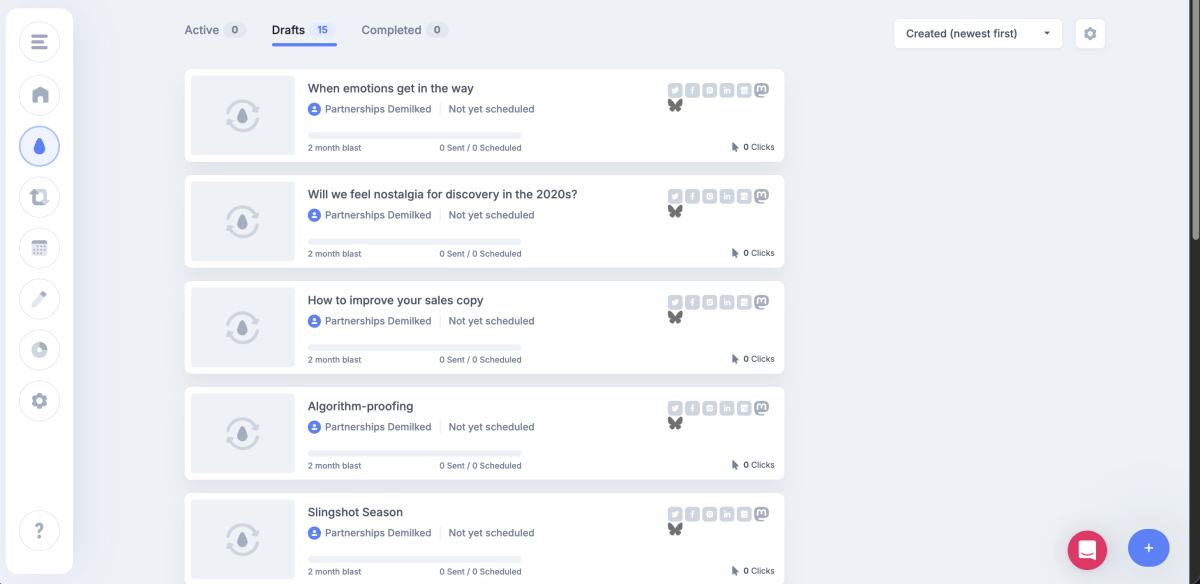
It’s a stream of social posts spread out over weeks or months, not just a single “new post is live” announcement. You approve the campaign once, and it posts on its own from there.
Pro tip
Most creators promote a newsletter issue once, the day it goes out, then never touch it again. Missinglettr's whole premise is fighting that: your best issue from three months ago keeps earning clicks on autopilot, without you remembering it exists.
Missinglettr does have a YouTube feed too, but we recommend Repurpose.io for video. It just does it better.
Track 3: Audio — turn one podcast episode into clips
Auto-clips and cross-posts long-form video into every short-form platform.
If your source is a podcast or recorded audio, you're covered by the same tool as Track 1: Repurpose.io also runs audio-native workflows, generating audiograms and short video clips directly from an episode, without you re-recording anything as video.
This is the same tool, a different workflow inside it — not a second subscription. Set the source as your podcast RSS feed or raw audio file, choose your destination platforms, and it drips clips out the same way it does for video.
Pro tip:
Pair this with a written summary of the episode (even a rough one) and feed that into your Track 2 workflow via Missinglettr. One episode now feeds both the audio clips AND a written drip campaign, without extra production work.
Track 4: The layer that ties it together — Buffer for everything autopilot can't touch
The manual scheduling and analytics layer for everything your autopilot tools can't cover.
Every track above deliberately runs on autopilot for one content type. None of them cover text-only posts, image posts, carousels, or a single dashboard to see what's actually performing across all three.
That's where Buffer comes in: not as a competing scheduler, but as the manual layer for what the autopilot tools can't do.
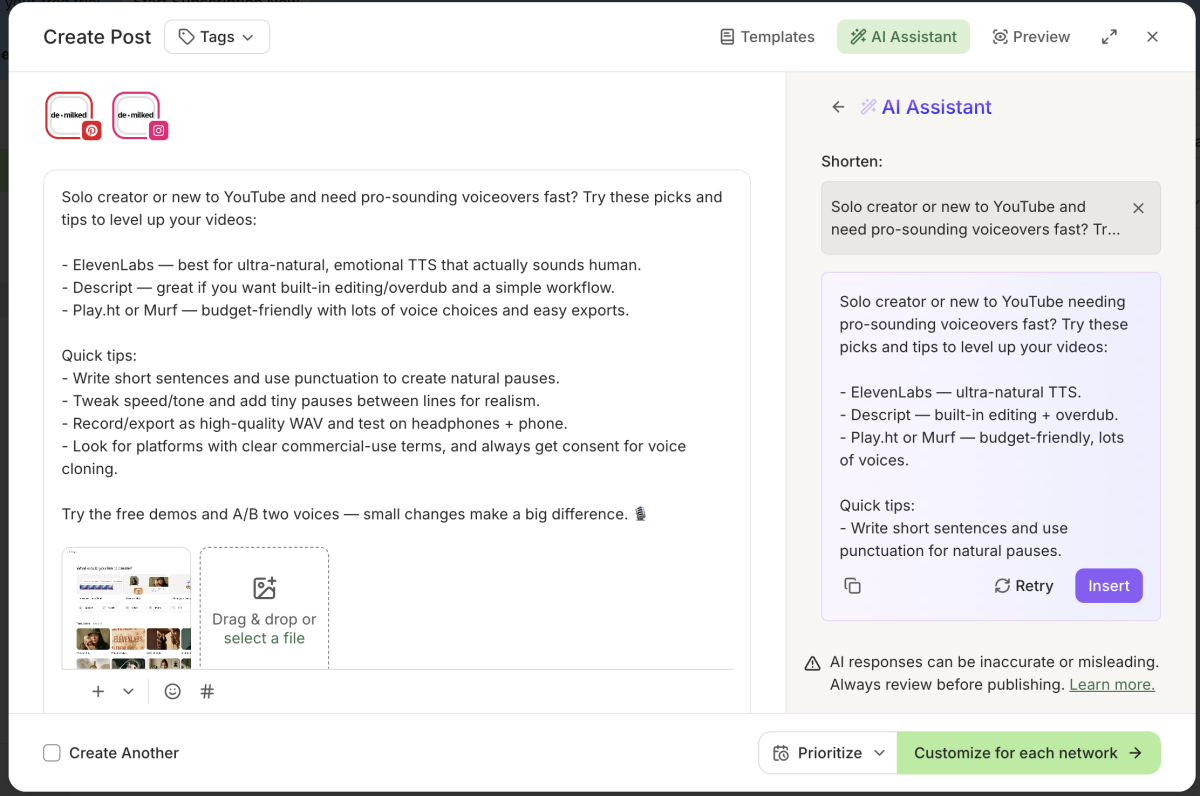
Use Buffer for:
The LinkedIn text post or X thread that references your video/podcast, written in your own words
Image posts and carousels neither Repurpose.io nor Missinglettr can generate
A single analytics view across platforms, since neither autopilot tool reports performance on its own
Repurpose.io vs. Missinglettr vs. Buffer
These three tools look similar from a distance (all of them post content for you) but each one solves a different, non-overlapping problem.
Repurpose.io | Missinglettr | Buffer | |
|---|---|---|---|
| Source content | Video, audio/podcast | Blog posts, newsletter issues | Any (manual input) |
| What it automates | Auto-clip + cross-post | Drip campaign of social posts from one piece of content | Scheduling, queuing, cross-platform analytics |
| What it doesn't do | Text posts, images, analytics | Video/audio content, deep scheduling control | Auto-clipping, auto-generating posts from source content |
If you run all three, nothing overlaps: two autopilot tools handle the repetitive extraction work per content type, and Buffer handles the manual, high-judgment posts plus the reporting neither autopilot tool provides.
Putting the full system together
Here's the complete flow, from raw source to fully distributed:
Pick your source → One video, one newsletter/blog post, or one podcast episode this week.
Route it through its track → Video/audio → Repurpose.io. Written → Missinglettr.
Approve the auto-generated output once → Both tools ask for a first-pass approval before anything goes live on repeat.
Fill the gaps manually → Draft the one or two text/image posts autopilot can't cover, queue them in Buffer.
Check performance monthly, not daily → Autopilot tools are built to be left alone. Checking in more than once a month defeats the purpose.
Realistic time investment: 45-60 minutes to set up each track for the first time. After that, 15-20 minutes a week to approve new campaigns and fill the manual gaps.
Tools used in this workflow
Repurpose.io: automated video and audio/podcast cross-posting
Missinglettr: automated drip campaigns from blog and newsletter content
Buffer: manual scheduling, text/image posts, and cross-platform analytics
You don't need all three from day one. Start with whichever track matches the content you already make consistently, add Buffer once you notice gaps it needs to fill, and only add the second autopilot track once the first one is running without you thinking about it.
With 5+ years in the creator, entertainment, and publishing spaces, Mia shortlists, reviews, and ranks leading tools that actually make your life easier.