The best MailerLite alternative in 2026 (And why it's cheaper)
On July 1st, 2026, MailerLite cut their free plan to 250 free subscribers. We looked for alternatives. Here’s why we switched to Sender, and you should too.
This article contains affiliate links. If you purchase a tool through them, we may earn a commission — at no extra cost to you. It never influences our rankings or what we recommend.
MailerLite has been a go-to budget tool for small newsletters for years now. But in the past year, the free plan shrunk to only 250 subscribers, compared to 1000 just a year before. If you're building a list from zero, that's basically a trial with extra steps.
So we asked the obvious question: if MailerLite isn't actually the cheapest option anymore, what is?
We tested Sender and MailerLite side by side for two weeks (with the same list, content, and sending schedule) to find out which one is actually cheaper, which one holds up for a solo creator with a small, growing list, and whether switching is worth the hassle.
Here's what we found.
TLDR: Sender vs MailerLite
The budget-friendly email platform built for small newsletters: unlimited automation, multi-trigger sequences, and 24/7 support on every plan.
Sender's free plan supports 2,500 subscribers and 15,000 emails a month. MailerLite's free plan caps out at 250 subscribers and 2,500 emails.
That means MailerLite now charges $33/month for the exact list size Sender gives away for free.
Unless you specifically need MailerLite's website builder or Stripe-powered paid subscriptions, Sender gets you sending real newsletters for longer before you have to pay a cent.
Sender | MailerLite | |
|---|---|---|
| Free plan | 2,500 subs, 15,000 emails/mo | 250 subs, 2,500 emails/mo |
| Cost to cover 2,500 subs | $0 (free plan) | $33/mo (Comfort plan) |
| Entry paid tier | $19/mo; 30k emails/mo | $33/mo; 25,000 emails/mo |
| Mid tier | $35/mo; 60k emails/mo | $49/mo; unlimited emails |
| Free plan automation | Unlimited workflows | Single-trigger |
| Free plan support | 24/7 on all plans | 24/7 for first 14 days only |
| Templates on free plan | Yes | Yes (core features) |
| Website builder | No | Yes (core features) |
| Paid newsletter monetization | No | Yes |
| Demilked score | 8.7 / 10 | 8.3 / 10 |
Sender vs MailerLite: feature by feature
Now, let’s go feature by feature and find the winner in each category.
Free plan limits
Sender's free plan supports 2,500 subscribers and 15,000 emails a month, no credit card required.
MailerLite's free plan gives you 250 subscribers and 2,500 emails a month.
That's a 10x gap in subscribers and a 6x gap in monthly sends, and it's the biggest reason creators are looking for alternatives right now. If you're starting a newsletter from zero revenue, this number decides almost everything else.
🏆 Winner: Sender
Sender's free plan covers 10x more subscribers than MailerLite's.
Pricing (once you outgrow the free plan)
At 2,500 subscribers, Sender's entry paid tier runs $19/month for 30,000 emails.
MailerLite's equivalent tier (Comfort) runs $33/month for 25,000 emails, nearly double the cost for fewer sends.
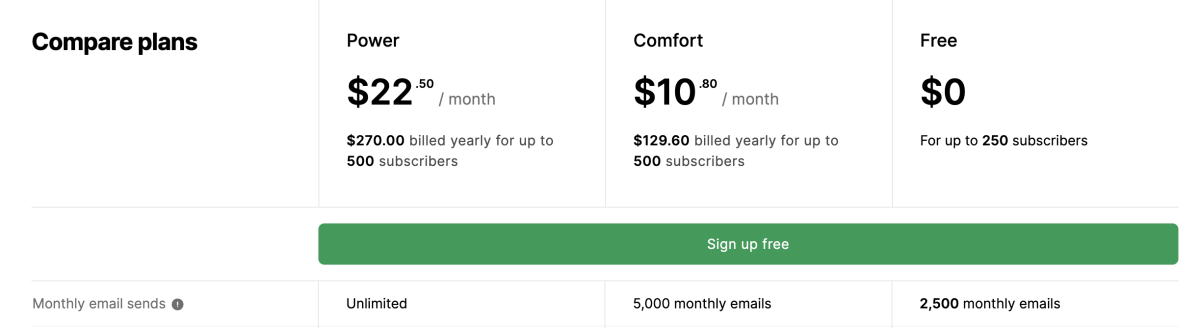
Move up a level and the gap holds: Sender's Professional tier is $35/month for 60,000 emails, while MailerLite's Power tier is $49/month.
MailerLite's one edge is unlimited sends on that top tier, which matters if you're mailing the same list daily.
🏆 Winner: Sender
Cheaper at every tier we tested, with one exception: MailerLite's unlimited sending on its top plan is the better deal for high-frequency senders. At that point, you’re making enough money to cover that no problem. Not for beginners.
Automation
MailerLite's free plan supports single-trigger automations only. For example, one welcome email, not a branching sequence. Multi-trigger workflows are locked behind paid plans, which is a real limitation if you want anything beyond a basic autoresponder.
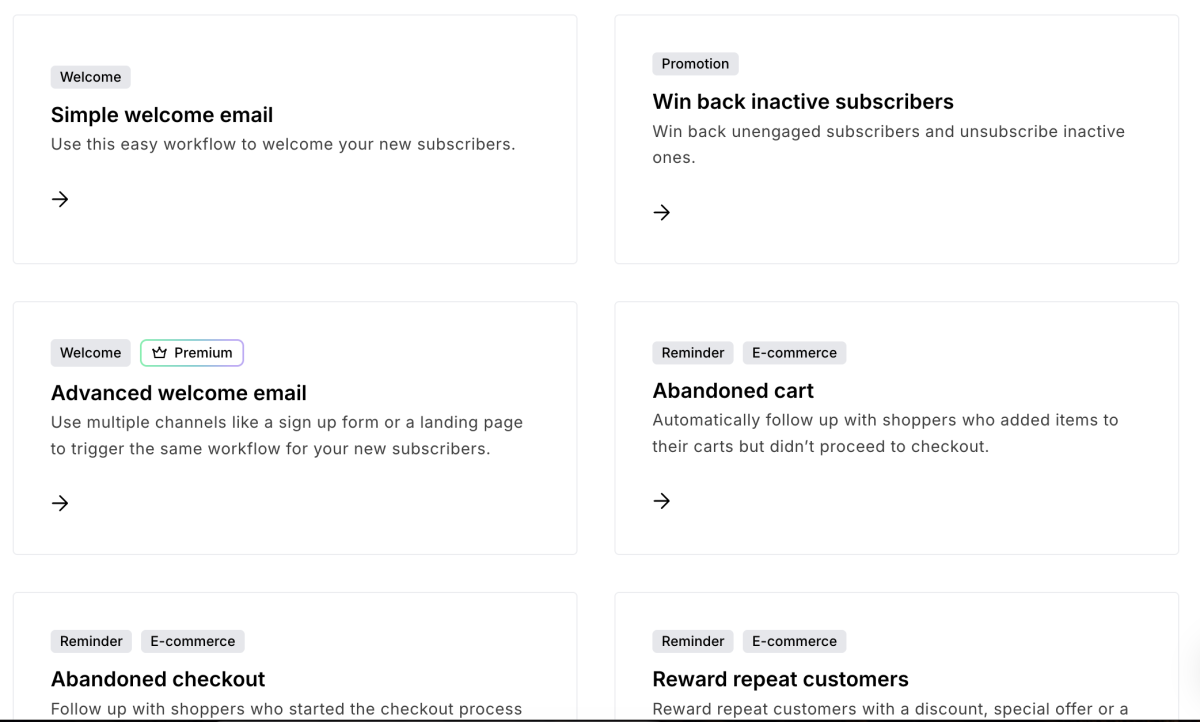
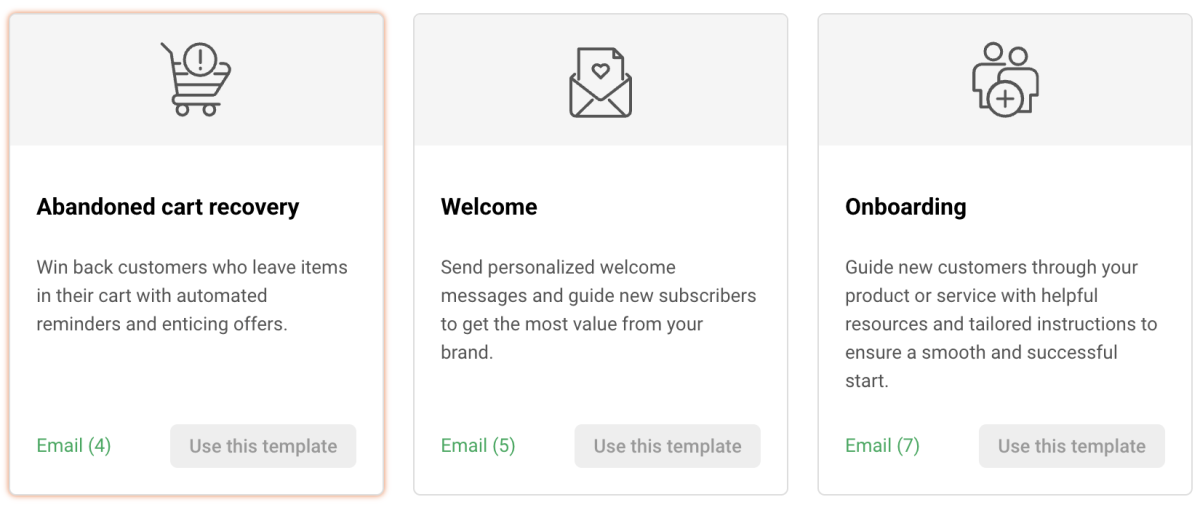
Sender includes multi-trigger sequence automation on its free plan, no upgrade required. That’s ideal for a creator running a multi-step onboarding flow or a nurture sequence without paying for it.
🏆 Winner: Sender
If you need a simple welcome email, MailerLite is enough. If you need anything more complex, Sender is your go-to budget option.
Templates and design
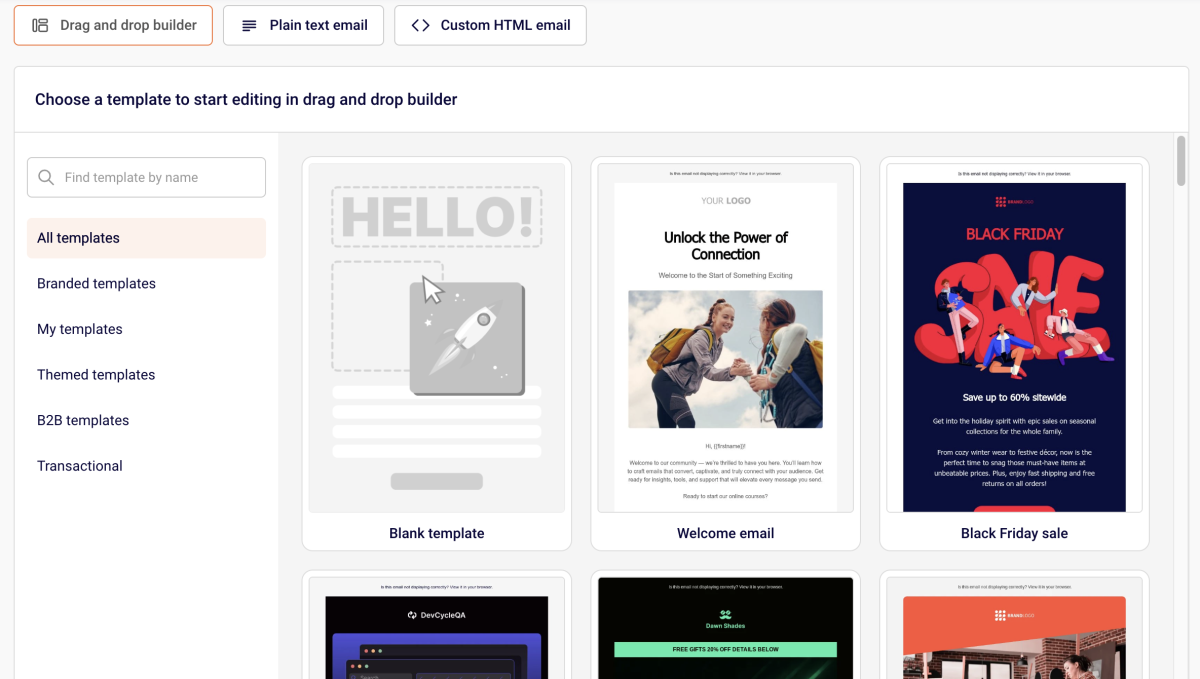
Both platforms include templates on their free plans.
MailerLite's editor has more content blocks and adds an AI writing assistant, though that's gated to paid tiers.
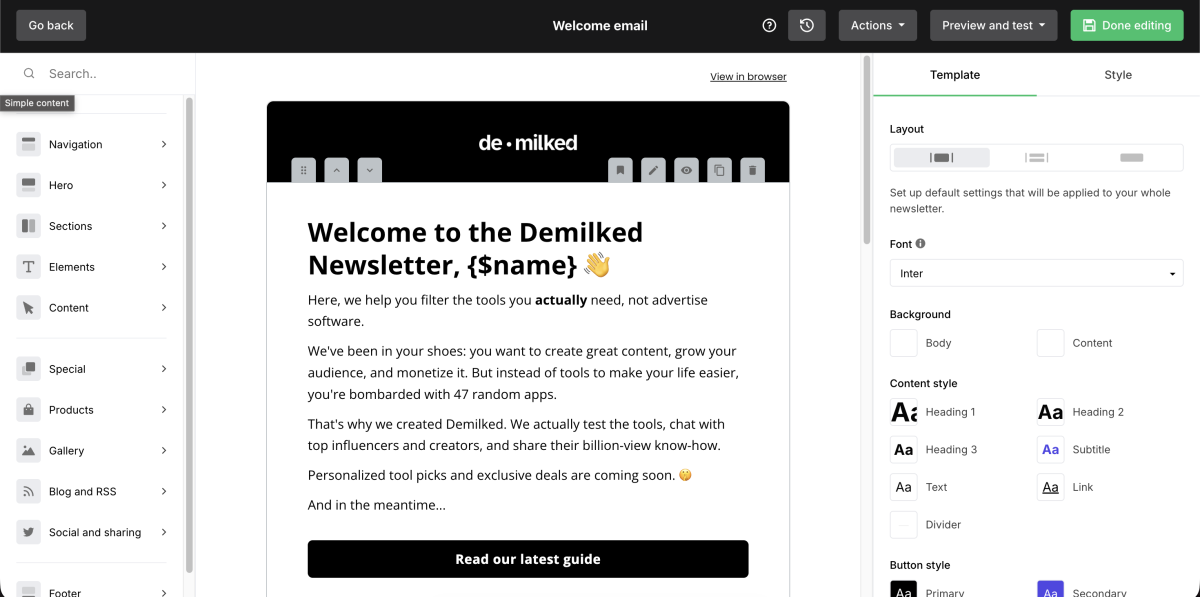
Sender's editor is leaner, with fewer blocks, but it loads fast and doesn't feel cluttered, which matters more for someone writing a newsletter every week. If AI-assisted drafting is part of your workflow, go for MailerLite, but only once you're paying.
🏆 Winner: MailerLite
More content blocks and an AI writing assistant give it the edge for design flexibility, though the AI tool is paywalled.
Support
MailerLite's support on the free plan is 24/7 for the first 14 days, then it drops off once your trial period ends. If something breaks in month two and you're not ready to pay, you're on your own with the help docs.
Sender gives 24/7 support on every plan, including free, with no time limit. Big for a solo creator without a team to troubleshoot deliverability issues or automation bugs.
🏆 Winner: Sender
24/7 support on every plan, including free, with no cutoff. MailerLite's free-plan support expires after 14 days.
Where MailerLite still wins
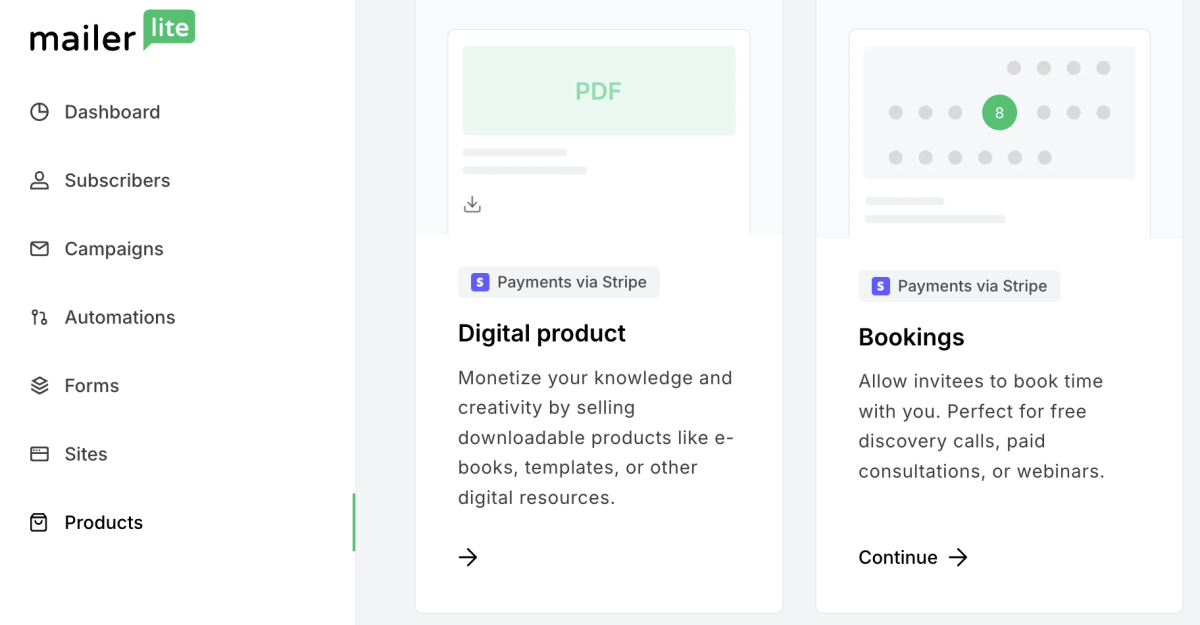
MailerLite includes a full website builder, which Sender doesn't offer at all. If you want an actual site, not just a landing page, with your newsletter sign-up built in, MailerLite does that natively without a second subscription.

It also supports paid newsletter subscriptions through Stripe, so if part of your monetization plan is charging readers directly, MailerLite has a built-in path and Sender doesn't.
🏆 Winner: MailerLite
The platform doubles as a website builder and lets you charge for subscriptions natively.
Should you switch from MailerLite to Sender?
➡️ Switch to Sender if: you're budget-conscious, your list is under a few thousand subscribers, and you don't need a website builder or Stripe-powered paid newsletters.
The budget-friendly email platform built for small newsletters: unlimited automation, multi-trigger sequences, and 24/7 support on every plan.
➡️ Stay on MailerLite if: you're monetizing through paid subscriptions, or you want to build your website and newsletter sign-up in one place.
Why I left MailerLite
MailerLite's free plan wasn't always this small. It's been cut more than once, and each time, the platform asked its most price-sensitive users to either pay up or move on. For a fresh solo newsletter, 250 free subscribers mark is days away from becoming a bill.
The other thing that pushed users out: support. MailerLite's free plan gives you 24/7 chat and email support for 14 days, then you're on your own until you're ready to pay. If something breaks in month two, you’ll have to solve your own issues with the Help Center, not get help from an actual person.
It doesn’t make MailerLite a bad tool. In fact, it’s still great email marketing software. It's just optimized for people who are already paying, not people who are trying to get started for free and want a budget option at early growth stages. That’s where Sender wins.
How to migrate from MailerLite to Sender
If you’re ready to make the plunge and switch to Sender, here’s how to migrate off MailerLite easily.
Sender offers free all-in, done-for-you migration to people switching from MailerLite for plans over 20K subscribers. If that's your case, here's more info:
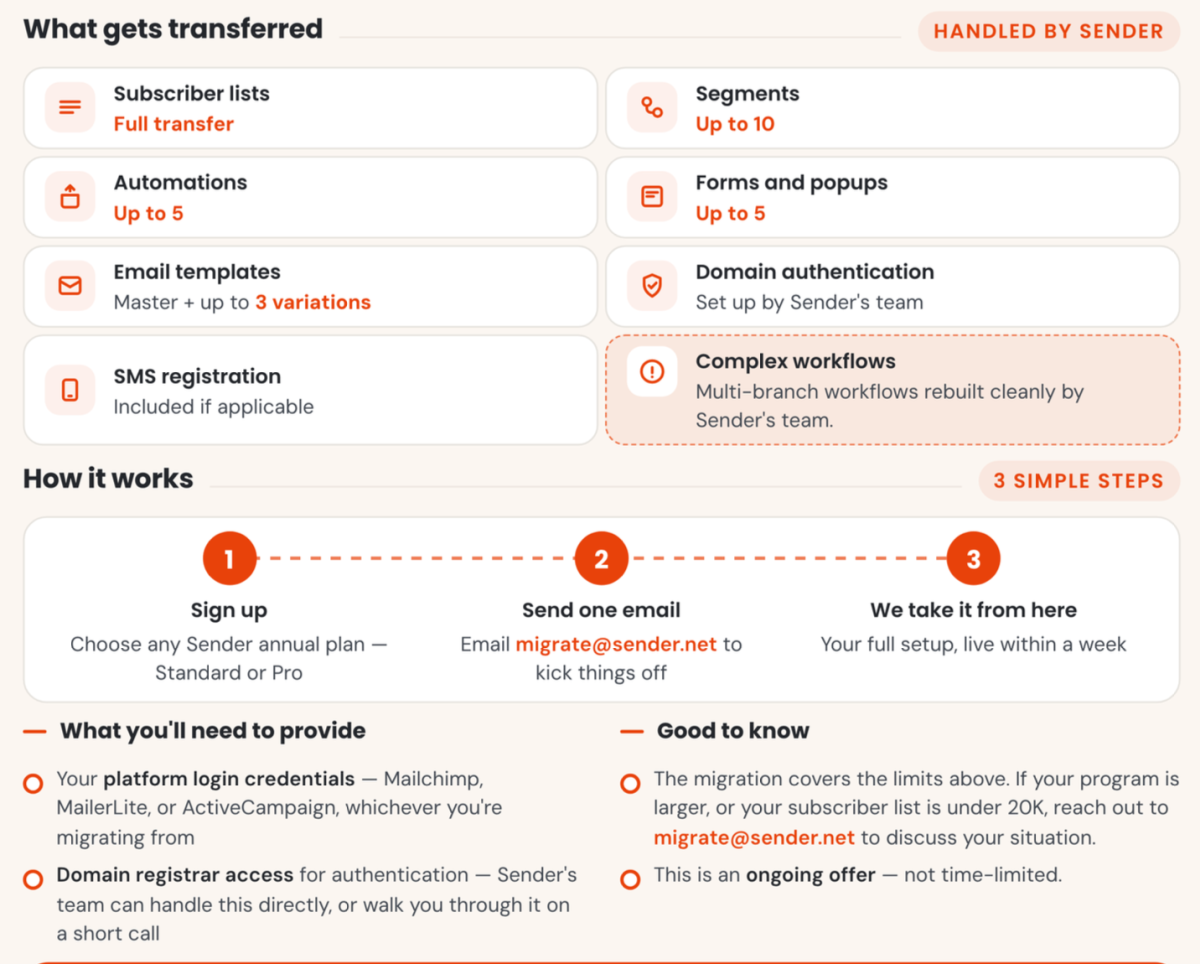
Not quite at the 20K level yet? The migration is still easy:
1. Export your subscriber list from MailerLite
Go to your MailerLite subscriber dashboard and export your list as a CSV. Do this per group or segment if you want to preserve that structure on the other side, since MailerLite doesn't carry segment logic over automatically.
2. Clean the list before you import it
Strip out unsubscribes, bounces, and anyone who hasn't opened an email in the last few months. Importing dead weight into a new platform hurts your sender reputation right out of the gate, which is the opposite of what you want in week one.
3. Import into Sender
Upload the CSV into Sender's subscriber dashboard. Map your fields (email, name, custom fields) during import so nothing gets flattened into a single column. Sender will flag any formatting issues before the import completes.
4. Rebuild your automations manually
This is the part that takes the most time. Workflow logic doesn't transfer between platforms, so you'll need to recreate welcome sequences, tagging rules, and any drip campaigns from scratch inside Sender. Dedicate more time to this than the list import itself.
5. Warm up your sender reputation
Don't blast your full list on day one. Start by sending to your most engaged subscribers first — people who've opened or clicked recently — and expand from there over the first couple of sends. This protects your deliverability while Sender's systems learn your sending pattern.
6. Update your sign-up forms and integrations
Swap any embedded MailerLite forms on your site or landing pages for Sender's version. If you're connected to Shopify, WooCommerce, or Zapier, reconnect those integrations before your next campaign goes out.
7. Run both platforms in parallel for one send cycle
Keep MailerLite active for one more billing cycle if you can. If anything breaks on the Sender side, you've got a fallback, and you can confirm deliverability looks solid before fully committing.
FAQ
Will I lose subscribers migrating from MailerLite to Sender?
No. Both platforms support CSV export and import. You’ll have to spend a few hours on the list transfer, plus time to rebuild your automations, since workflow logic doesn't transfer between platforms automatically.
Does Sender have a website builder like MailerLite?
No. Sender is built specifically for email and SMS marketing. If you need a full website, you'll need a separate tool alongside it.
Is Sender good enough if I want to sell paid newsletter subscriptions?
Not natively. MailerLite supports this through Stripe integration. Sender doesn't have an equivalent, so if paid subscriptions are part of your plan, factor that in before switching.
With 5+ years in the creator, entertainment, and publishing spaces, Mia shortlists, reviews, and ranks leading tools that actually make your life easier.