The YouTube upload checklist: 12 steps to avoid demonetization
Most creators only discover a policy problem after it costs them money. This checklist is how you catch it before that.
Why demonetization happens more than you think
YouTube's content review system doesn't watch your videos like a human editor. It scans signals: thumbnails, titles, descriptions, tags, audio, on-screen text, and the audience of your channel. Any one of these can trigger a review that can result in limited ads or full demonetization, sometimes minutes after upload.
The creators who avoid demonetization consistently built a system that checks the right boxes every single time, before the video goes live.
This checklist covers that system: 12 steps across your channel setup, pre-upload, and upload workflow, with the tools that make each one faster. It's built for beginner-to-intermediate YouTubers who are monetized or working toward it.
A note on scope: Demonetization on YouTube can happen for a number of reasons: Reuse of Content policy violations, copyright claims, spam, and more. This article focuses specifically on Misleading Family Content, which is one of the most widespread and least understood violations right now.
It's also one of the trickiest: because it sits at the intersection of content, branding, and a changing regulatory landscape around child online safety, there's no single clear line. If your content targets a general audience but could visually or contextually be mistaken for kids' content, this is the issue most likely affecting you. Other violation types deserve their own deep-dive, and we'll cover them separately.
01. Audit your channel-level signals
YouTube's algorithm and any human reviewer who checks a flagged video will look at the channel as a whole. Your channel is the context that every video lives inside. If the channel-level signals are off, individual videos will be harder to protect, even if the content itself is fine.
Run through these before anything else:
Does your channel have an immediately clear audience?
A random viewer should instantly understand: who this is for, and who it is not for. This matters because YouTube uses channel-level signals to classify content — and a channel that looks like it might appeal to children will have its videos reviewed as such, even if the creator's intent is entirely different.
Ask yourself: would a stranger look at my banner, my avatar, my channel name, and my most recent thumbnails and know this is adult content? Or could they mistake it for something aimed at kids?
Channels that use bright neon colors, oversized emoji-style graphics, childlike animation styles, or extremely simple text overlays often trigger this problem without knowing. If your content is aimed at adults but your visual identity reads as children's programming, the algorithm may treat it that way.
💡 Insight from Bored Panda's YT team: A thumbnail optimized for clicks — high contrast, bold colors, animation — can also read as child-directed to the algorithm. Step back and look at your last 12 thumbnails as a grid. If the overall impression could belong to a kids' channel, that's your signal.
Is your audience stated explicitly in the right places?
Don't assume YouTube will understand your intended audience from your content alone. State it.
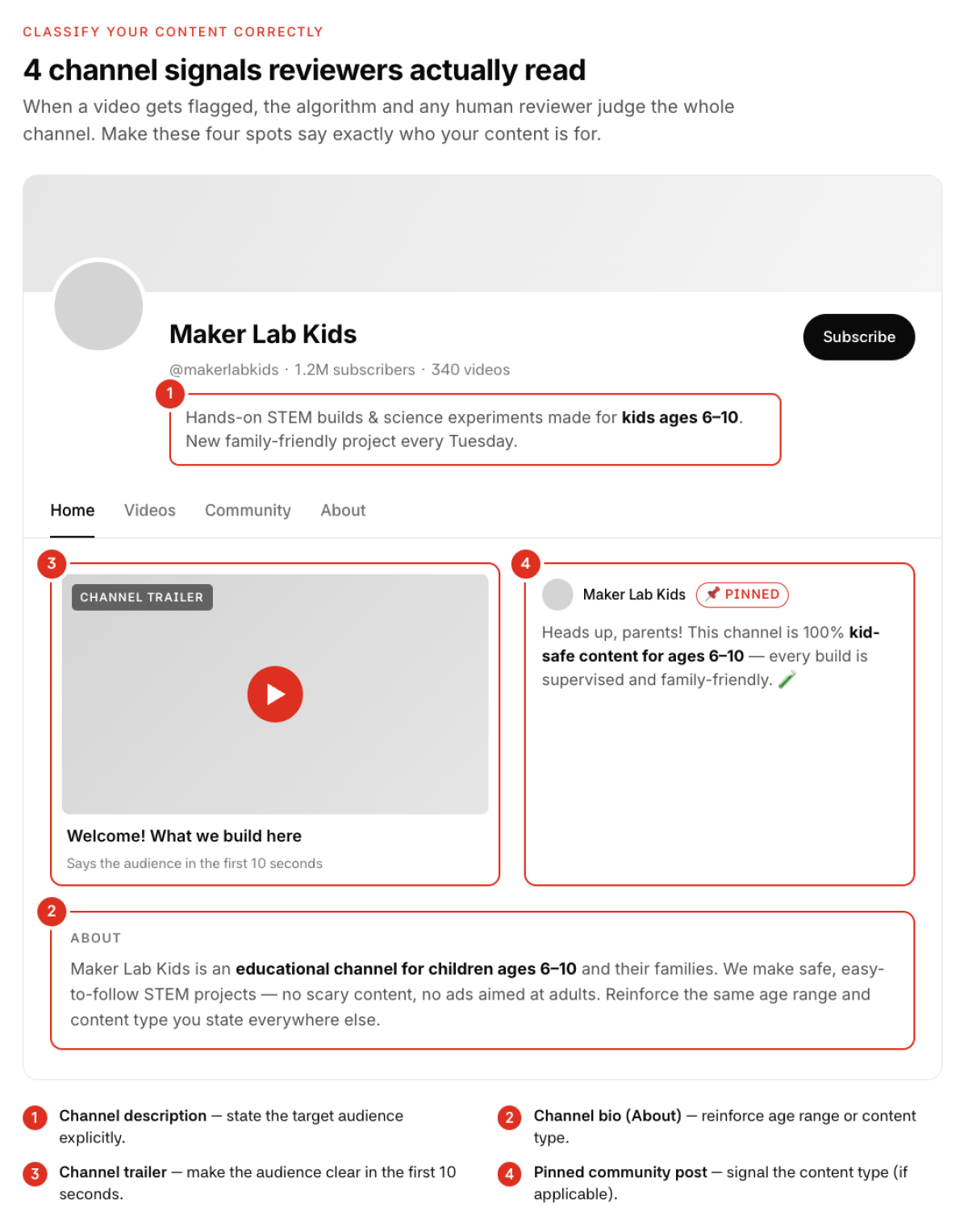
Your channel description should include a clear line that this content is intended for adults (or whatever your target audience is). Your video descriptions should repeat this. If you have a channel trailer, it should be obvious from the first 10 seconds who this is for.
Give both the algorithm and any human reviewer the context to classify your content correctly. When a video gets flagged and a reviewer checks it, they'll look at the channel as a whole. If the channel signals are clear, they have more information to work with.
Channel description: state target audience explicitly
Channel bio (About section): reinforce age range or content type
Channel trailer: make audience clear within the first 10 seconds
Pinned community post (if applicable): signal content type
02. Know your content risks level before you script it
Not all content has the same monetization risk. Before you write a word, understand where your content sits on the risk spectrum — especially if you produce anything that involves shock factor, edginess, or potentially sensitive topics.
YouTube's advertiser-friendly content guidelines draw lines around a few key categories: violence, adult content, harmful or dangerous acts, hateful content, and content that could be shown to children. Most creators aren't producing anything that falls squarely into those buckets. The problem is the grey areas.
The grey area categories most creators run into:
Shock/reaction content: Content built around surprising, disturbing, or extreme moments. If the shock is the point of the video, that's a risk signal, even if the content itself is technically legal.
Dangerous stunts or risky behavior: Even if framed responsibly, content showing anything that could be attempted by a viewer gets additional scrutiny.
Edgy humor: Comedy that relies on dark topics, violent scenarios, or anything involving minors, even abstractly, is in the grey zone.
Compilation formats: If you're pulling clips from other sources, each clip carries its own risk profile. One clip in a 15-minute compilation can demonetize the whole video.
Animation and illustrated content: This one surprises people. Animated content gets flagged more often for children’s audiences, even when the content is clearly adult.
💡 Pro tip: Ask two questions First: could this content be dangerous if a young person watched it and tried to replicate it? Second: does this content feature shocking or distressing moments as its main attraction, rather than as context? If the answer to either is yes, plan for additional steps before upload.
The “fleeting vs. focal” test
This is one of the most useful mental models YT teams use internally. Edgy or intense content is generally manageable when it's fleeting: a moment that passes in the context of a larger story. It becomes a problem when it's the focal point: the thing the thumbnail is built around, the thing the title promises, the reason someone clicks.
YouTube's systems are good at detecting when a video's most intense moment is also its most promoted moment. If your thumbnail shows the most extreme frame of the video, you're signaling to the algorithm that this is what the video is about.
03. Run your script through a compliance check
Before you record, get extra eyes on the script.
This is where one of the most underused tools in the creator toolkit comes in: Gemini. Because Google's own AI is the most directly tuned to the Google/YouTube policy ecosystem, it's better at identifying script-level compliance issues than general-purpose AI tools.
Feed it your script and ask it to review it the way a YouTube policy specialist would.
💡 Prompt to steal: “You are a YouTube monetization compliance specialist. Review the following script for any content that could trigger demonetization or limited ads under YouTube's advertiser-friendly content guidelines. Flag any specific phrases, scenarios, or moments that carry risk, and suggest alternatives where possible. [paste script]”
This step takes 5 minutes and can catch problems that would take weeks to discover via the appeals process. Run it on every script before you record, and run it again on your final edit transcript if you go significantly off-script.
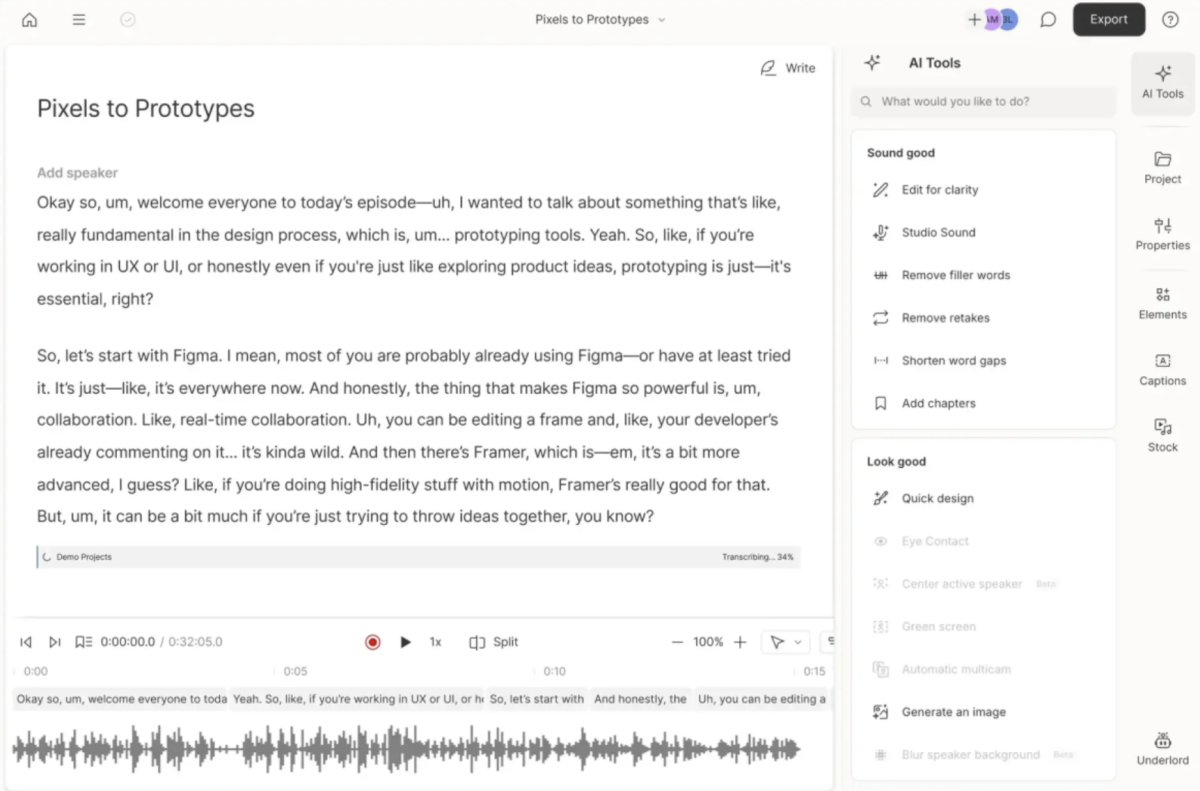
Descript is useful here too — it generates a clean transcript of your recorded video that you can then paste into Gemini for a post-recording check. This is particularly useful for interview formats or any video where the content was partly improvised.
The AI video editor that makes content creation as easy as typing.
04. Audit your thumbnail before you upload
Thumbnails are the first signal both humans and algorithms see. They're also one of the most common sources of misclassification.
What to look for
Does the thumbnail feature any imagery that could be seen as violent, dangerous, or distressing when seen out of context?
Is the color palette and design style adult-appropriate? Neon colors, oversized cartoon-style elements, and busy visuals can read as child-directed even when the content isn't.
Does the thumbnail feature any real person or character in a way that could be interpreted as threatening, sexualized, or targeting a specific individual?
Is the text overlay readable and appropriate?
To do: look at your last 20 thumbnails as a grid, the way someone visiting your channel page would see them. Does the overall visual impression communicate adult content? Or does it look like something that would be at home on a kids' channel?
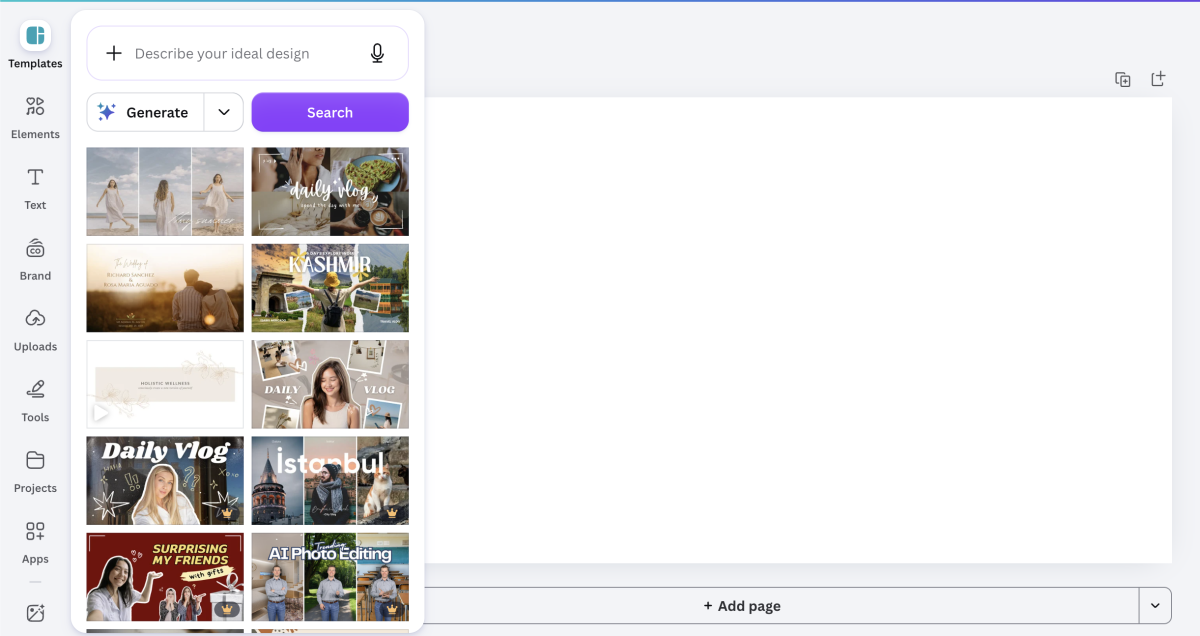
Canva is the fastest way to bring your thumbnail design in-house. Its YouTube thumbnail templates are sized correctly out of the box, and the brand kit feature lets you lock in your fonts, colors, and logo so every thumbnail stays visually consistent without starting from scratch each time.
Dead-simple design tool for every creator, with templates for every occasion.
05. Optimize your title, description, and tags
SEO and monetization safety don't always go together. A title optimized for maximum clicks can sometimes trigger a review. Here's how to avoid that.
Titles
Avoid clickbait framing that implies content YouTube's system considers risky. Titles like “the most dangerous…” or “what they don't want you to see” carry signals that can trigger a review.
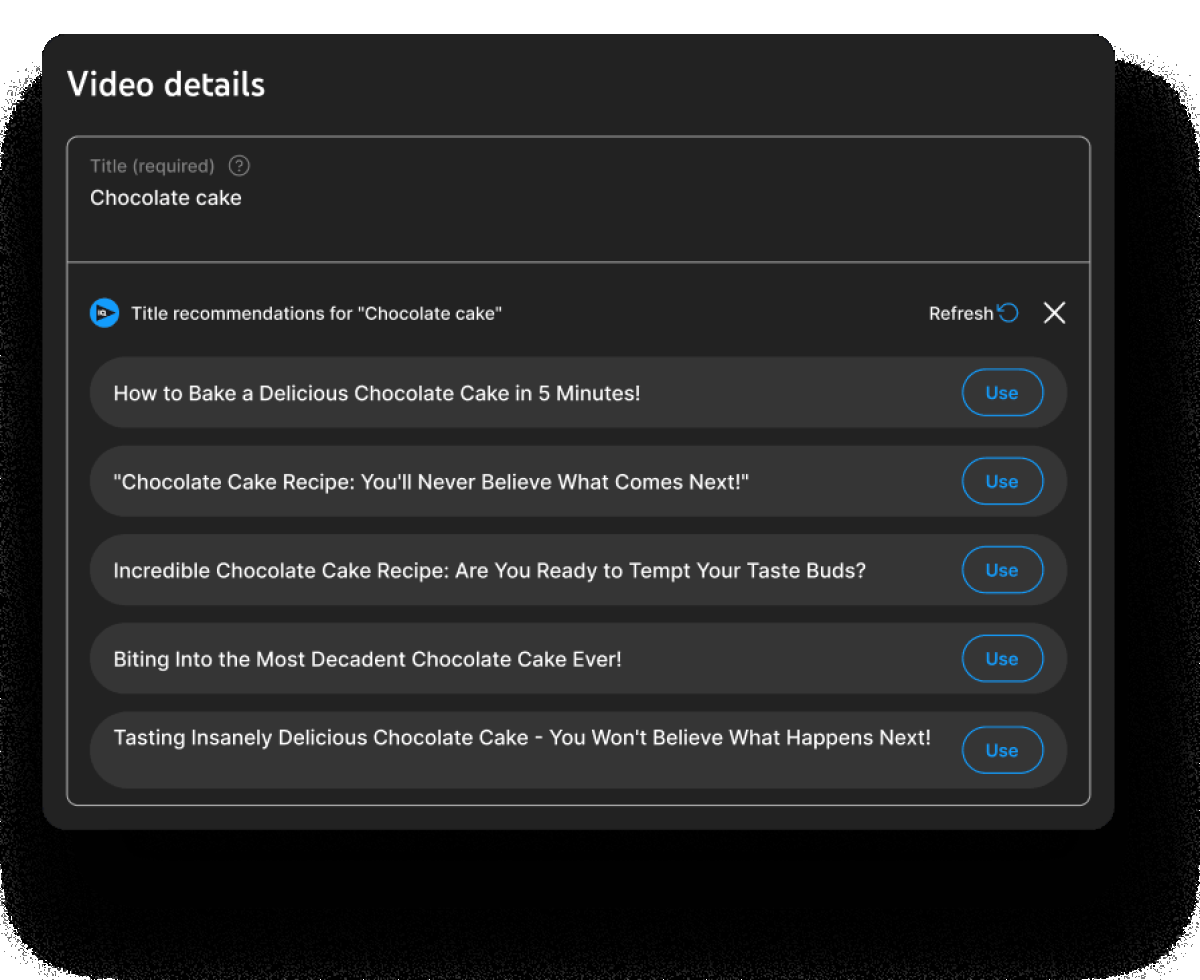
Use TubeBuddy or VidIQ to check how your title scores for SEO and monetization risks before you upload. Both tools surface keyword data, estimated search volume, and competition levels that help you find titles that perform without relying on inflammatory framing.
YouTube growth and SEO toolkit. Keyword research, competitor tracking, and video scorecard.
Descriptions
Your video description is one of the places you should explicitly state your audience. A single line, “This video is intended for adults aged 18 and over,” gives a human reviewer critical context. Combine this with the standard information (chapters, links, credit) and make sure there’re no mentions of restricted content.
Tags
Tags are a lower-stakes area, but avoid using tags that are related to flagged content categories, even if the video isn't in that category. Tags help YouTube understand what your video is about, so if your tags suggest a different topic than your actual content, you may attract reviews based on those signals rather than your content.
07. The pre-upload checklist: run this before every video
Here's the 12-step checklist condensed into one place. Use this as your pre-publish ritual every single time.
Channel branding check: Would a stranger identify this as adult content at a glance?
Audience stated in channel description and bio: Yes / No
Script compliance check run through Gemini: Yes / No
Final edit transcript checked (if you went off-script): Yes / No
Thumbnail reviewed against policy signals: No violent/distressing imagery, no child-directed aesthetics
Title reviewed: No inflammatory framing, SEO-checked with TubeBuddy or VidIQ
Description includes explicit audience statement: Yes / No
Description includes proper attribution for any third-party content used: Yes / No
Tags reviewed: No policy-adjacent tags unrelated to actual content
“Made for kids” classification set correctly: Yes (kids) / No (adults)
Cards and end screens reviewed: Do they link to appropriate content only?
If compilation format: Each clip individually checked for risk level
With 5+ years in the creator, entertainment, and publishing spaces, Mia shortlists, reviews, and ranks leading tools that actually make your life easier.