.jpg)
Buffer review: The best social media scheduler for Solo Creators (2026)
Buffer has been around since 2010 and is practically a verb in marketing. We tested it — here's what Buffer still does better than anyone, and where it'll cost you.
This article contains affiliate links. If you purchase a tool through them, we may earn a commission — at no extra cost to you. It never influences our rankings or what we recommend.
The verdict
The simplest, most reliable scheduler with the best free plan for solo creators.
Buffer got popular by doing one thing extremely well — making scheduling extremely simple and reliable. The free plan does real work, the interface is clean and easy for beginners. For a solo creator running two or three platforms, that's most of the job done.
That said, pricing is tricky. Buffer charges per connected channel, so one brand across six platforms means paying for six channels. The analytics stay basic no matter what you spend. We scored it 8.1/10: no learning curve, reliable, top tool for a small stack, but simple (by design) and the price is too high when you manage over 5 channels.
What we liked 👍
Easiest scheduler to learn: Capterra rates it 4.6/5 for ease of use, and reviewers consistently say it's the most intuitive tool they tested. Schedule within minutes.
The best free plan in the category: 3 channels, 10 scheduled posts each (refill as they publish), 100 saved ideas, and the AI assistant. Enough to run a small online presence.
Reliable publishing: posts go out on time and connections stay stable. The thing you actually pay a scheduler to do, it does.
Clean, modern interface: drag-and-drop calendar, a simple queue, and a browser extension to drop ideas in as you find them. No clutter.
Free, unlimited AI assistant: caption drafting and repurposing built in, even on the free tier.
Good mobile apps: iOS and Android both let you schedule, edit, and reply on the go.
What we didn't like 👎
Per-channel pricing adds up fast: cheap for 1-3 channels, pricey once you run one brand across 5+ platforms. You're paying per profile, not per plan.
“Best time to post” underdelivers: reviewers (us included) report random suggested times that don't improve much with use, even on paid.
Platform quirks: TikTok caption formatting is limited, YouTube is Shorts-only with no thumbnail picker or analytics.
What is Buffer?
Buffer is a social media scheduling tool: you write a post once, pick the channels, set a time (or drop it into a recurring queue), and Buffer publishes it for you across your accounts. It's been doing this since 2010, has 140,000+ users, and has built its whole reputation on being the simplest, most reliable way to stay consistent without logging into eight apps a week.
Which socials does Buffer support?
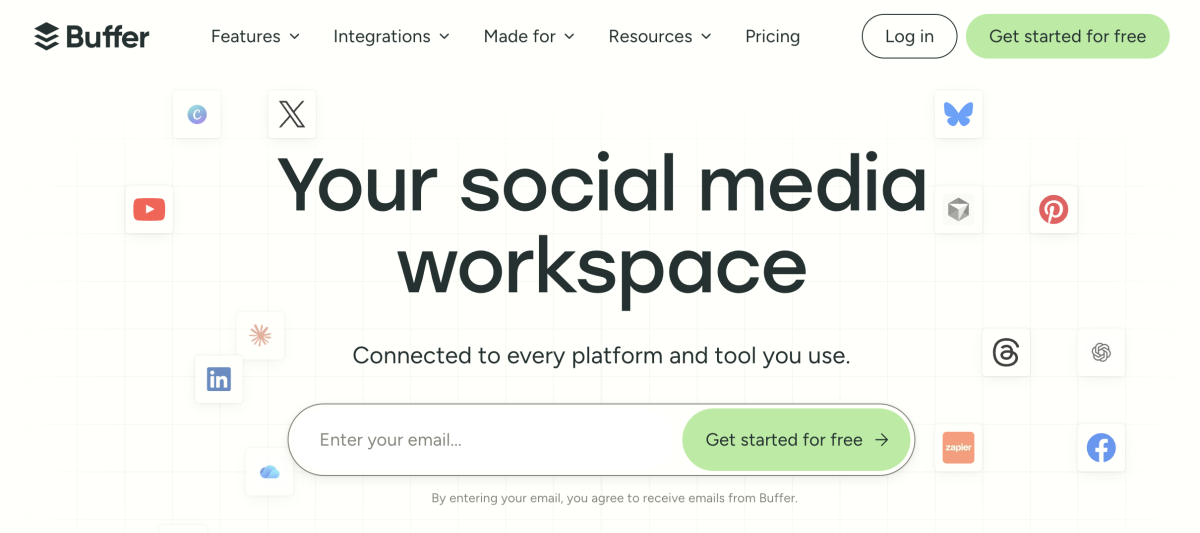
Buffer supports 11 channels: Instagram, Facebook, TikTok, LinkedIn, X (Twitter), YouTube (Shorts), Threads, Pinterest, Google Business Profile, Bluesky, and Mastodon. There's also a Start Page (a link-in-bio landing page) that counts as a channel toward your plan.

🚨 Worth knowing:
Some features are channel-dependent. Automatic publishing covers most channels, but Instagram personal profiles and Facebook groups use reminder notifications (you finish the post natively), and analytics depth varies by platform.
Insights from our testing: platform-specific quirks
No image carousel support: one image per post only
Can't set custom alt text, so you're stuck with Buffer's default
Otherwise the smoothest of the three to schedule
No music on static posts (app-only)
For Reels, Buffer reminds you to manually add music before it publishes, so it's not fully hands-off
Add first comment auto-drops your first comment the second the post goes live: nice touch
TikTok
Same music limitation (app-only)
Carousel format works, though, and it's a win since TikTok's own desktop app doesn't support it
Who is Buffer for?
Solo creators, solopreneurs, and small businesses running 1-3 platforms who want scheduling that just works. If you need simplicity and reliability, not deep analytics and in-depth social listening, Buffer is the easy answer. If you're an agency or you manage a large multi-platform stack and want flat pricing, you'll outgrow it.
Key features
Heads up on the free plan: 3 channels max, so choose wisely. Pick the platforms you actually post to most.
Create
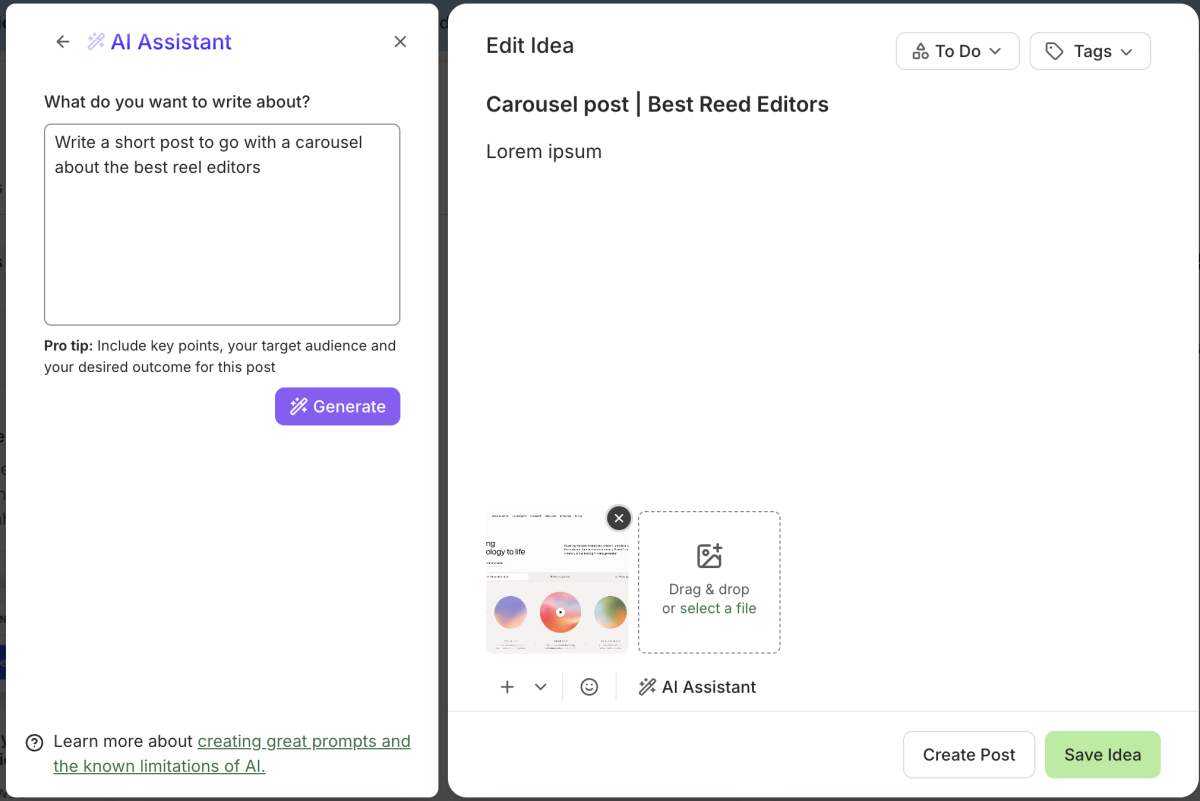
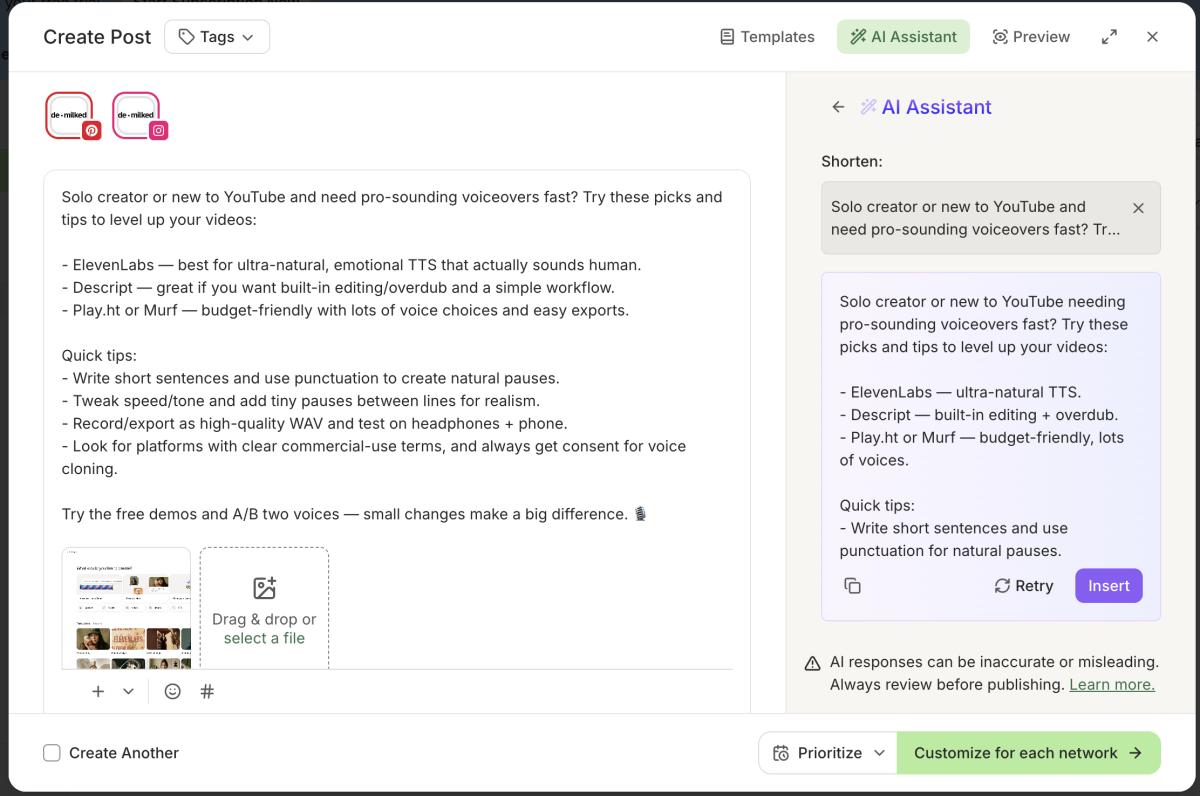
Buffer's Create space holds your ideas before they're scheduled. The standout is Board view — a simple, friendly Kanban with a Backlog, To do, In progress, and Done, so a loose idea can move toward a finished post without leaving the app. Board view is included on the free plan; deeper organization (more tags, unlimited ideas) comes with paid. You also get 100 saved ideas free, which is plenty to start.
AI Assistant also helps to generate ideas, refine them, and brainstorm new angles.
Templates
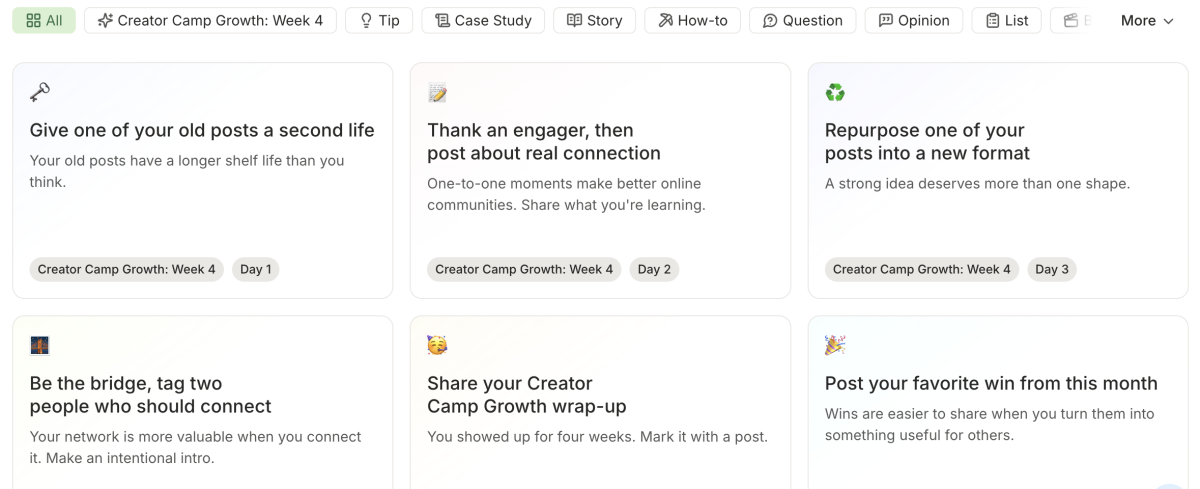
Especially helpful for complete beginners and solo creators without a set content plan. Buffer's templates are creative post ideas and spins that fit a lot of niches — something to break a blank-page moment and give you a starting angle. We found them most useful in the early days, before you've got your own rotation locked in.
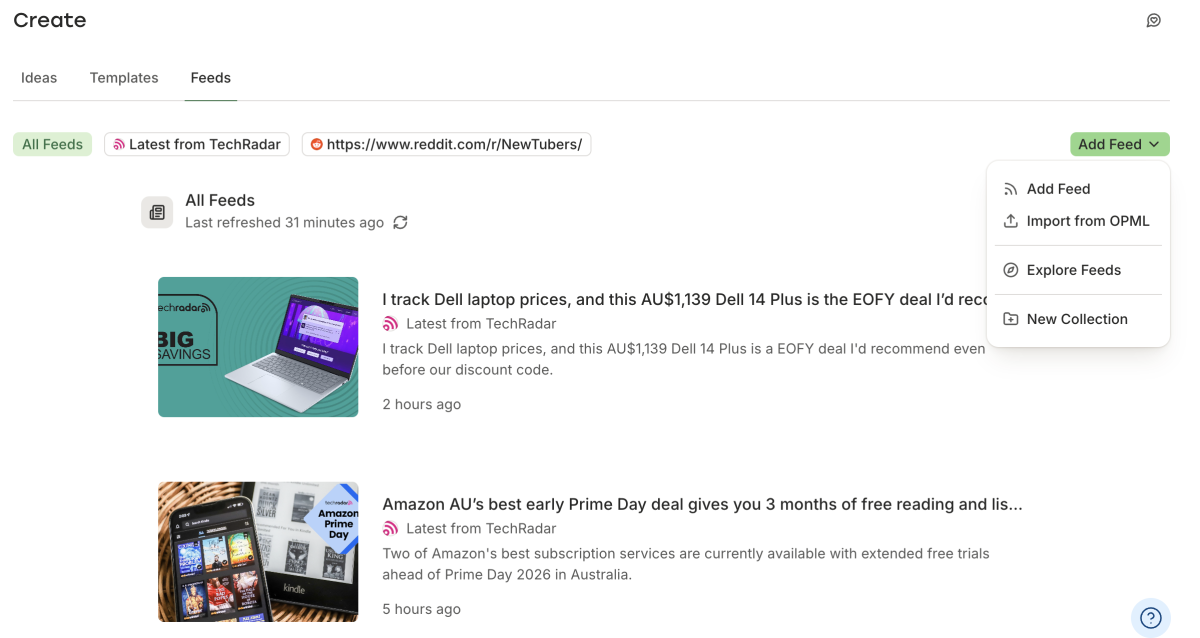
Feeds is the quietly useful one competitors mostly skip. Connect RSS feeds and blogs in your niche (via Feedly and Pocket integrations) and pull everything into one centralized feed, so you're sourcing ideas from your favorite sources without checking ten tabs manually. The trade-off: there's little automation, so you'll still scroll to find the genuinely good idea.
Publish
This is what Buffer is known for, and it still delivers. Write a post, drop it into the queue or pick a slot on the visual calendar, customize per channel, and you're done. On the free plan you can hold 10 scheduled posts per channel at a time — clear the queue as posts go out and refill in your next batch session. Paid plans lift that to unlimited.
Approvals
Approval workflows are handy for bigger teams but sit on the Team plan only (or the 14-day trial). Not worth the hassle for a solo creator, but useful if you're expanding, working with freelancers, or handling client-facing content that needs a sign-off step.
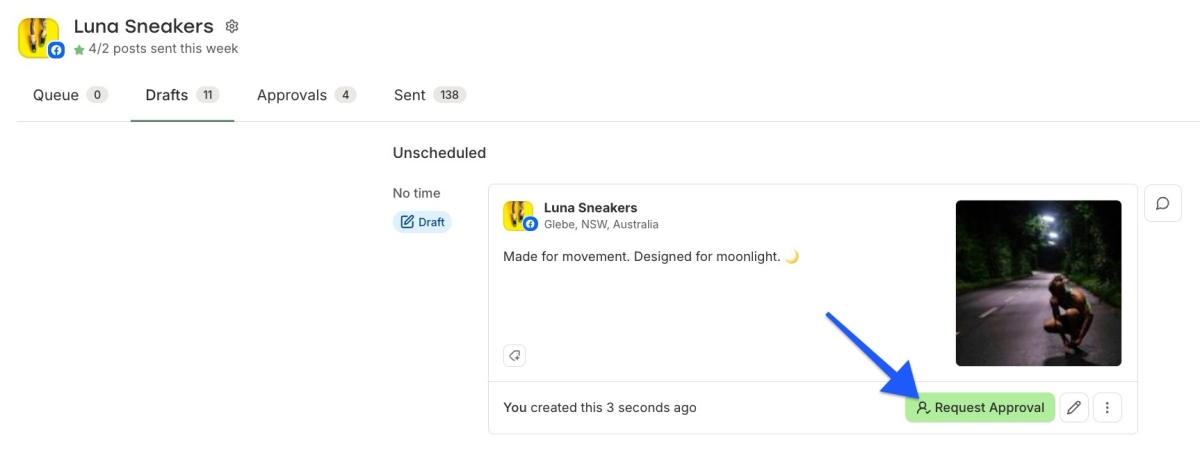
Image credits: Buffer.com blog
Community
Buffer also does comment management through its Community inbox: reply to comments across Instagram, Facebook, LinkedIn, Threads, Bluesky and more from one place, with a comment score to track your consistency. Useful if you're building a community and tired of jumping between apps. Note it covers comments, not DMs or X replies, so it's not a full unified inbox.
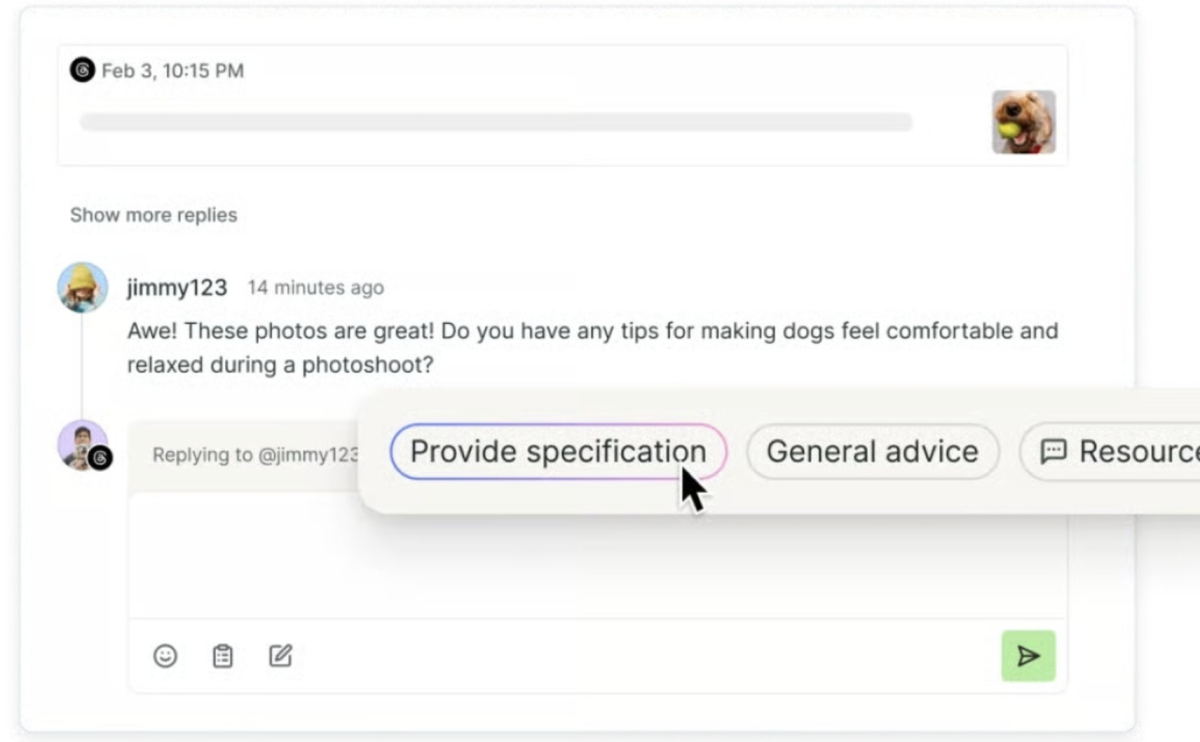
Reply to all your social media comments in one place ✨
Stop juggling tabs and apps. Manage every conversation from a single, distraction-free inbox.
Analytics
The free plan gives you basic per-post analytics with 30 days of history. That's enough to see what's landing. The richer stuff (performance overview, audience demographics, best time to post, exportable reports) is gated behind Essentials and up, though you can try it on the trial. We found the analytics shallow overall, and the best-time-to-post suggestions inconsistent.
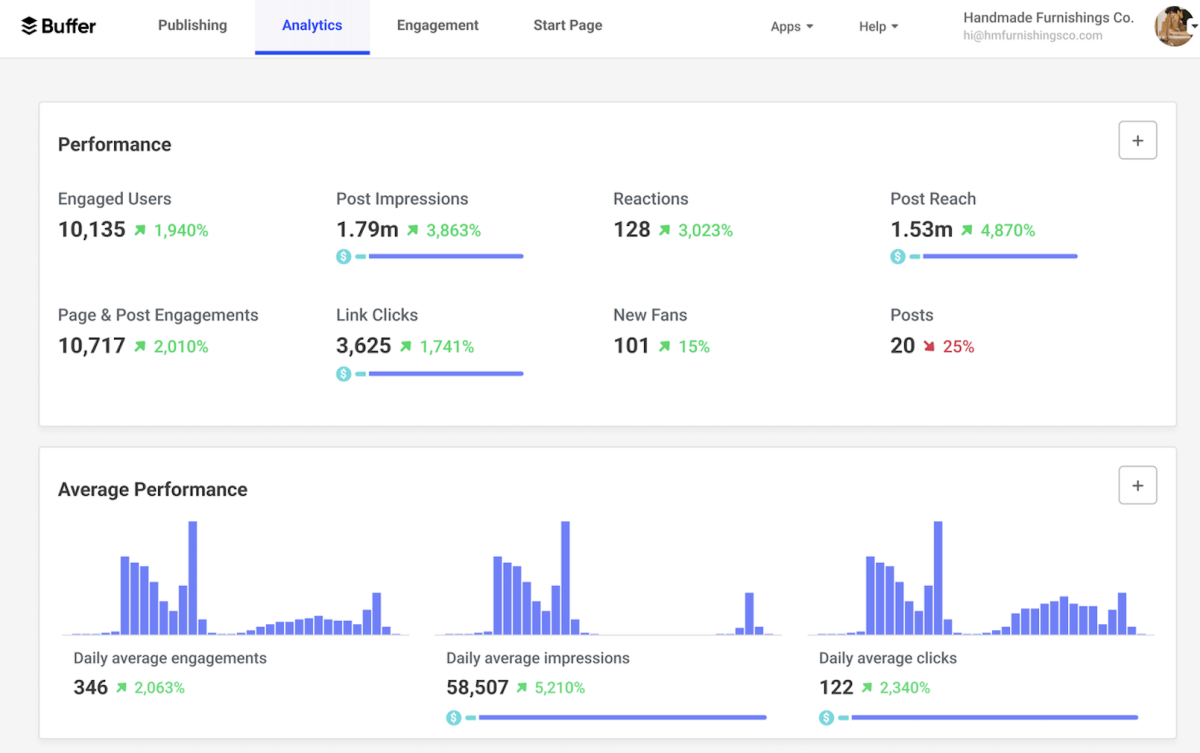
How to publish content on Buffer?
Once your channels are connected, publishing takes about a minute. Here's the flow:
Connect your channels: link up to 3 accounts on the free plan (Instagram, X, LinkedIn, etc.).
Set your posting schedule: define recurring time slots per channel so the queue auto-fills at your best times.
Create your post: write once in the composer (or pull an idea from your Board), then tweak the caption per platform.
Add media: drop in images or video from your device, Canva, Google Drive, or Unsplash.
Queue, schedule, or post now: add it to the next open slot, set a specific time, or publish immediately.
Check the calendar: review your week in the visual calendar and drag posts around if the rhythm needs adjusting.
Expert tip: batch a full week (or two) in one sitting, fill your slots, and let Buffer handle the rest. That's where the time saving actually shows up.
How much does Buffer cost?
Pricing depends almost entirely on how many channels you plan to connect and manage. The more channels, the more it costs. Buffer charges per channel, so a single connected channel starts at:
Free | Top pick Essentials | Team | |
|---|---|---|---|
| Price (per channel) | $0 forever | $5/mo billed yearly ($6 monthly) | $10/mo billed yearly ($12 monthly) |
| Channels | Up to 3 | 1+ (you pay per channel) | 1+ (you pay per channel) |
| Scheduled posts | 10 per channel | Unlimited | Unlimited |
| Ideas | 100 | Unlimited | Unlimited |
| Users | 1 | 1 | Unlimited |
| AI Assistant | ✅ Yes | ✅ Yes | ✅ Yes |
| Analytics | Basic (30-day) | Advanced + best time to post | Advanced + branded reports |
| Community inbox | ✅ Yes | ✅ Yes | ✅ Yes |
| Approvals | ❌ None | ❌ None | ✅ Included |
| Best for | Testing / 1-3 channels | Solo creators going daily | Teams & client work |
A few notes:
➡️ Yearly billing saves ~20% (the $5 and $10 figures), monthly runs about $6 and $12 per channel.
➡️ Channels beyond 10 drop to roughly $3.33 each, so heavy multi-channel users get a volume break.
➡️ There's a 14-day free trial (it starts you on Team, so you test the full feature set), and nonprofits get 50% off.
Should you get Buffer?
Get it if you're a solo creator or small business posting to 1-4 platforms and you want the simplest, most reliable scheduler. Start free.
Upgrade when you're consistently hitting the 10-post-per-channel limit, or you want the visual calendar plus deeper analytics for a daily posting habit. Essentials is the sweet spot for solo creators.
Skip it if you need serious analytics or social listening, or you run one brand across many platforms and want flat, predictable pricing — a flat-rate all-in-one will be cheaper and deeper at that scale.
It depends if you're a growing team: the Team plan adds approvals, permissions, and unlimited users, which is worth it for client work, but overkill if you're just scheduling your own posts.
Looking for a Buffer alternative? We reviewed and ranked the best social media schedulers for solo creators in 2026.
The simplest, most reliable scheduler with the best free plan for solo creators.
With 5+ years in the creator, entertainment, and publishing spaces, Mia shortlists, reviews, and ranks leading tools that actually make your life easier.