 Mia Lysikova
How to write an invoice for freelance work
7 min read
MonetizeWorkflow
We tested six invoicing tools built specifically for freelance billing and recurring invoices. Find the best accounting software for expense tracking, send invoices on autopilot, and get paid regularly.
Contains affiliate links — commissions never influence our rankings.
An invoicing tool is software that lets you create, send, and track invoices for your work. It helps your freelance business invoice clients and get paid regularly without building a spreadsheet template from scratch every month or for every new client.
For freelancers and small business owners specifically, the job is different than it is for a full accounting suite. You don't need payroll or inventory tracking. The best accounting software for freelancers is fast to set up, easy to send from your phone between client calls, and cheap enough that it doesn't become another big expense for you.
A basic invoicing platform lets you create and send invoices directly to a client, and tells you when it's been viewed and paid. Essentially, it acts as an invoice generator, and the rest of the manual work that has to do with payroll, communications, and payments still falls to business owners.
The better invoice tools for freelancers go further. They automate recurring invoices for retainer clients, process payments straight away so clients can pay with a card or other payment method of their choosing, and handle client management so you're not tracking who owes what in a separate app.
Freelance invoicing software handles the entire billing cycle from one place, so you don't have to do manual work with a Word template, a separate payment link, and a spreadsheet to track payments.
Ultimately, invoicing software helps you build a professional invoice in minutes using pre-made templates, then send it straight to a client. You won't have to export the invoice PDF manually and send it in an email. Most free invoicing software for freelancers also handles recurring invoices automatically for retainer clients, so you're not manually re-sending the same bill every month.
Beyond sending, it tracks the invoice's status: you can see when a client has opened it, if it's overdue, and get automatic payment reminders sent on your behalf, so you don't have to chase the clients yourself. Built-in payment processing and PayPal invoicing means clients can pay by card or bank transfer directly from the invoice, and the money lands in your account directly.
The best freelance tools in this category go further: time tracking converts logged hours straight into a bill, expense tracking covers reimbursable costs, and light client management keeps your invoice history, contracts, and communication in one place instead of across five apps.
The best option for freelancers or small business owners really depends less on features and more on how you actually work. Here are four questions to narrow it down:
How many clients do you invoice each month? For less than ten clients on a monthly retainer you need recurring, automated billing, not a super-extensive feature set. Wave or FreshBooks covers this, and you won't have to overpay for tools you don't use. If you work with lots of one-off clients, not on a monthly retainer basis, all-in-one invoicing apps like Bonsai or Dubsado will be a better fit. With them, your proposals and contracts live next to the invoicing feature itself.
Are you billing hourly or by project? If you bill hourly, you need a robust invoicing app with built-in time tracking that directly generates an invoice. At 5+ monthly projects with hourly billing, you'd have to manually copy hours from a separate timer, and that's where you lose hours to boring work and make human errors. With project-based billing, you care less about time tracking and more about schedules and regular payments.
Do you have international clients? If any of your clients pay in a currency other than your own, a multi-currency solution for freelancers will help you get paid the right amount and avoid expensive conversion fees. Zoho Invoice is the best paid invoicing tool for international payments.
How much are you willing to pay for invoice generation? Every tool on our list has a free tier or a free trial, but "free" means different things. You can actually use Wave's or Zoho Invoice's free plan long-term, but other software options cap you until you upgrade. Match the plan to what you can commit to, not what you might grow into someday.
An invoicing tool solves getting paid, but it doesn't solve finding the client in the first place. If you're still building a client pipeline, freelance marketplaces are the fastest way to start.
Upwork and Fiverr remain the two biggest platforms for finding paid freelance work across nearly every skill set, from writing to design to development. Contra is a newer, commission-free option worth checking out if you want to keep more of what you earn on each project.
Technically, yes, as a freelancer, you can use a Word doc or a free invoice template to get a bill in front of a client. For your first one or two invoices, that's fine.
But when you grow, manual invoicing takes more time and effort than it's worth. Manual invoicing means you're tracking who's paid and who hasn't in your head or a spreadsheet, chasing overdue payments yourself instead of an automated reminder doing it for you, and rebuilding the same invoice from scratch (or hunting down the last one to copy) every time you bill a client. None of that scales past a client or two, and you're losing hours of potentially billable time.
The free plans on this list (Wave, Zoho Invoice) exist for exactly this reason. You get the automation and tracking without paying anything until you actually need a paid tier's extra features. At that point, "can I do this myself" isn't really the question, it's whether your time is worth more than the cost of the tool.
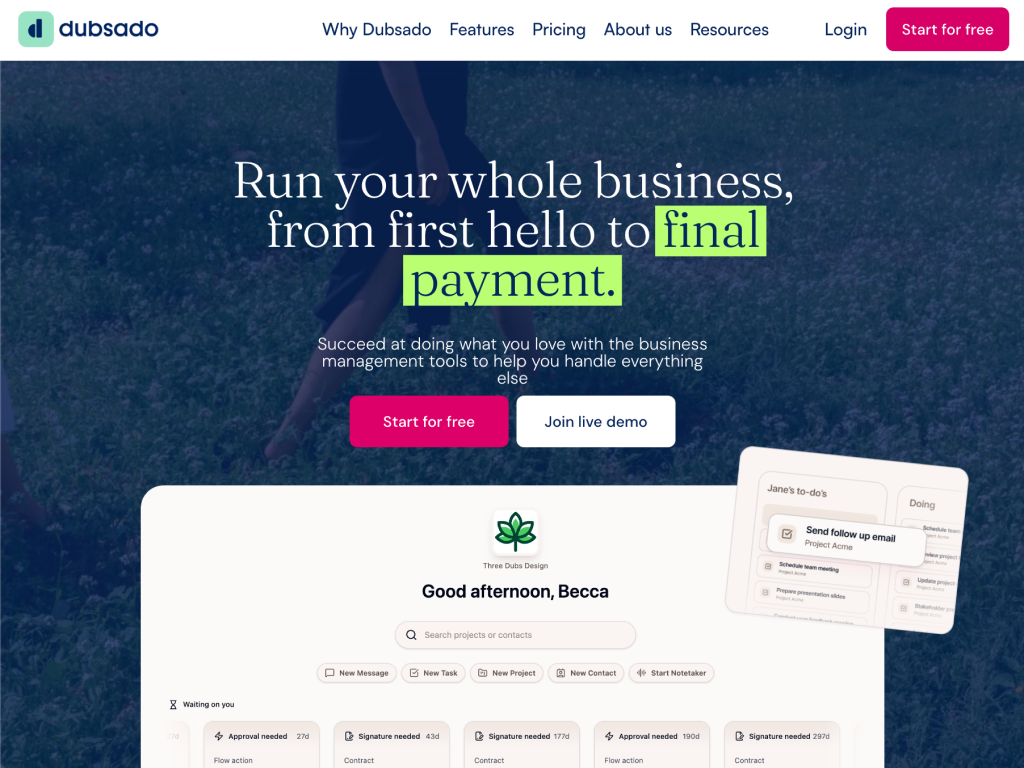
Best for full client workflow (forms, contracts, scheduling)
Dubsado bundles invoicing with contracts, lead forms, and scheduling into one client workflow. It's built for service-based freelancers who want everything, from first inquiry to final payment, in one tool. No free plan, but the trial has no time limit.
Dubsado is an all-in-one client management platform built for freelancers and small service businesses, like photographers, consultants, and designers. If you want to run clients through the same process every time (inquiry, proposal, contract, invoice, reminder), Dubsado is for you.
But invoicing is just one piece of this platform. The biggest selling point is that Dubsado replaces five tools (a form builder, an e-signature app, a scheduler, an invoicing tool, and a CRM) with one login and one client record.
What we liked
Full workflow automation. Forms, contracts, and invoices can trigger off each other without manual work
Public proposals and scheduling built in, not as add-ons
Trial gives full, unlimited-feature access to Premier for 21 days
No extra transaction fee on top of Stripe's processing rate
What we disliked
No free plan. You have 21 days to decide if Dubsado is for you
Steep learning curve. Automation is powerful, but setup takes hours
Only 3 team members included before per-seat fees
Each additional brand costs $10/month extra, which adds up fast for anyone running more than one business
Dubsado is as much a robust invoicing software as it is a full-scale operations tool designed for freelancers.
Send invoices, accept payments
First and foremost, Dubsado is a prime choice to help freelancers get paid.
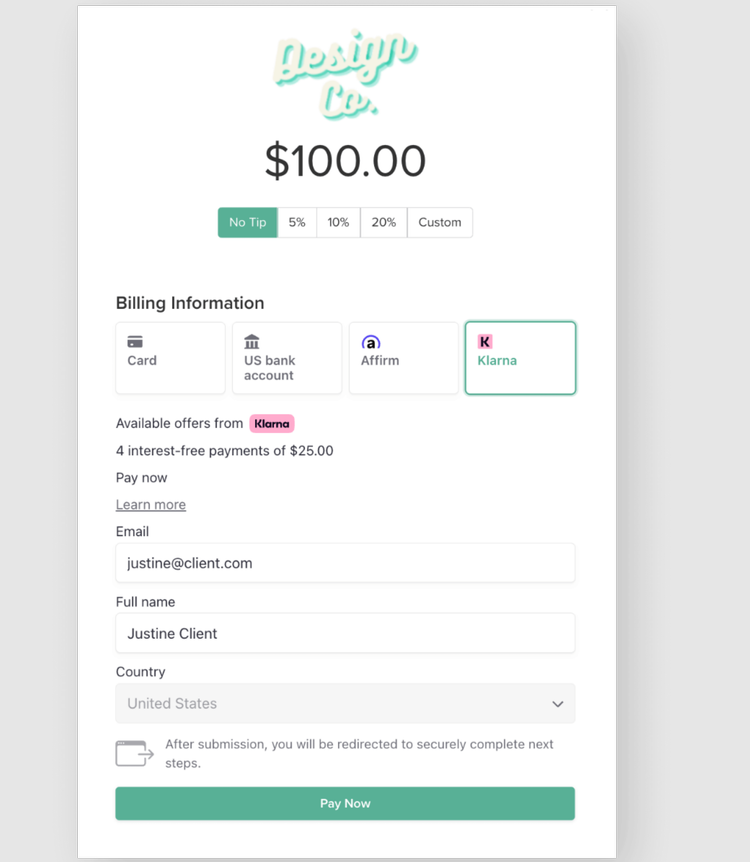
Automate your billing process
The app helps you create polished invoices in minutes, automate your billing process, and open more payment options to your clients.
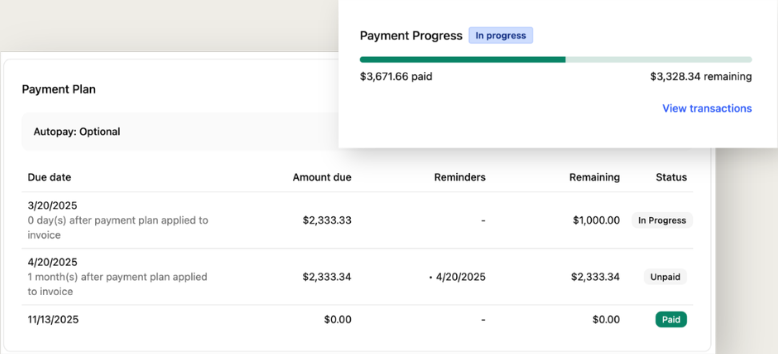
Schedule appointments
Ideal for freelancers who provide appointment-based services, such as consults, sessions, and training. Clients can see your availability in their time zone, book and reschedule with one click, and receive automatic confirmations.
Legally-binding contracts
Dubsado also covers legal business needs. With a few clicks, you can set up tamper-proof contracts and agreements with secure electronic signatures, time-stamped signing records, and IP address tracking.
Workflows
You can create customized flows with specific follow-ups and emails on each step. For example, send personalized welcome packets, generate pricing and proposals instantly, and automatically follow up on clients at critical moments.
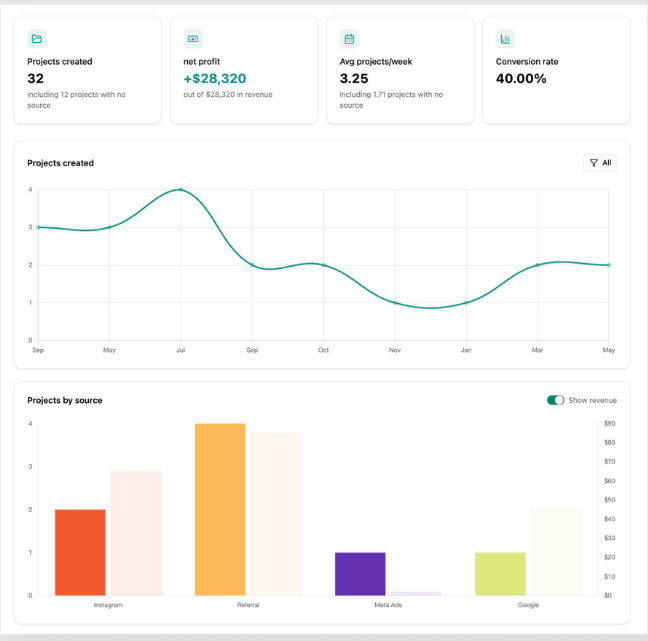
Analyze reporting
Since Dubsado is used for more than just invoicing, you get centralized access to all of your freelance business analytics in one place. Helpful to compare month-to-month growth and identify revenue patterns.
| Plan | Starter | Premier |
|---|---|---|
| Price | $35/mo (or $335/yr) | $55/mo (or $525/yr) |
| Key features | Unlimited clients & projects, invoicing & payment plans, form & email templates, client portals, calendar sync | Everything in Starter, plus scheduling, automated workflows, public proposals, unlimited lead capture forms, Zapier integration |
Add-ons: $10/month per additional brand, first 3 extra users free, then $25/mo (4-10 users), $45/mo (11-20), $60/mo (21-30). The free trial runs 21 days with full, unlimited access to Premier, so you get to test the entire feature set, automations included, before committing. Annual billing saves roughly 17% over monthly on either plan.
Running a service business where every client goes through the same multi-step process (inquiry, contract, invoice) — Yes, you want the whole sequence automated rather than doing each step manually
Just sending occasional invoices — No, the learning curve and $35-55/month cost aren't worth it for basic billing alone, and a simpler, cheaper tool further down this list will serve you better
Best free-to-start invoicing tool
Zoho Invoice is a free invoicing tool by the same company behind Zoho Books and Zoho CRM. Perfect pick if you want zero-cost invoicing with room to grow into a bigger suite to support your entire business.
Zoho offers dozens of business apps (CRM, accounting, email, HR, and more) all built to work together under one account. Zoho Invoice is their standalone invoicing product, and unlike most of this list, it's free on its own, not just a free trial of a paid plan.
It covers the basics well: professional invoice templates, recurring billing, expense and time tracking, and a client portal, plus the option to plug into the wider Zoho ecosystem (Zoho Books for full accounting, Zoho CRM for client management) if your business outgrows invoicing.
What we liked
Free with no paid tier required, not just a time-limited trial
Covers the essentials: templates, recurring billing, time and expense tracking, and a client portal
Plugs into the wider Zoho ecosystem (Zoho Books, Zoho CRM) if you outgrow invoicing
What we disliked
Free plan is capped at 500 invoices/year and 2 users
Full value depends on adopting more of the Zoho ecosystem
As we mentioned before, Zoho is a full 360-degree software suite for businesses, but Zoho Invoice in particular is quite straightforward and easy to use. It has everything you'll likely need, no more, no less.
Quotes
Here, you can set your payment terms, agree on the deliverables, and give your clients a professional, structured quote. On the client side, they can approve, and the quote auto-generates an invoice, so you don't have to do any double work.
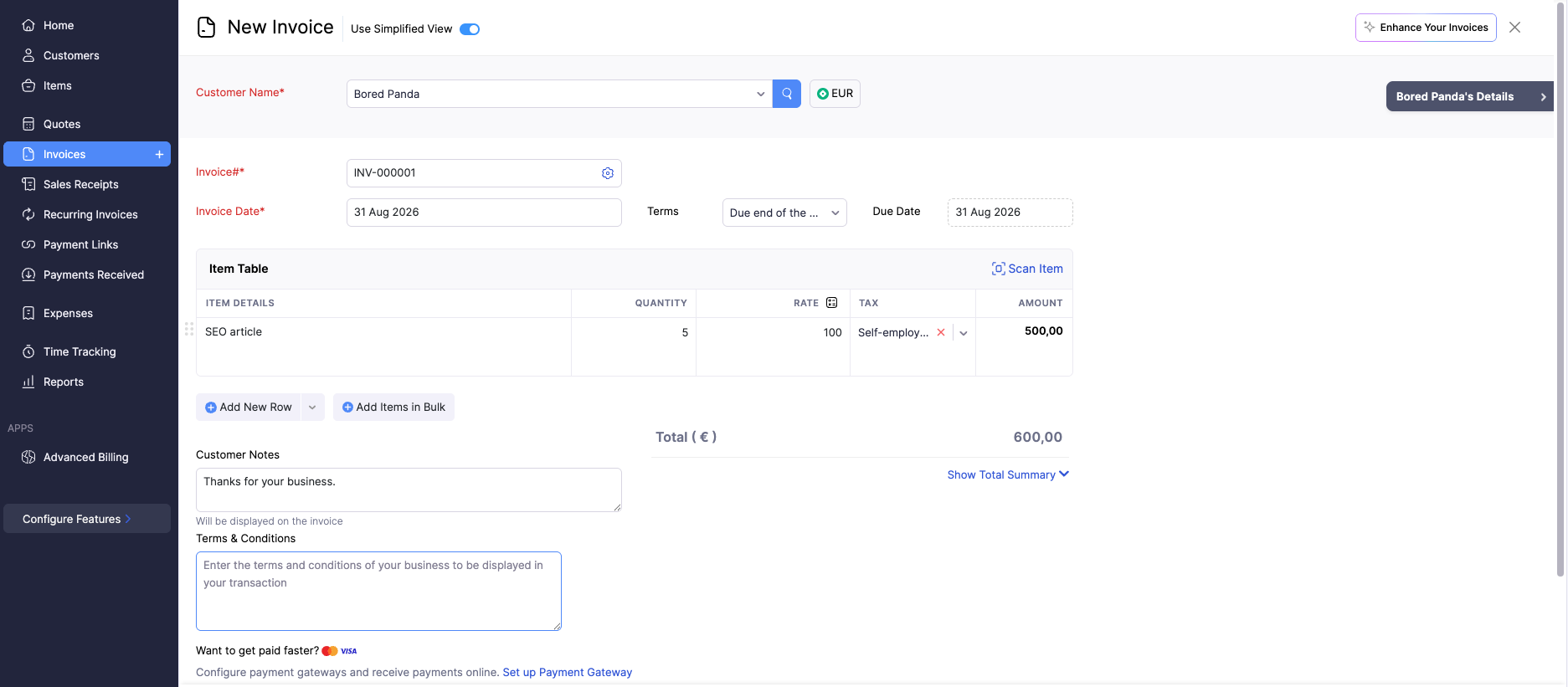
Time tracking
With the mobile app, you or your employees can log time from their phones and other devices. Zoho Invoice automatically generates a timesheet and calculates the final price for completed work.
Invoice templates
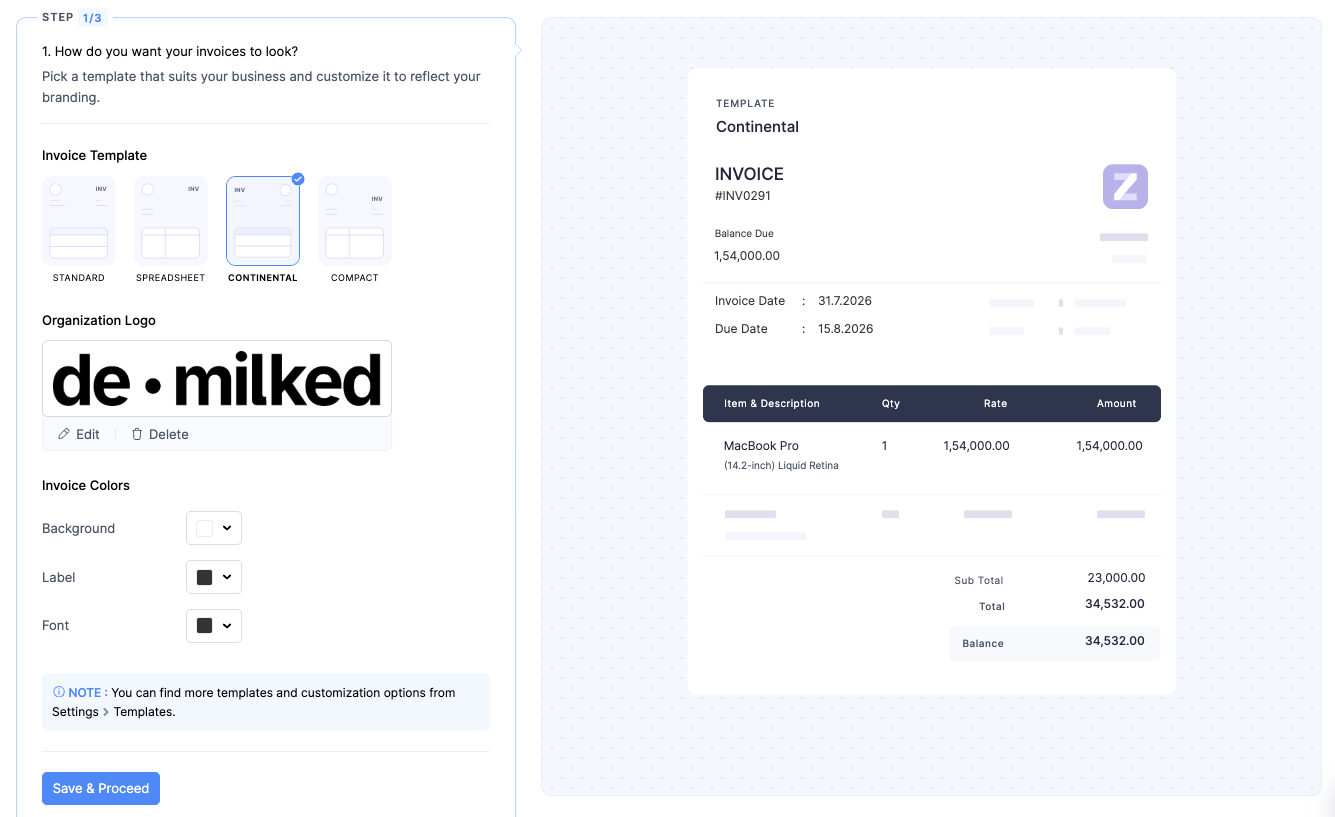
Zoho has an entire library of templates for professional invoices, so you never have to think about the format. Custom fields also add flexibility and allow you to customize your invoices as much as you need.
Expenses
In addition to billing, you can log expenses such as raw materials, software, supplies, and more. They're auto-converted to invoices, and it's easy to keep track of them for tax purposes.
Payment reminders
You don't need to follow up on outstanding invoices and lose time chasing clients. Zoho Invoice sends payment reminders to ensure you get paid on time.
Customer portal
Zoho Invoice is client-facing, too. Your clients can log in to view outstanding invoices, see quotes, pay directly with their preferred method, and download statements.
Reports and analytics
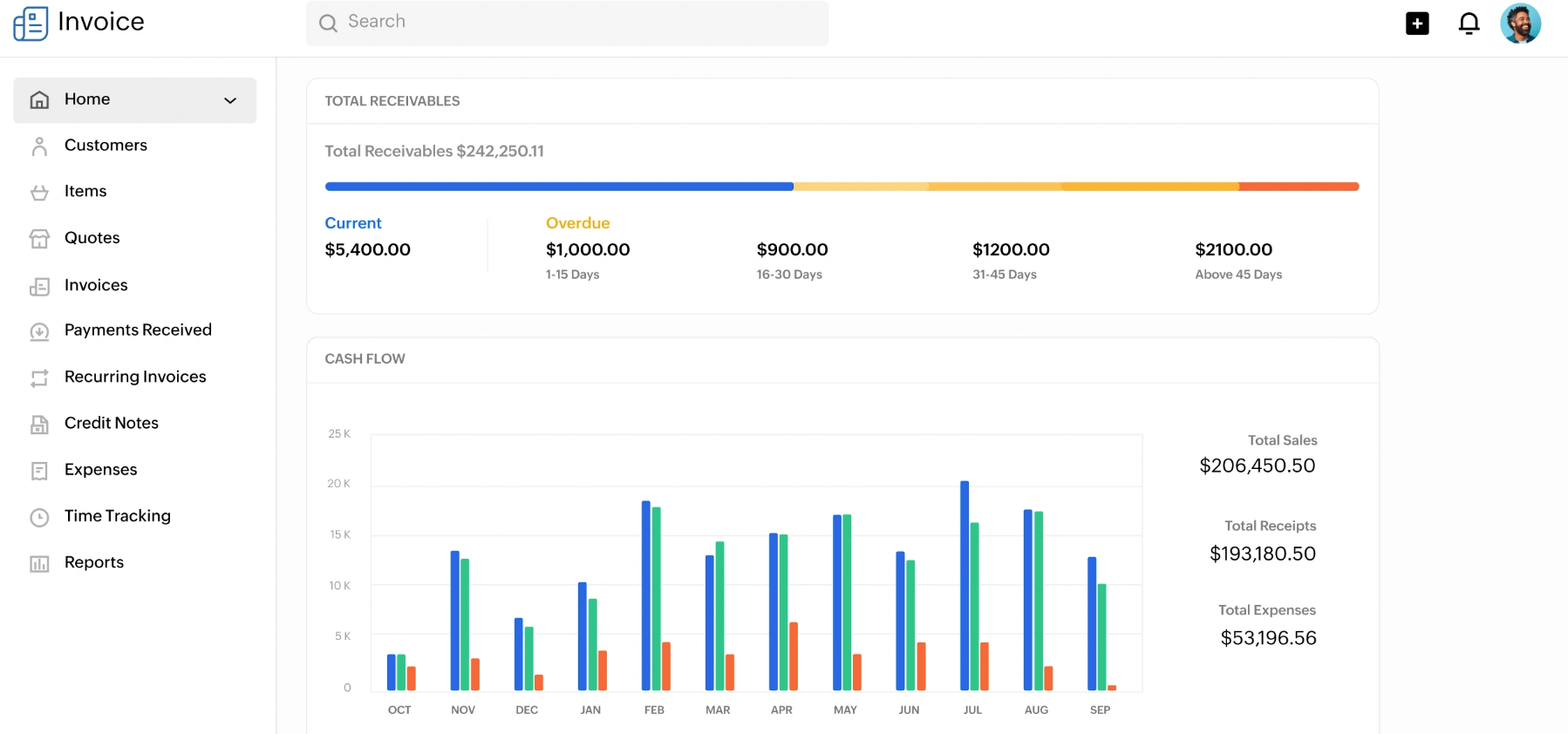
Zoho also collects all information that it processes and gives you an in-depth view of your revenue, expenses, and other business financials. The dashboard helps you see best-selling products and services, top customers, and growth trends.
| Plan | Free |
|---|---|
| Price | $0/month, forever |
| Limits | 2 users, 3 active projects, 500 invoices/year |
| Key features | Unlimited invoices within that yearly cap, customizable templates, automated payment reminders, time and expense tracking, multi-currency support, and project billing |
Zoho Invoice is free with no paid tier at all. Zoho monetizes through its broader ecosystem (Zoho Books, Zoho CRM, Zoho One), not by charging for Invoice itself.
If your invoicing needs fit inside those limits (small client roster, under 500 invoices a year), this is hard to beat on pure value. You're not paying anything, ever, for a genuinely capable tool.
Best for basic bookkeeping and expense tracking
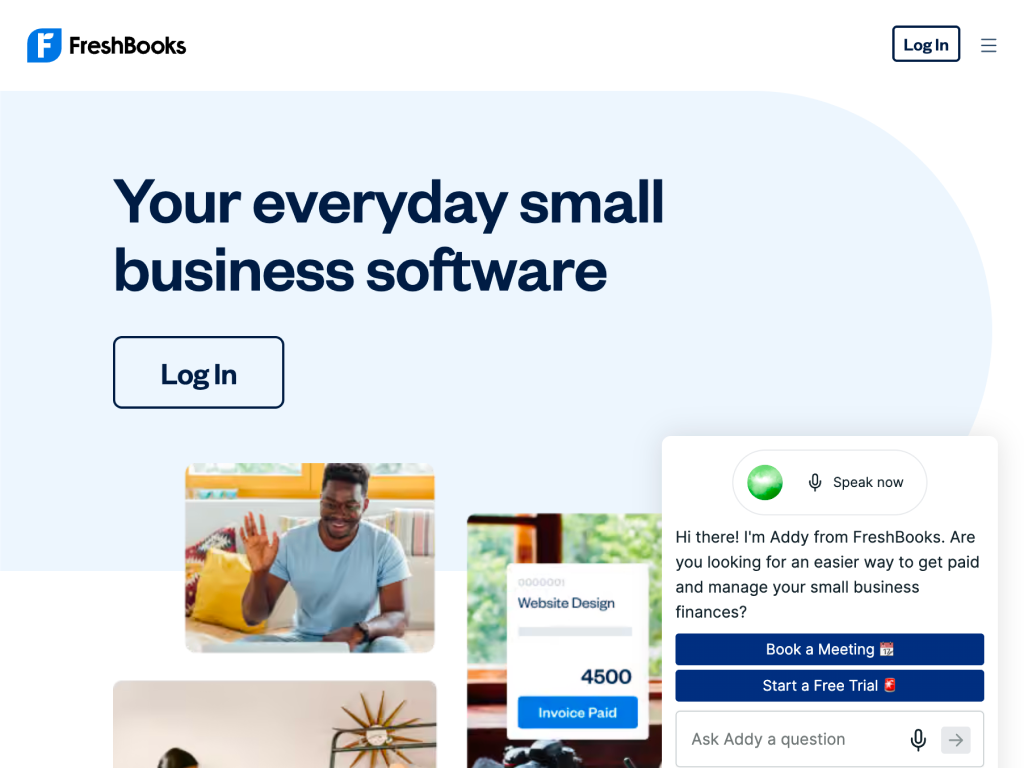
FreshBooks pairs solid invoicing with real double-entry bookkeeping, expense tracking, and time tracking, without the steeper learning curve of a full accounting suite. The best pick here if you want your invoices and your books to actually talk to each other.
FreshBooks started as an invoicing tool and grew into lightweight accounting software built for freelancers, contractors, and small service businesses rather than accountants. Invoices, expenses, time tracking, and basic financial reports all live in one dashboard.
Unlike Dubsado or HoneyBook, it isn't trying to be a client-workflow tool with contracts and scheduling. It's narrower and deeper on the money side: uniting expenses, tracking mileage, and producing reports you (or your accountant) can actually use at tax time.
What we liked
Real bookkeeping, not just invoice tracking, for financial reports
Built-in time tracking that auto-generates invoices
Mobile app lets you snap a receipt photo and auto-categorize the expense
Better view for client retainers and project profitability
What we disliked
No real free tier, only a 30-day trial
Lite plan caps you at 5 billable clients, cheap tiers fill up fast
Workflow automation (proposals, contracts, scheduling) isn't its strength, that's Dubsado or HoneyBook's job
Team member seats cost extra on every paid tier
FreshBooks splits fairly evenly between invoicing and bookkeeping, which is the whole point of picking it over a pure invoicing tool.
Invoicing & recurring billing
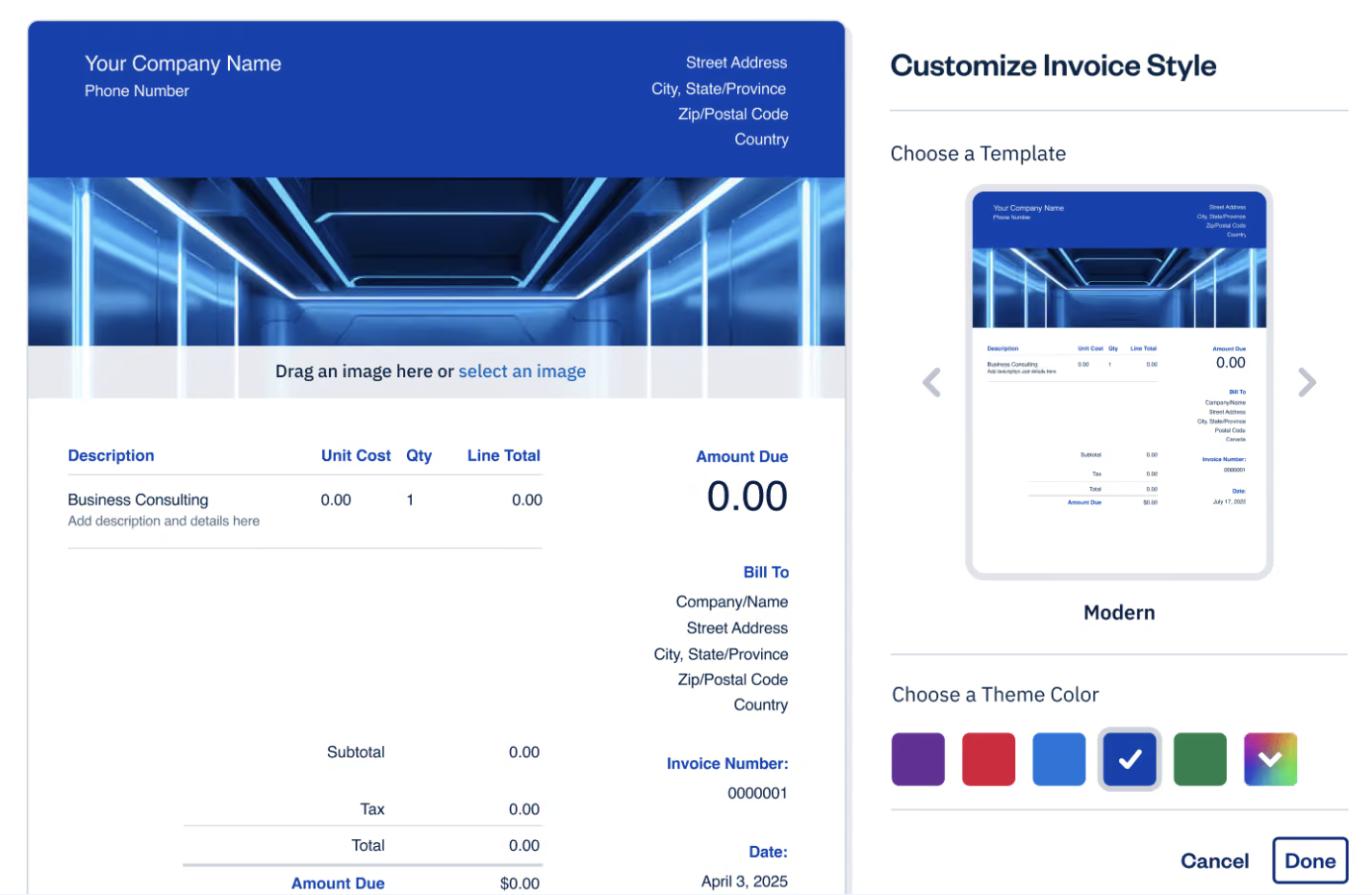
Send professional invoices, set up automatic recurring billing for retainer clients, and accept card, bank transfer, or Apple Pay payments directly from the invoice.
Time tracking
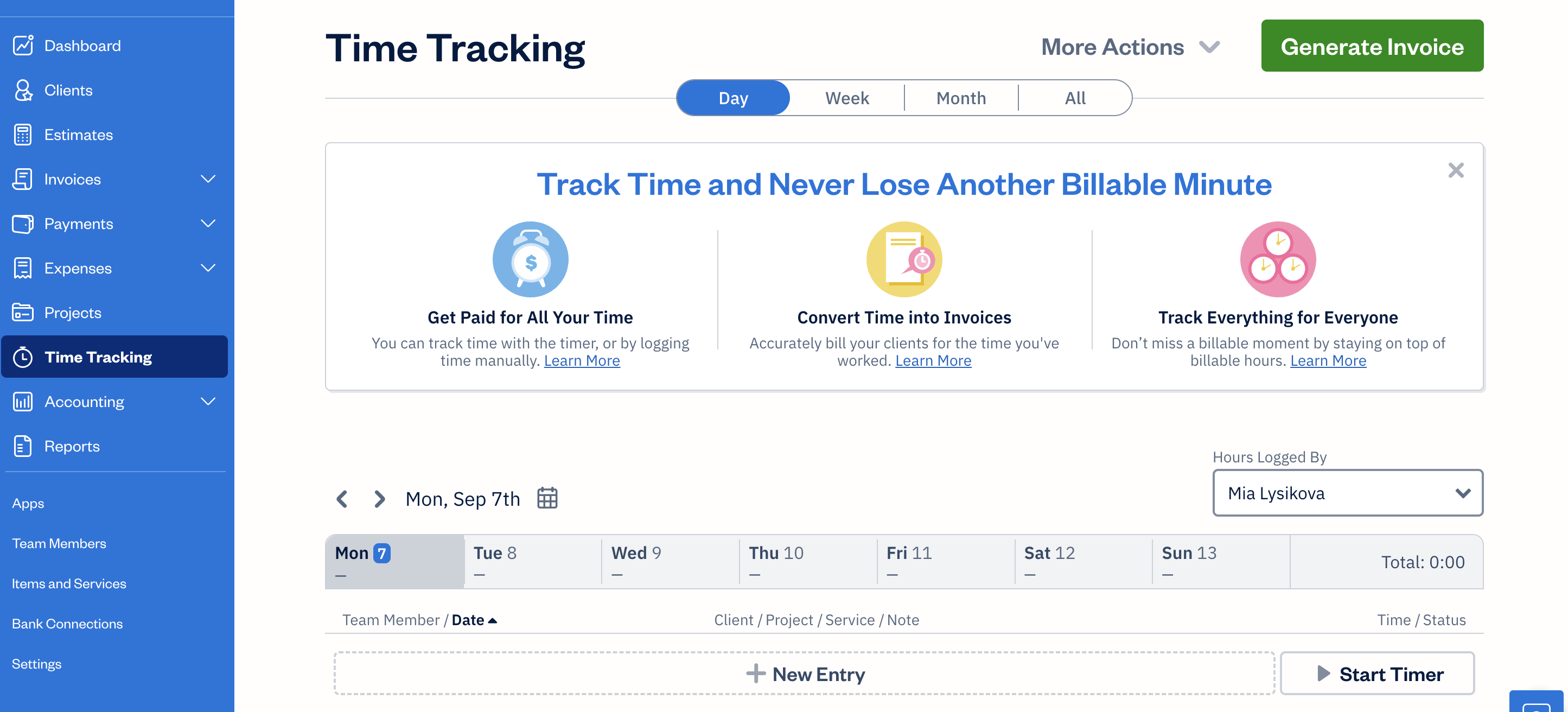
Track billable hours from the desktop timer, mobile app, or browser extension, then pull logged time straight onto an invoice with one click.
Expense tracking
Snap a photo of a receipt and FreshBooks auto-categorizes and attaches it to a project, so reimbursable costs don't get lost between apps.
Double-entry accounting reports
Profit and loss, expense reports, and tax summaries generate automatically from the same data you're already entering for invoices and expenses.
Project profitability
See exactly how much a project actually made once you subtract logged hours and expenses against what the client paid, project by project.
| Plan | Lite | Plus |
|---|---|---|
| Price | $23/mo | $43/mo |
| Best for | Solo freelancers with a handful of clients | Freelancers ready for proposals, retainers, and real financial reports |
| Key limits/features | 5 billable clients, real-time expense tracking, estimates, tax-time reports | 50 billable clients, adds proposals, client retainers, financial/accounting reports, expense receipt scanning, accountant access |
FreshBooks also sells Premium and Select tiers, but those are built for teams, not a freelance solo business, so we're not covering them here. Realistically, only Lite and Plus matter if you're freelancing solo. Lite ($23/mo) covers invoicing, real-time expense tracking, and estimates for up to 5 clients, which is genuinely enough for most one-person businesses. Plus ($43/mo) is where you land once you pick up a 6th client or want proposals, client retainers, and real financial reports instead of just an invoice sender.
Want invoicing and real bookkeeping in the same tool — Yes, this is the one tool on this list built around that combination specifically
Bill hourly and want logged time to become an invoice automatically — Yes, the time tracker feeds straight into invoicing without a manual step
Need contracts, proposals, or scheduling alongside invoicing — No, Dubsado or HoneyBook cover that, FreshBooks doesn't try to
Want a genuinely free plan — No, the 30-day trial is generous but there's no free tier after it ends
Best for invoices, contracts, and proposals
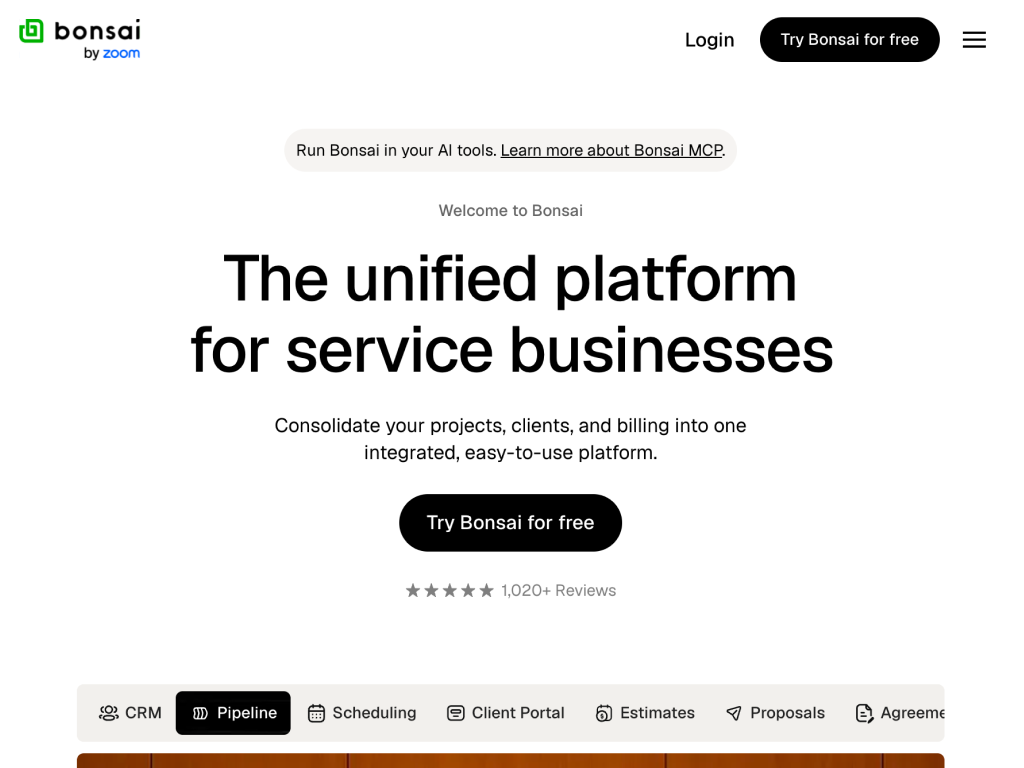
Bonsai bundles invoicing with contracts, proposals, and a light CRM, aimed at freelancers who want the paperwork side of client work handled in one place without Dubsado's steeper learning curve or price.
Bonsai is a freelancer-focused operations tool: proposals, contracts, invoices, time tracking, and (for US freelancers) quarterly estimated tax calculations all live under one account.
It sits between FreshBooks and Dubsado in scope. It goes further than pure invoicing with contracts and proposals, but it's faster to set up than Dubsado's workflow automation, at the cost of some of that deeper customization.
What we liked
Contract and proposal templates
Tracks quarterly estimated taxes automatically for US freelancers
Client portal covers proposals, contracts, and invoices in one link
Faster to set up than Dubsado, without giving up contracts and proposals
What we disliked
No free plan, only a trial
Workflow automation is lighter than Dubsado's, fewer triggers and conditional steps
Tax tracking is US-focused and less useful if you're billing internationally
Higher tiers gate client volume the same way FreshBooks does
Bonsai's pitch is handling the paperwork around a client relationship, not just the invoice at the end of it.
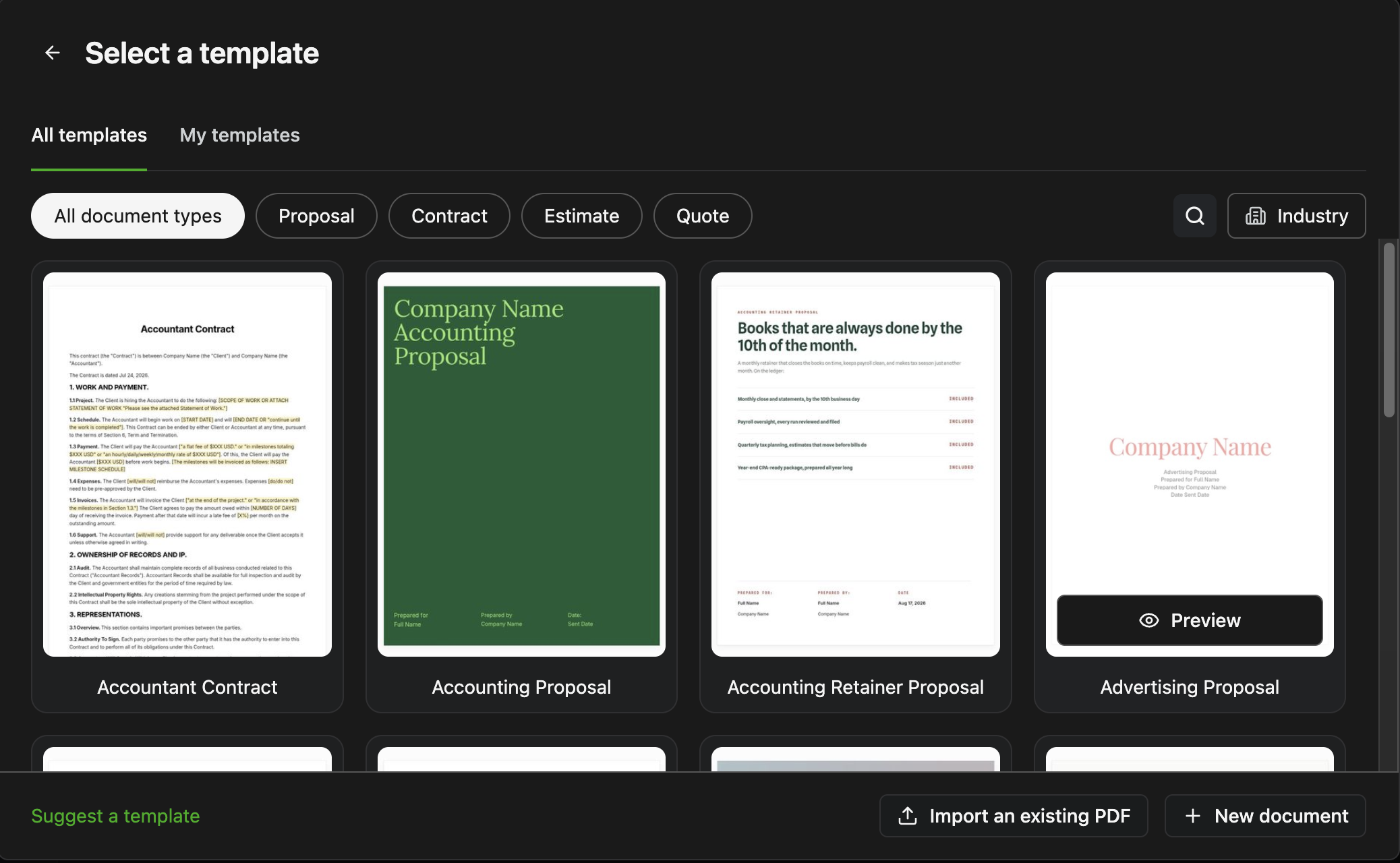
Proposals
Send a branded proposal with scope, pricing, and e-signature built in, and convert an accepted proposal straight into a contract and invoice without re-entering details.
Contracts
Lawyer-drafted contract templates cover common freelance scenarios, with e-signatures and a locked, tamper-proof record once signed.
Invoicing & payments
Create invoices from a signed contract or proposal automatically, set up recurring billing for retainers, and accept card or bank payments directly.
Time tracking
A built-in timer logs billable hours against a specific project or client and converts them into an invoice line.
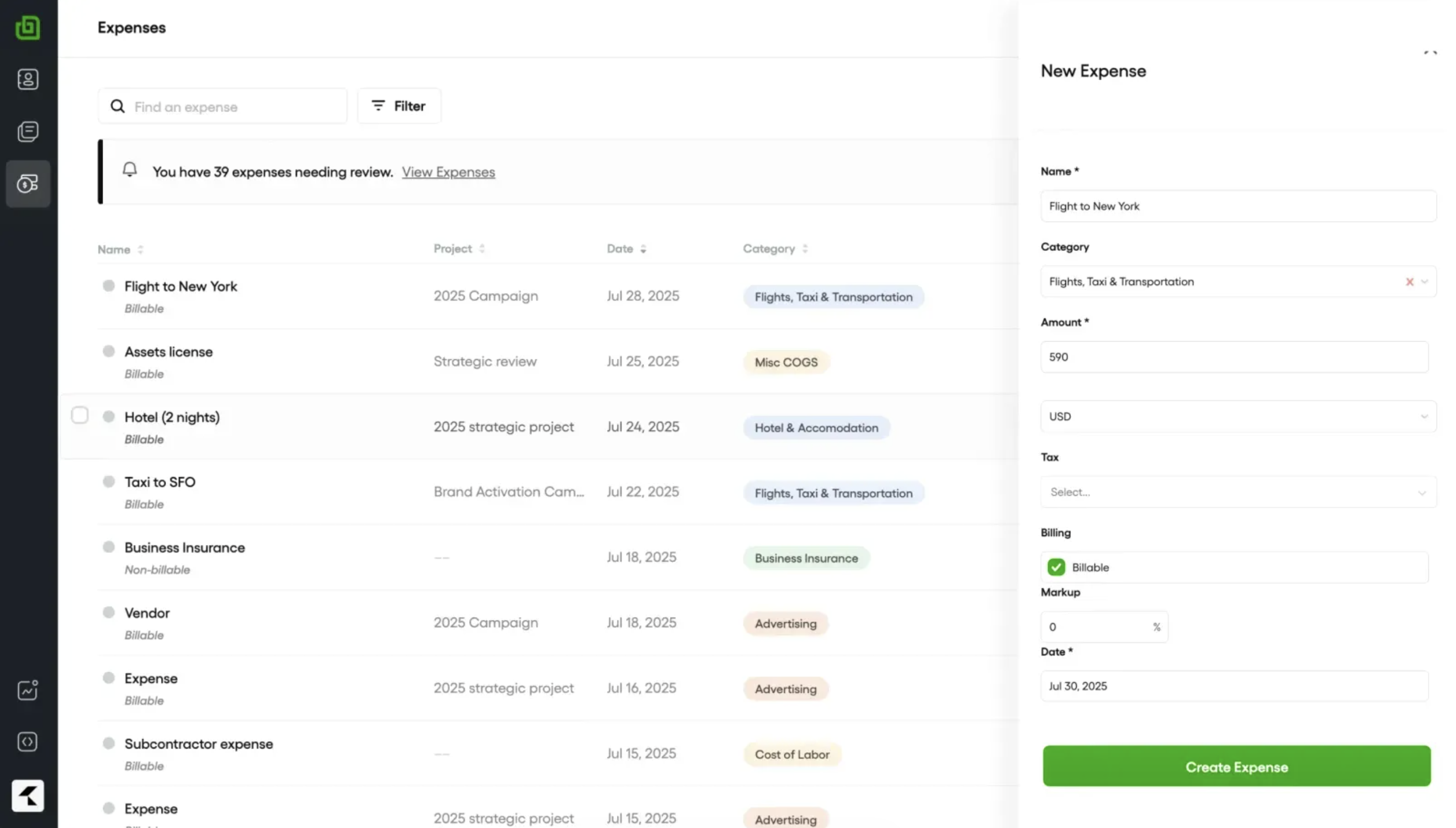
Expense tracking
Log expenses and receipts against a project or client, then pull them onto an invoice as billable costs or keep them on hand for tax time.
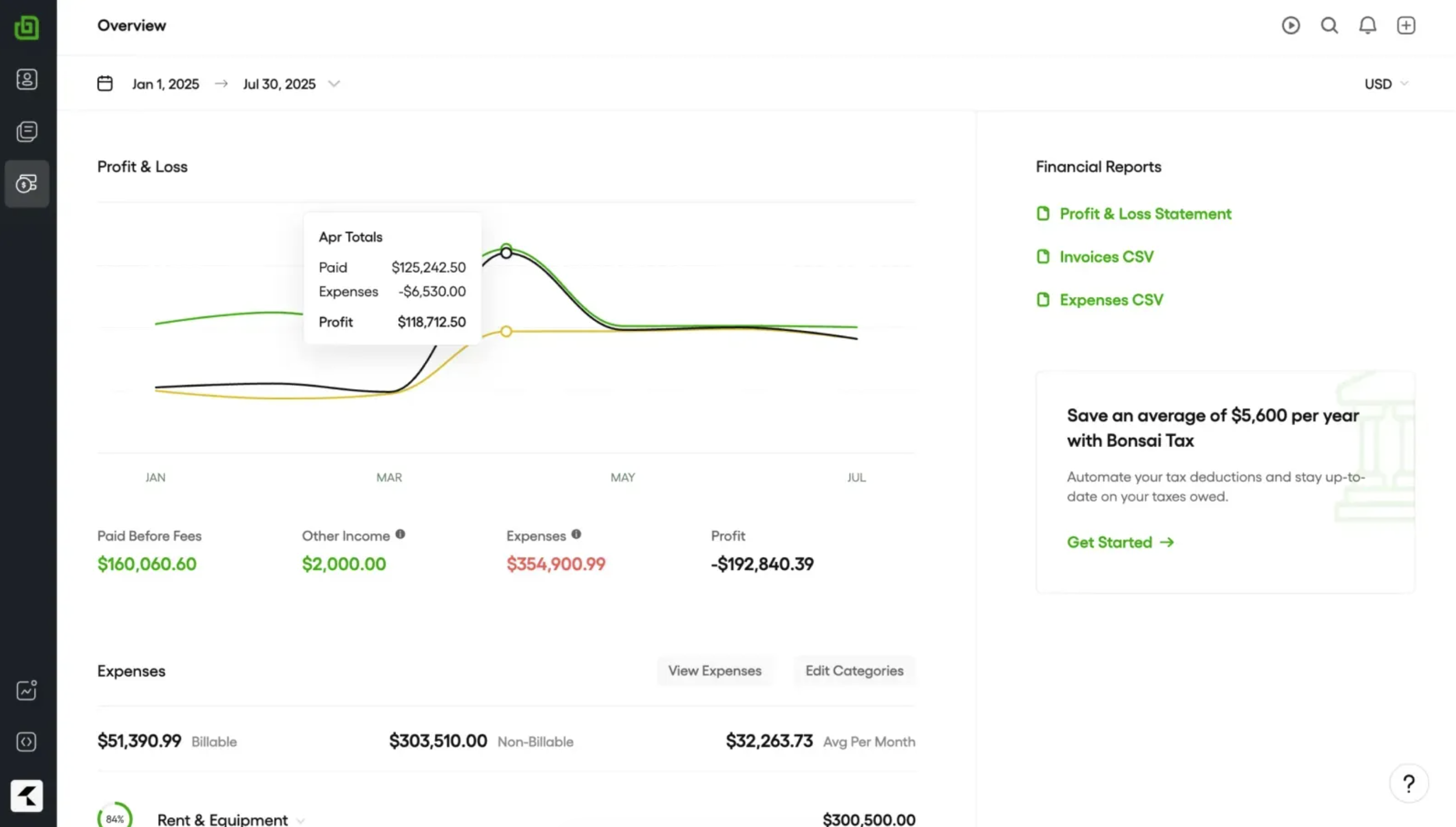
Tax tracking
Automatically estimates quarterly tax payments for US freelancers based on tracked income, reducing the year-end scramble.
| Plan | Basic | Essentials | Premium | Elite |
|---|---|---|---|---|
| Price | $9/user/mo | $19/user/mo | $29/user/mo | $49/user/mo |
| Best for | Tracking time on occasional projects | Freelancers who need invoicing, proposals, and contracts in one place | Deeper project reporting and a deals pipeline | Managing a team, with permissions and accounting integrations |
| Key limits/features | Time tracking, task management, unlimited projects, CRM, service library | Adds invoicing & payments, proposals & contracts, all templates, forms & questionnaires, scheduling, client portal | Adds project insights, workload management, Gantt view, deals pipeline, custom fields & properties | Adds custom permissions, timesheet locking, expense markup, Xero integration, custom data import |
Basic doesn't actually include invoicing, proposals, or contracts, so despite being the cheapest tier, it's not usable for what this list is about. Essentials ($19/user/month) is where those show up, and it's the plan most freelancers here should be pricing against. Premium and Elite add project reporting, team permissions, and accounting integrations most solo freelancers won't touch.
Sending a lot of proposals and contracts before you ever invoice — Yes, this is Bonsai's actual strength over a pure invoicing tool
A US-based freelancer who dreads calculating quarterly taxes — Yes, the automatic tax tracking is unique to Bonsai on this list
Want the deepest possible workflow automation — No, Dubsado's trigger-based workflows go further
Billing occasional one-off invoices with no contracts involved — No, Wave or Zoho Invoice do that for less
Best for service invoices + CRM
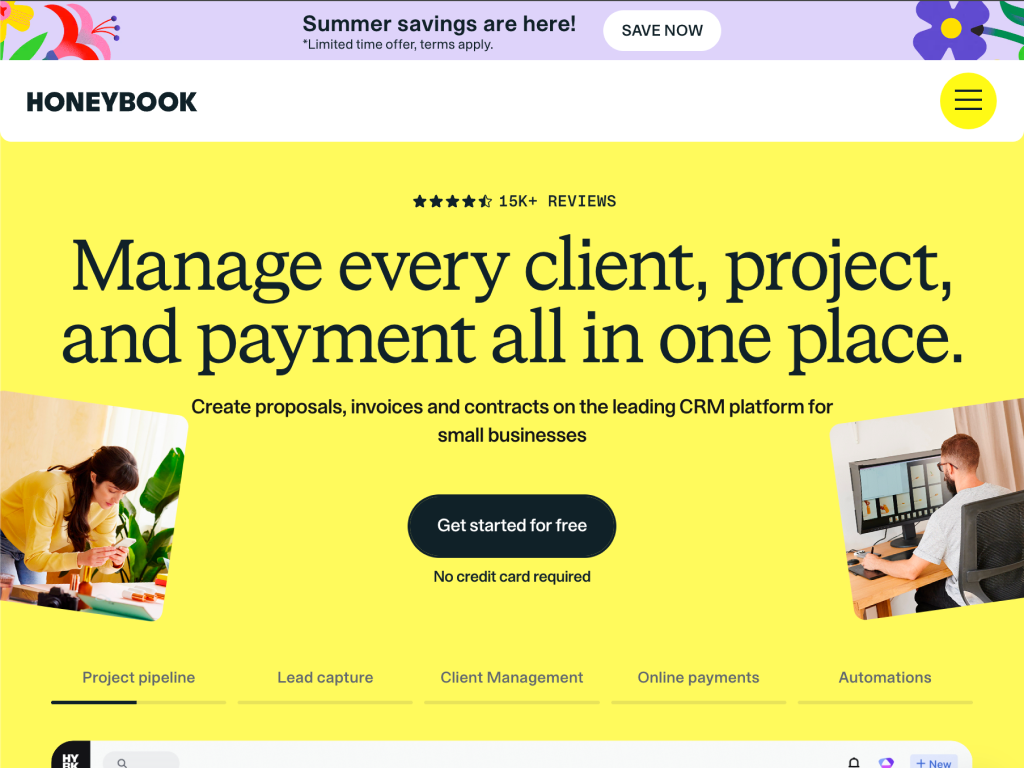
HoneyBook leans further into CRM territory than any other tool here: it's built for service providers running client relationships through a visual pipeline, with invoicing as one stage in that pipeline rather than the whole product.
HoneyBook is client relationship management software built for photographers, event planners, designers, and other service-based businesses that manage a pipeline of leads moving toward a booked project.
Invoicing sits inside that pipeline: once a client books, an invoice or payment plan generates as part of the same flow that handled their inquiry, proposal, and contract. That pipeline view is HoneyBook's actual differentiator over Dubsado or Bonsai.
What we liked
Visual pipeline view shows every lead and client at a glance, from first inquiry to final payment
Payment plans split a project fee into scheduled installments automatically, not just one invoice
Built-in scheduling and automated email sequences reduce manual follow-up
Strong reputation specifically among photographers and event-based service providers
What we disliked
No free plan, and pricing runs higher than FreshBooks or Zoho Invoice
Automation and customization are less flexible than Dubsado's
Best suited to project- and event-based work, less natural fit for ongoing retainer clients
Learning the pipeline setup takes real time upfront
HoneyBook's features center on the client pipeline first, with invoicing as one part of a longer client journey.
Pipeline & CRM
Every lead and client sits on a visual pipeline, from inquiry to booked and paid, so you always know who needs a follow-up.
Proposals & contracts
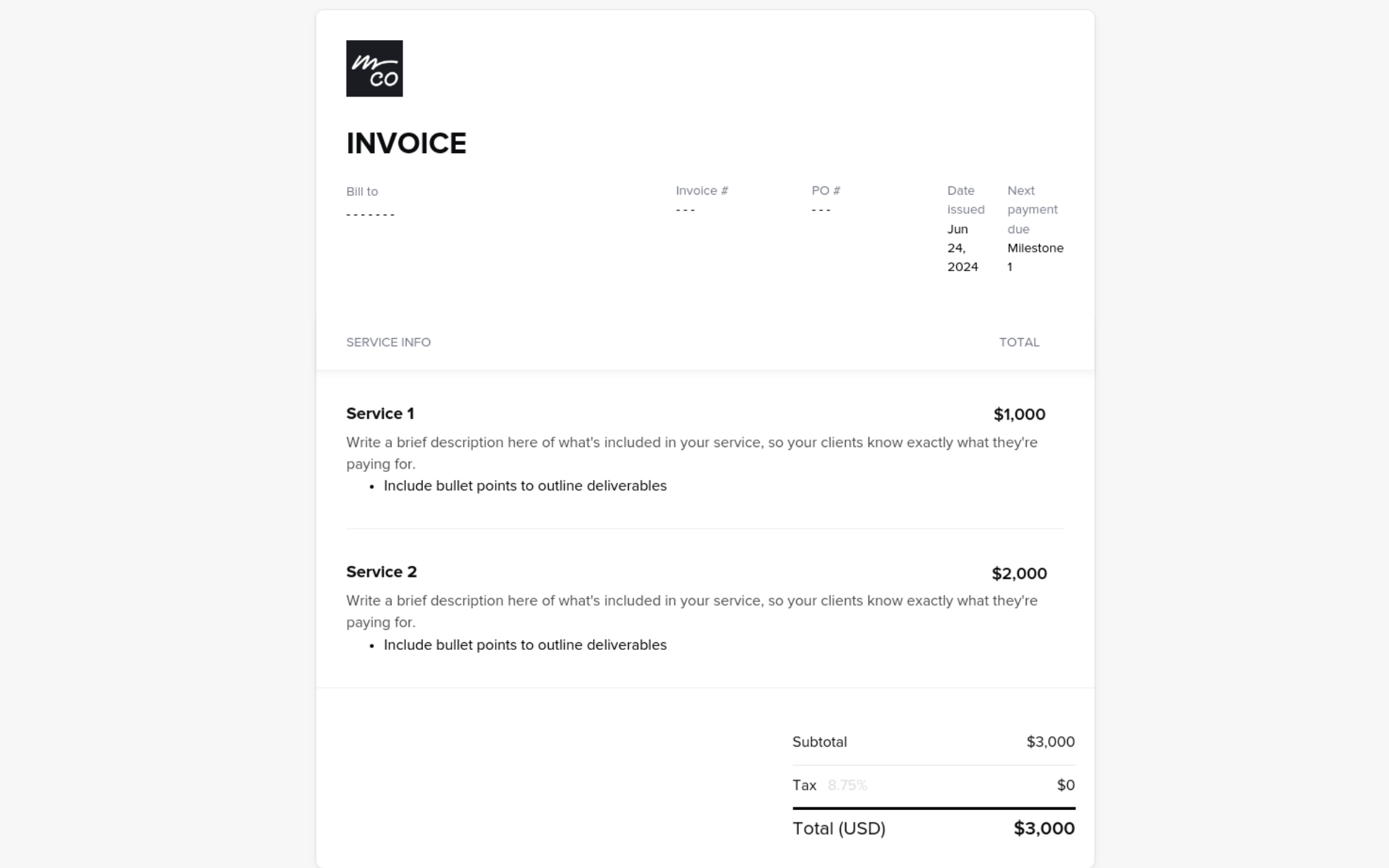
Combine your pricing, contract, and invoice into a single document a client can review and sign in one sitting.
Invoices & payment plans
Split a project fee into scheduled installments that bill automatically, instead of chasing one lump-sum payment.
Scheduling
Clients book calls or sessions from your real-time availability, with automatic confirmations and reminders.
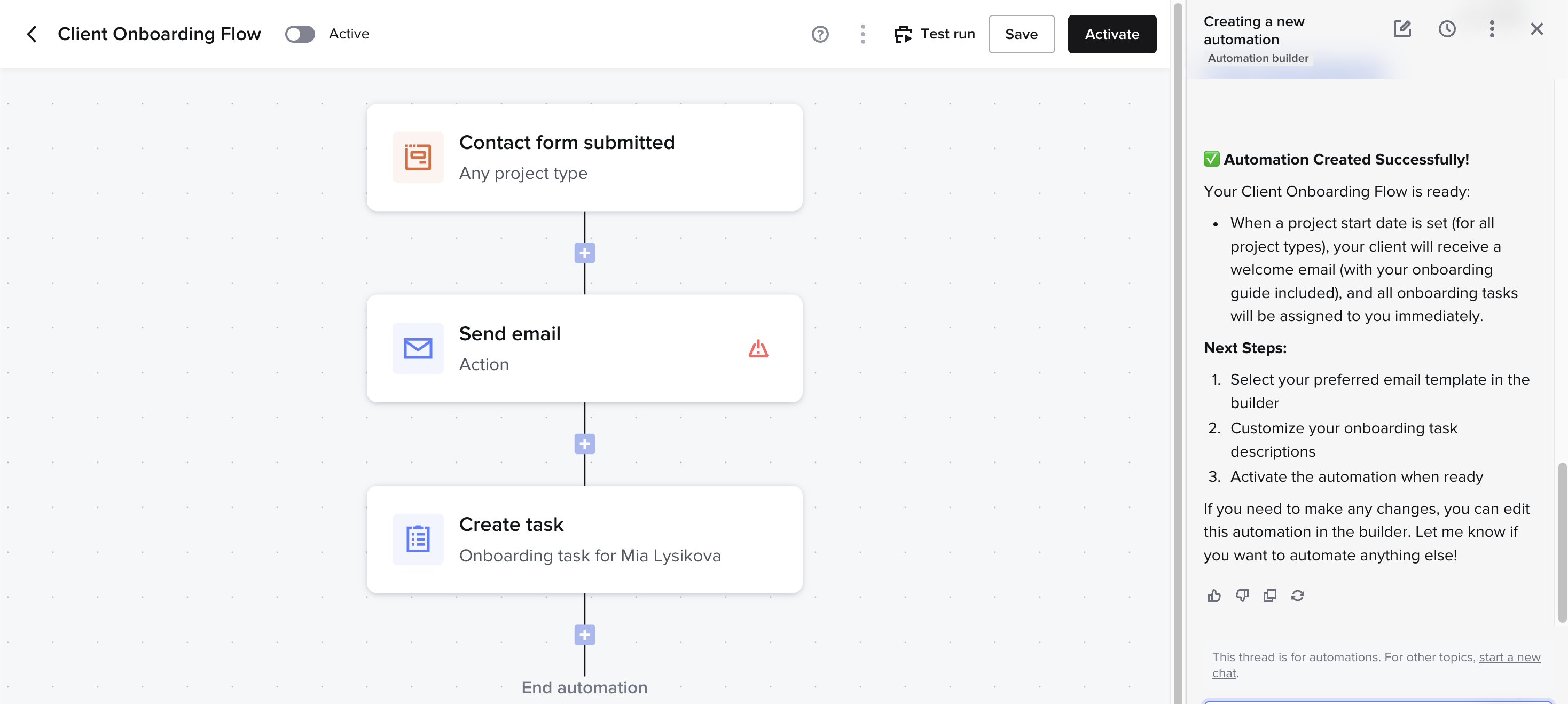
Automations
Trigger follow-up emails, task reminders, and next-step prompts automatically as a client moves through your pipeline.
| Plan | Starter | Essentials | Premium |
|---|---|---|---|
| Price (billed yearly) | $29/mo | $49/mo | $109/mo |
| Best for | Solo freelancers just getting started | Most established service businesses | Higher-volume businesses or small teams |
| Key limits/features | Unlimited clients & projects, invoices & payments, proposals & contracts, client portal, basic reports, up to 2 live lead forms | Adds scheduler, automations, QuickBooks Online integration, up to 2 team members, up to 10 live lead forms, SMS reminders, removes "Powered by HoneyBook" branding | Adds unlimited team members, priority support, multiple companies, advanced reports, unlimited live lead forms |
Starter is thin on automation, which is the actual reason to pick HoneyBook over a plain invoicing tool, so most service businesses end up on Essentials. Premium mostly adds team seats, advanced reporting, and priority support most solo freelancers won't need.
Running an event- or project-based service business (photography, design, planning) — Yes, the pipeline view was built around exactly this kind of client flow
Want to split a project fee into automatic scheduled payments — Yes, payment plans are one of HoneyBook's strongest features
Billing ongoing monthly retainer clients — No, Wave or FreshBooks handle recurring retainer billing more directly
Want the cheapest possible starting point — No, Zoho Invoice or Wave's free plans cost nothing to start
Best true free plan for freelancers on a tight budget
Wave is free invoicing and accounting software, full stop, not a trial and not a capped tier. It makes money on payment processing and payroll, not on the invoicing and bookkeeping tools themselves, which makes it the easiest recommendation here for anyone on a genuinely tight budget.
Wave is accounting and invoicing software built for small businesses and freelancers, with unlimited invoicing, expense tracking, and basic bookkeeping available on its free plan.
It's narrower than FreshBooks on advanced features (no built-in time tracking, no project profitability view) but it doesn't need to justify a subscription price, since the core product costs nothing.
What we liked
Genuinely free invoicing and accounting, not a time-limited trial or a capped freemium tier
Unlimited invoices and unlimited bank/credit card connections on the free plan
Straightforward enough that most freelancers can be sending invoices within minutes of signing up
Payment processing fees are competitive when you do use them, since that's Wave's actual revenue model
What we disliked
No built-in time tracking, you'll need a separate tool if you bill hourly
No proposals, contracts, or scheduling, purely invoicing and books
Receipt scanning and payroll cost extra on top of the free core product
Customer support is slower than the paid tools on this list, a known tradeoff of the free model
Wave keeps its feature set narrow on purpose: invoicing and bookkeeping, done well, without the paperwork tools that pad out Dubsado or HoneyBook.
Invoicing
Create and send unlimited professional invoices, with recurring billing for retainer clients and read receipts to see when a client opens it.
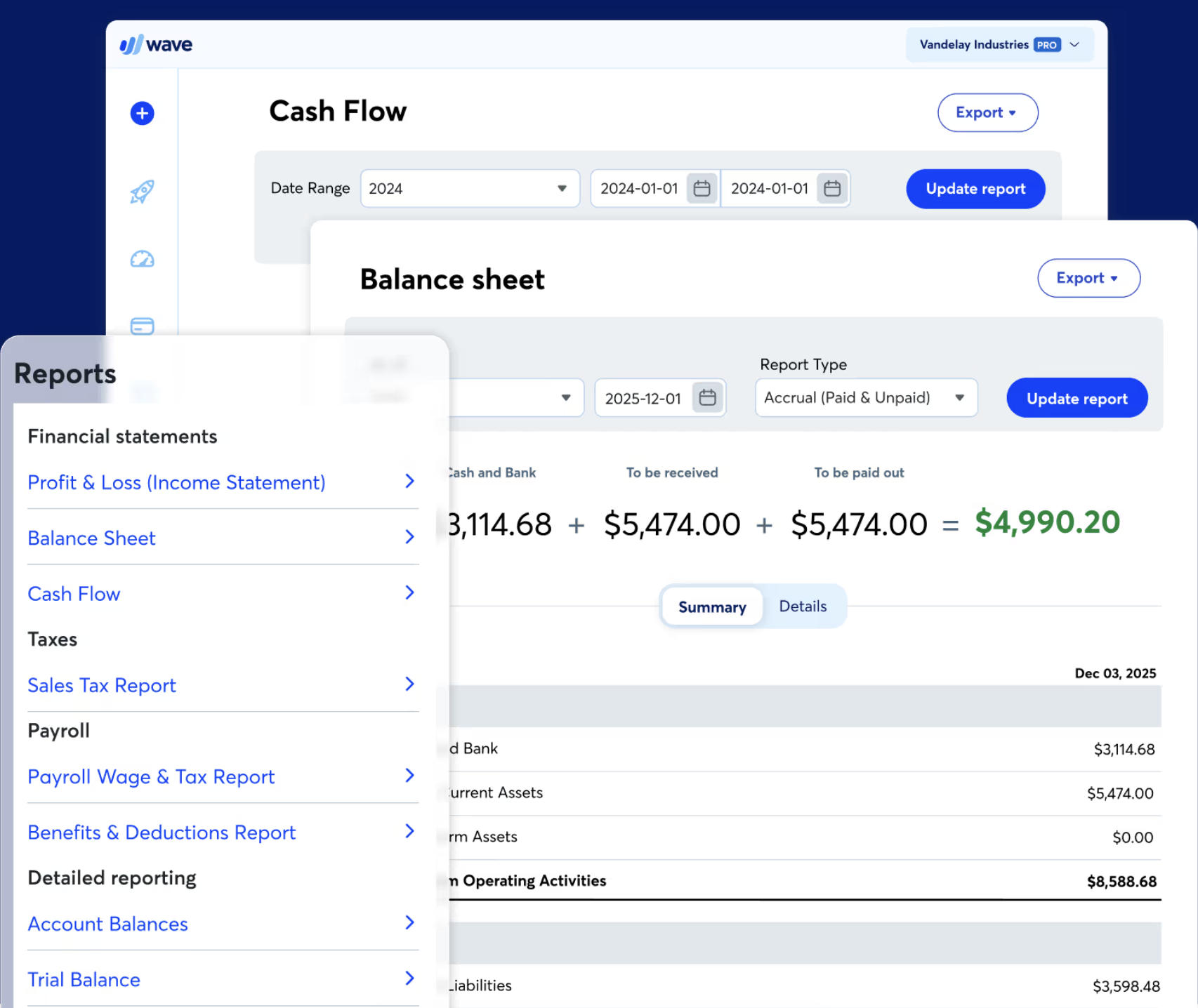
Accounting
Double-entry bookkeeping runs in the background of every invoice and expense, so your books stay current without extra data entry.
Bank connections
Connect unlimited bank and credit card accounts to automatically import and categorize transactions.

Online payments
Let clients pay by card or bank transfer directly from the invoice, for a per-transaction fee rather than a subscription.
Receipt scanning (paid add-on)
Snap a photo of a receipt and Wave extracts the vendor, date, and amount automatically, a rare paid add-on on an otherwise free product.

| Plan | Free | Payments add-on | Payroll add-on |
|---|---|---|---|
| Price | $0/month, forever | Pay-per-transaction (~1-3% + a flat fee) | ~$20-40/mo + per-employee fee |
| Best for | Any freelancer who just needs to invoice and track books | Anyone accepting card or bank payments through Wave | Freelancers who hire contractors or employees |
| Key features | Unlimited invoicing, unlimited bank connections, basic bookkeeping and reports | Card and bank payments accepted directly on invoices | Payroll runs, tax filing support, direct deposit |
The core product costs nothing and isn't capped by invoice count or client count, which is rare on this list. You only pay if you turn on payment processing or payroll, and even then it's usage-based rather than a flat subscription.
If your budget is the deciding factor, start here. It won't automate your proposals or track billable hours, but for straightforward invoicing and bookkeeping at zero cost, nothing else on this list matches it. Most freelancers only outgrow Wave once they need time tracking, contracts, or deeper workflow automation, at which point FreshBooks or Bonsai is the natural next step.
Dubsado is our top pick for freelancers who run every client through the same process, inquiry, proposal, contract, invoice, and want the whole sequence automated in one tool. It doesn't have a free plan, but the 21-day trial gives full, unlimited access to Premier, so you can test the entire feature set before committing to $35-55/month.
Zoho Invoice is the best alternative if you just need solid invoicing without paying for it. It's free with no time limit, not a trial, covers recurring billing, time and expense tracking, and a client portal, and you can grow into the wider Zoho ecosystem later if you need full accounting. It won't automate proposals or contracts the way Dubsado does, but for freelancers who only need to bill clients, that's not a tradeoff you're paying for.
A few adjacent picks from our list that are also worth checking out. One for real bookkeeping alongside your invoices, one for handling contracts and proposals before you ever send a bill.
Get quick answers about how we evaluate tools and how to choose the right one for your needs.
Invoicing software handles one job: creating, sending, and tracking bills to clients. Accounting software is more complicated. It does that plus bookkeeping, expense categorization, tax prep, and payroll. Most freelancers and small businesses only need the simple version, sometimes even free invoicing software. Accounting software is worth the extra cost and complexity only once you're managing multiple income streams or need to hand off books to an accountant.
Yes, small businesses can use invoicing tools for freelancers, but up to a point. Tools like Bonsai, HoneyBook, and Dubsado work fine for a small team of two or three, but they're priced and designed for a single user managing their own clients. When you have multiple team members who invoice under one account and need permissions and approvals, you'll outgrow this category and need dedicated small-business accounting software instead.
To get paid faster as a freelancer, send the invoice the same day you finish the work, not weeks later. Build a deposit into your payment terms: 30-50% upfront on project work cuts down on chasing a full balance after delivery. Also, enable online payment on every invoice. Clients who can pay by card in one click pay faster than clients who have to remember to mail a check. Using billing software like Dubsado helps automate this process and make invoicing instant.
When picking an invoicing and accounting software, pay attention to four aspects: how fast you can send your first invoice, whether recurring billing actually runs on autopilot, what the payment processing costs are on top of the subscription, and whether it fits how you bill, with time tracking for hourly work or milestones and deposits for project-based billing. Match those to your specific workflow before comparing price.
Yes, Zoho Invoice has a free plan, not just a free trial, capped at a set number of clients and invoices per month rather than a time limit. It's one of the only tools on this list where "free" doesn't mean "free for 14 days."
Dig deeper into the tools and comparisons covered in this guide.