
The YouTube upload checklist: 12 steps to avoid demonetization
10 min read
We tested 6 best YouTube SEO tools for creators. See our testing results and find your keyword research and optimization tool.
Short answer: yes, YouTube SEO still matters in 2026, but its job changed. Keyword-stuffing titles and tags used to be enough to rank higher. That playbook is dead: YouTube's algorithm reads what's actually said in a video, sentence by sentence, and tags now play a much smaller role in helping people find you through YouTube's search bar than they did a few years ago.
What replaced it: click-through rate, watch time, and retention. YouTube's real question isn't "does this match the search terms" anymore, it's "do people actually stick around."
So where does that leave SEO? Doing a different job. Titles, thumbnails, and descriptions still decide whether someone clicks in the first place, and keyword research still helps you find topics people are actually searching for. That's exactly why the tools worth using in 2026 aren't just keyword finders, they also help with retention-driving decisions, not just tag suggestions.
"YouTube SEO tool" doesn't quite explain what most of these apps do now. In practice, the tools worth using in 2026 split into three overlapping jobs: SEO and keyword research (search volume, keyword difficulty, competitor analytics, and tag suggestions), growth intelligence (trend alerts and content ideas that tell you what to make next), and automation (AI-generated titles, thumbnails, and auto-captions).
Most free tools on the market only do one of these well. The strongest picks on this list do at least two, and the best does all three.
To do YouTube SEO in 2026, start with real keyword research. Check search volume and keyword difficulty before you film, so you're not publishing into a void nobody's searching for. YouTube's own autocomplete is a free starting point even before you open a dedicated tool.
Optimize for the click, not just the algorithm. Titles and thumbnails give YouTube a clear topic signal and give a human a reason to tap.
Edit for retention, not runtime. The first 30 seconds decide whether the algorithm keeps testing your video with new viewers, use paid tools to find the most engaging parts of a long-form video and repurpose them as short-form videos with specialized apps.
Treat engagement as a signal. Comments, shares, and rewatches tell YouTube your video was worth the click.
Use metadata to help categorization, not to rank. Descriptions and tags matter for both the algorithm and viewer context, but check YouTube Studio analytics regularly before assuming a tag or title choice is why a video under- or over-performed.
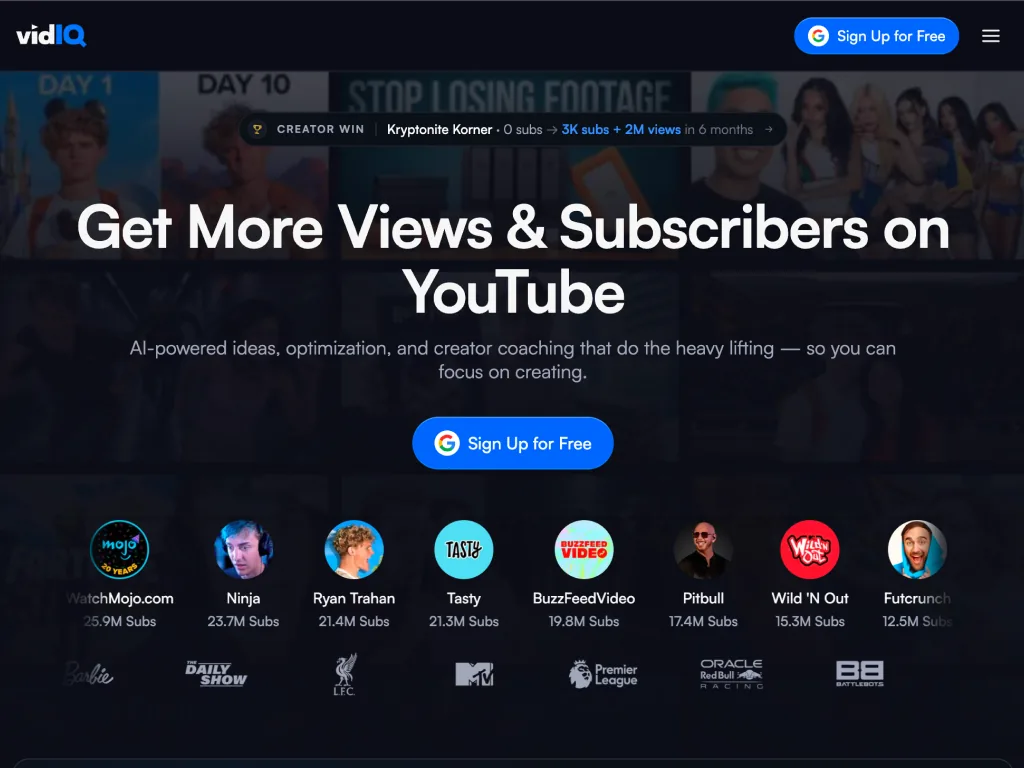
Best SEO YouTube tool for creators
The most complete YouTube keyword research tool on this list. It finds topics, tells you what to make next, and generates the assets to publish it. If you're only picking one tool from this whole roundup, this is it.
vidIQ is the ultimate research and optimization toolkit for YouTube. Built around a browser extension, it overlays data directly onto YouTube content, yours and your competitors'. Ultimately, it helps you analyze the YouTube algorithm and performance of individual videos, along with helping you on YouTube SEO best practices.
It covers keyword research, competitor tracking, channel audits, and AI-generated titles and thumbnails in one dashboard. It's definitely less a dedicated YouTube keyword tool or thumbnail creator, and more a hub of AI SEO tools for a full SEO stack.
What we liked
Covers research, growth ideation, and automation. Most tools on this list only do one
Daily Ideas surfaces video concepts before a topic peaks
Free access isn't time-limited, so small channels can run on it for a while
Uses YouTube's official API, so it doesn't put your account at risk
What we disliked
The AI thumbnails and titles need human touch
More SEO strategies than most sub-1K creators will actually use
Some features (unlimited trends, AI clip generation) are locked to higher tiers
vidIQ splits its toolkit across research, ideation, and optimization, so most creators will only ever touch a few of these regularly.
Keyword research tool
Search volume, competition scores, and related-keyword suggestions for any term.
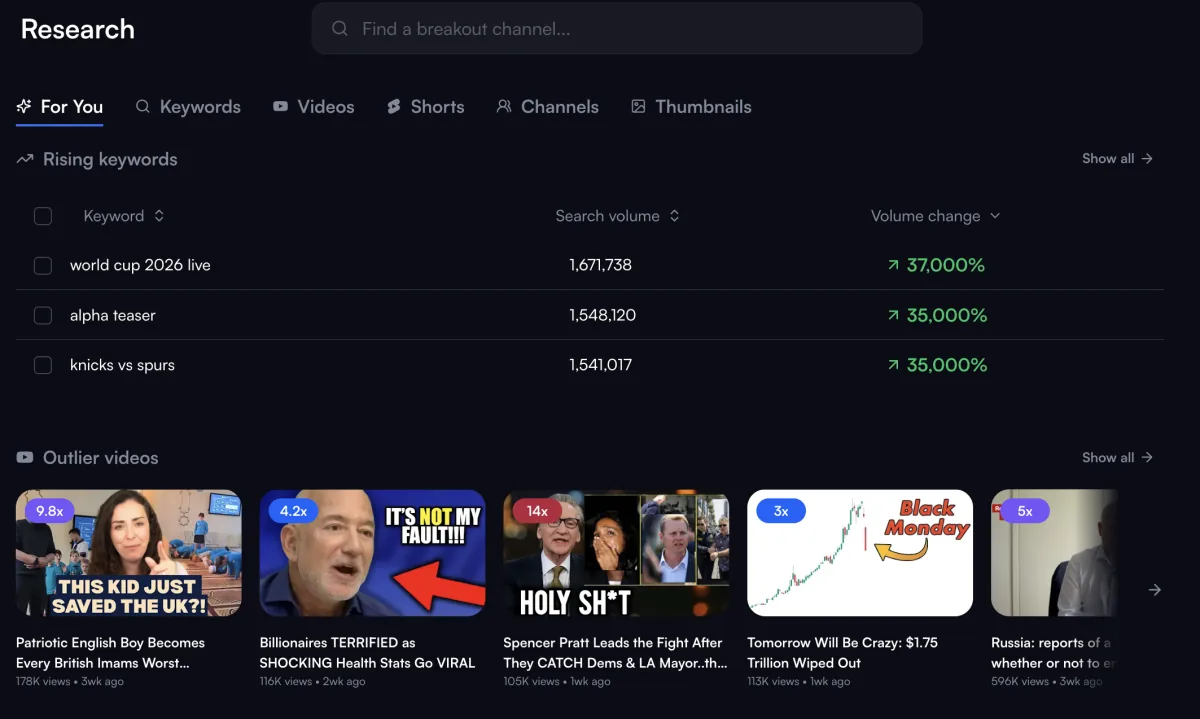
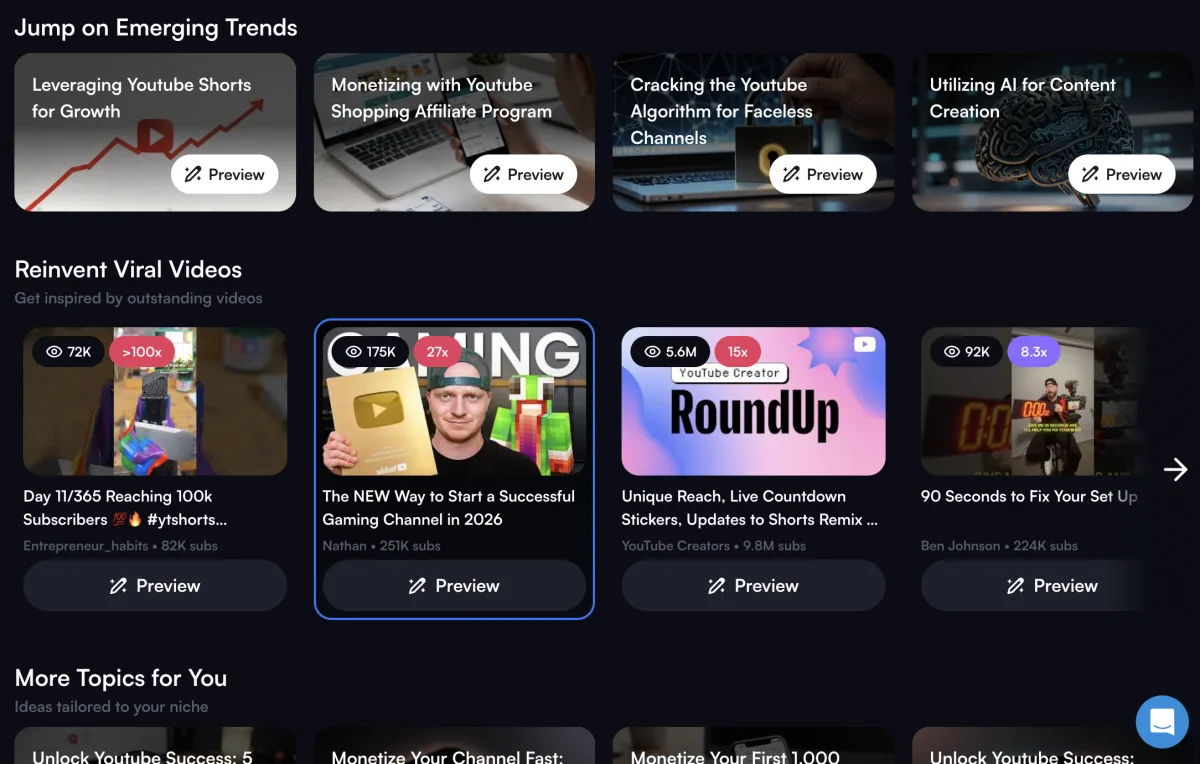
Daily Ideas
AI-generated video concepts tuned to your niche and current trends. The closest thing here to true video optimization paired with growth intelligence.
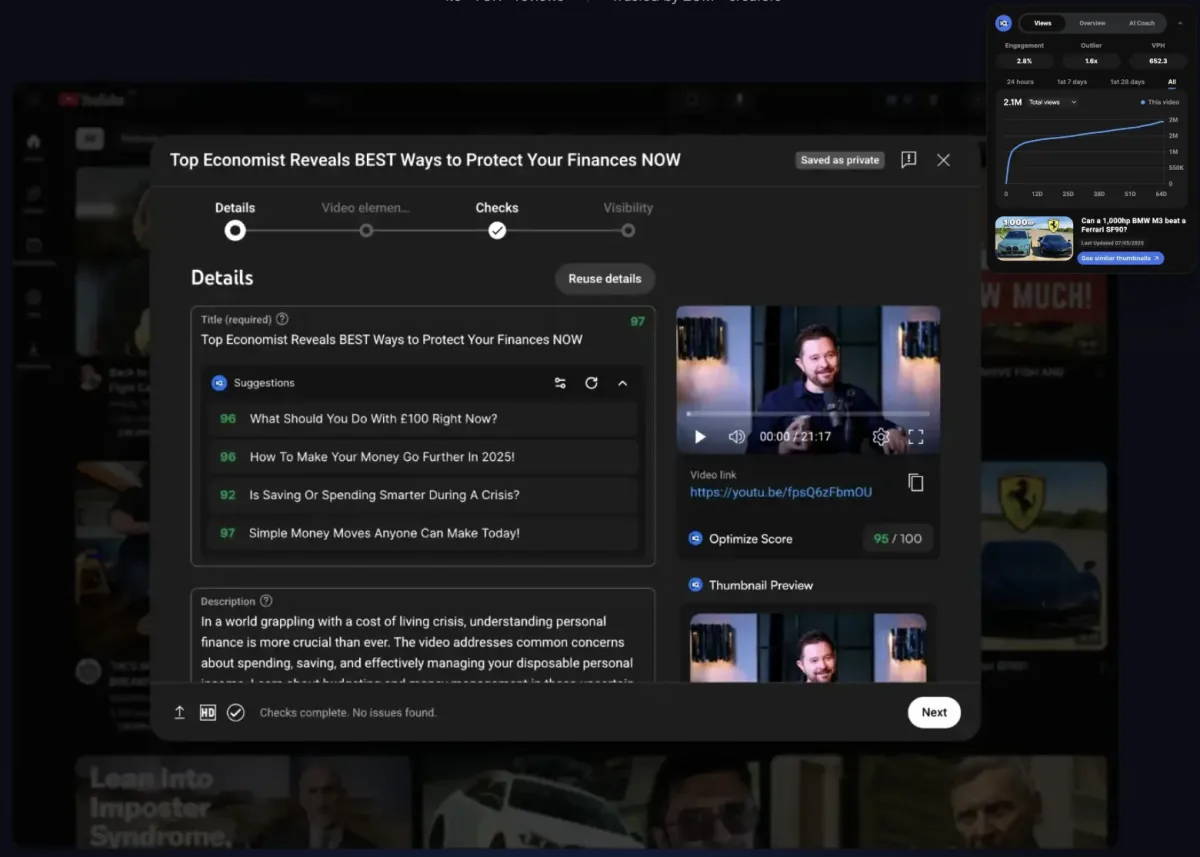
Optimize hub
Channel audits plus per-video title, description, and tag suggestions, functioning as vidIQ's answer to a dedicated SEO studio.
Browser extension
Real-time SEO scoring as you write in YouTube Studio, plus competitor teardown on any video in your feed.
AI thumbnail generator and title generator
A/B testing grounded in your own audience data rather than guesswork.

Free tier covers 150 AI credits/month, that's enough to explore the basics.
| Plan | Free | Boost | Max | Boost + Coaching | Enterprise |
|---|---|---|---|---|---|
| Price | $0/mo | $16.58/mo (billed yearly at $199/yr) — $39/mo if billed monthly | $39/mo (billed yearly only, $468/yr) | ~$99/mo (billed yearly) | Custom quote |
| Best for | Testing the tool, hobbyist channels | Most creators — the tier worth paying for | Full-time creators publishing frequently who exhaust Boost's credits | Creators who want 1-on-1 human guidance layered on top | Agencies, brands, and MCNs managing 3+ channels |
| Key features | 150 AI credits/month, niche trend browsing, basic content ideas, AI Coach access | 2,000 AI credits/month, AI thumbnail generation, unlimited trend research, optimization suggestions, unlimited subscriber insights, deeper AI Coach | 6,000 AI credits/month, everything in Boost, up to 3x more AI Coach conversations, 5x stronger "Max Mode" AI, up to 11 hours of AI short-form clipping | Full Boost access + a dedicated coach reviewing titles, hooks, and pacing | Team roles/permissions, cross-channel reporting, priority support |
The plan actually worth paying for is Boost, at $15/month: it unlocks thumbnails, unlimited trend data, and 2,000 monthly credits, which is where Daily Ideas and Optimize stop being teasers and start being usable day-to-day. Max ($39/month) adds AI clip generation and heavier credit limits, but Boost is the tier that matches how most growing channels actually use the tool.
See vidIQ's full pricing →Deciding what to film next, not just how to tag it — Yes, Daily Ideas is built for exactly this
Publishing weekly or more — Yes, this is where Boost's credit allowance and trend research actually get used
Want one tool that covers research, ideation, and automation — Yes, this is the one tool on our list that does all three
Managing a large back catalog that needs bulk cleanup — No, TubeBuddy's bulk tools handle that better
Posting occasionally and just want basic tag help — No, stick with the free plan or YouTube Studio, Boost is overkill here
Best YouTube optimization tool
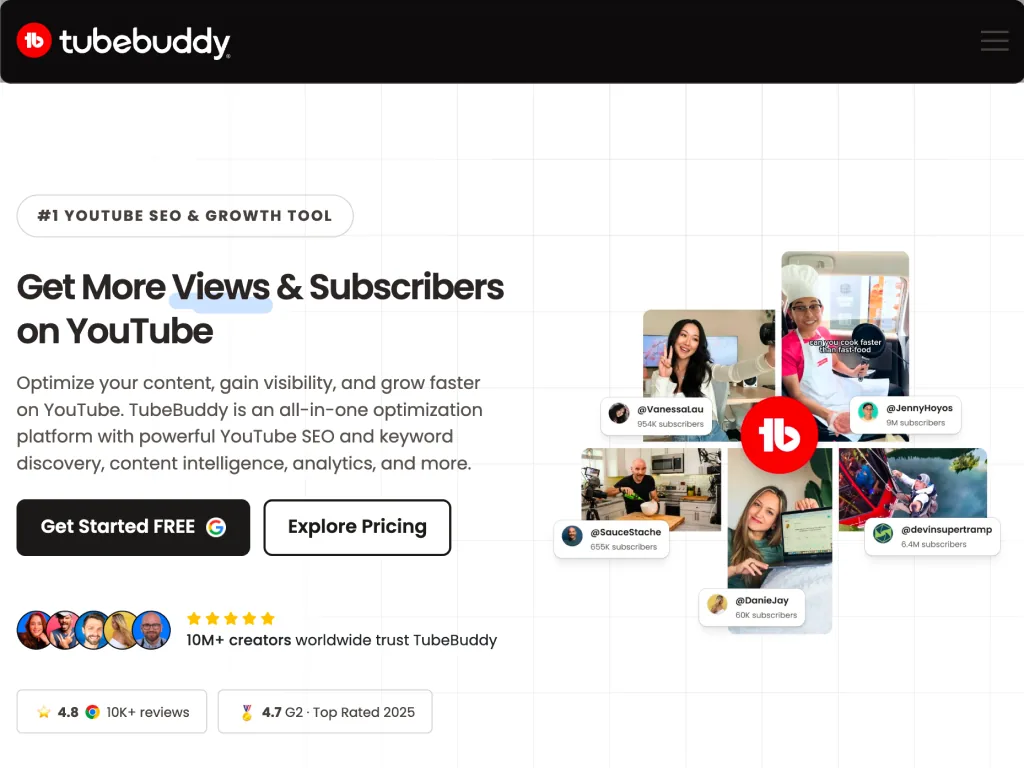
The closest rival to vidIQ, and the better pick if your bottleneck is managing an existing back catalog rather than finding new topics.
It's built entirely inside YouTube Studio, so there's no tab-switching, but the free plan is closer to a demo than a free YouTube SEO tool you can actually run a channel on.
TubeBuddy is a browser extension that layers optimization tools directly onto YouTube Studio's own interface.
vidIQ pulls you into a separate dashboard, but with TubeBuddy, you never leave the upload screen: video optimization tools, tag suggestions, and analytics all sit inline as you publish.
What we liked
Runs inside YouTube Studio itself, no separate dashboard
SEO Studio and Keyword Explorer cover real YouTube keyword research
A/B testing runs rotating experiments on thumbnails and titles
Bulk tools can update cards, descriptions, and tags across hundreds of videos in minutes
What we disliked
Keyword Explorer caps out fast
No real A/B testing until you upgrade
One license per channel, 2+ channels means paying more
Analytics are functional but basic
No mobile app or standalone desktop client
SEO Studio
Real-time optimization scoring for titles, descriptions, and tags as you write them.
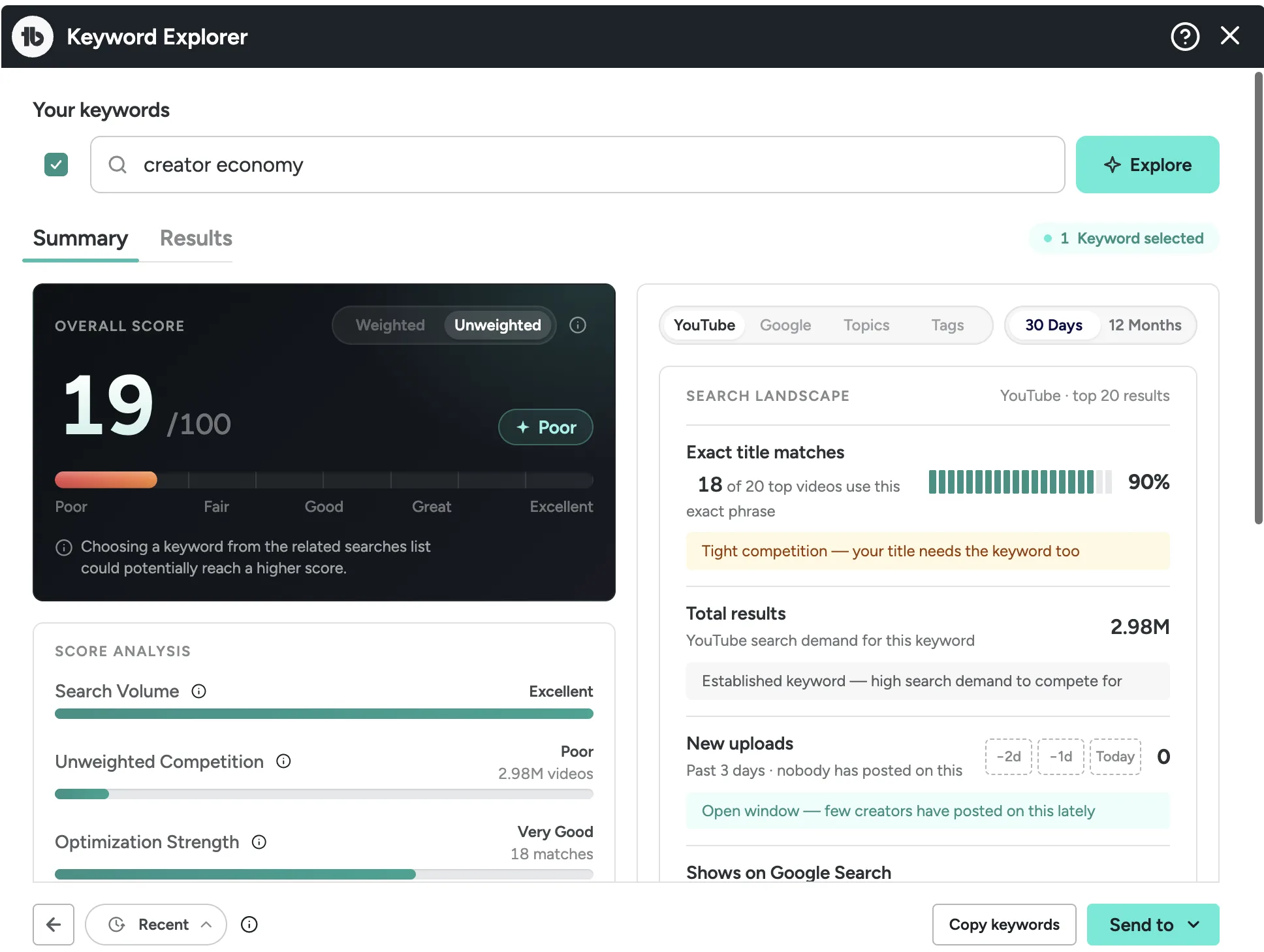
Keyword Explorer
Search volume and competition data for keyword research, similar in spirit to a standalone keyword generator but scoped to YouTube search specifically.
A/B testing
Rotates thumbnails/titles automatically and reports a statistical winner.
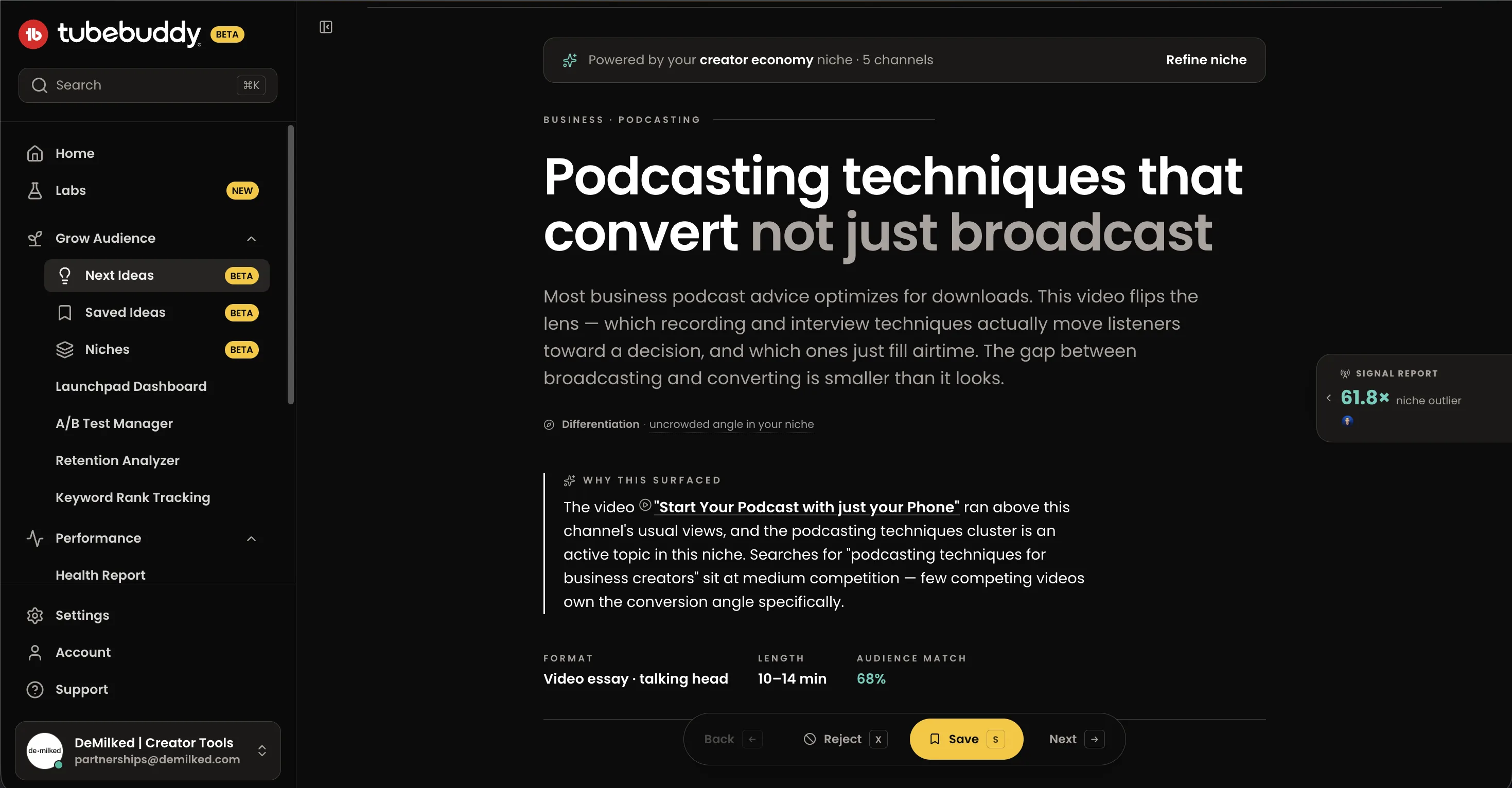
Next ideas
You configure your niche with your top competitors, and the AI analyzes them, viral videos in your category, and your latest uploads, then generates an almost ready-made brief for your next video idea.
Tag Explorer and Suggested Tags
Functions as TubeBuddy's built-in YouTube tag generator, pulling from what's already ranking for similar videos.
| Plan | Free | Pro | Star | Legend | Enterprise |
|---|---|---|---|---|---|
| Price | $0/mo | ~$3–5/mo (billed yearly) — ~$9–10/mo billed monthly | ~$11–12/mo (billed yearly) — ~$19–20/mo billed monthly | ~$49/mo billed monthly | Custom quote |
| Best for | Trying the extension before committing | Creators publishing 1–4 videos a month who just need keyword basics | Most creators — the tier that unlocks the tools worth paying for | Agencies or channels with large back catalogs (100+ videos) | Multi-channel networks, large brands |
| Key features | Basic tag suggestions, limited Videolytics analytics, comment tools, capped thumbnail generator | Full video SEO, keyword research, channel analytics, basic A/B testing on some tiers | SEO Studio, Keyword Explorer, A/B thumbnail/title testing, exclusive tutorials and growth resources | Everything in Star, plus bulk processing on a monthly cadence, competitor tracking across multiple channels, priority support | Custom features, dedicated account management |
TubeBuddy has four tiers: Free, Pro, Star, and Legend. Free is basically a trial, Keyword Explorer is capped too tight to use. Pro (~$5/mo annual) covers basic keyword research. Star (~$12/mo annual) is the one to get: it unlocks SEO Studio and A/B testing, the two features that actually make TubeBuddy worth it. Legend (~$25–30/mo) is agency territory: monthly bulk processing, deeper competitor tracking. Recommendation: get Star, Legend only makes sense if you're managing a huge catalog or multiple clients. Numbers vary by source, so double-check tubebuddy.com/pricing before publishing a hard figure.
See TubeBuddy's full pricing →Sitting on 50+ published videos that need metadata cleanup — Yes, Bulk Processing was the standout in our testing
Want your SEO tool living inside YouTube Studio itself — Yes, unlike vidIQ, there's no separate dashboard to check
Running A/B tests on thumbnails and titles — Yes, the rotating experiments ran cleanly in our testing
Deciding what to film next, not just optimizing what's made — No, vidIQ's Daily Ideas covers this and TubeBuddy doesn't try to
Managing more than one channel — No, each channel needs its own separate license, which gets expensive fast
Best for agencies with YouTube as one of the channels
Not a dedicated YouTube tool, and it's not trying to be. Semrush earns its spot because it's the only tool on this list that folds YouTube data into a broader SEO and content strategy, useful once YouTube isn't your only channel to manage.
Overkill for a solo creator, but the right call for a brand or agency running video alongside a website and blog.
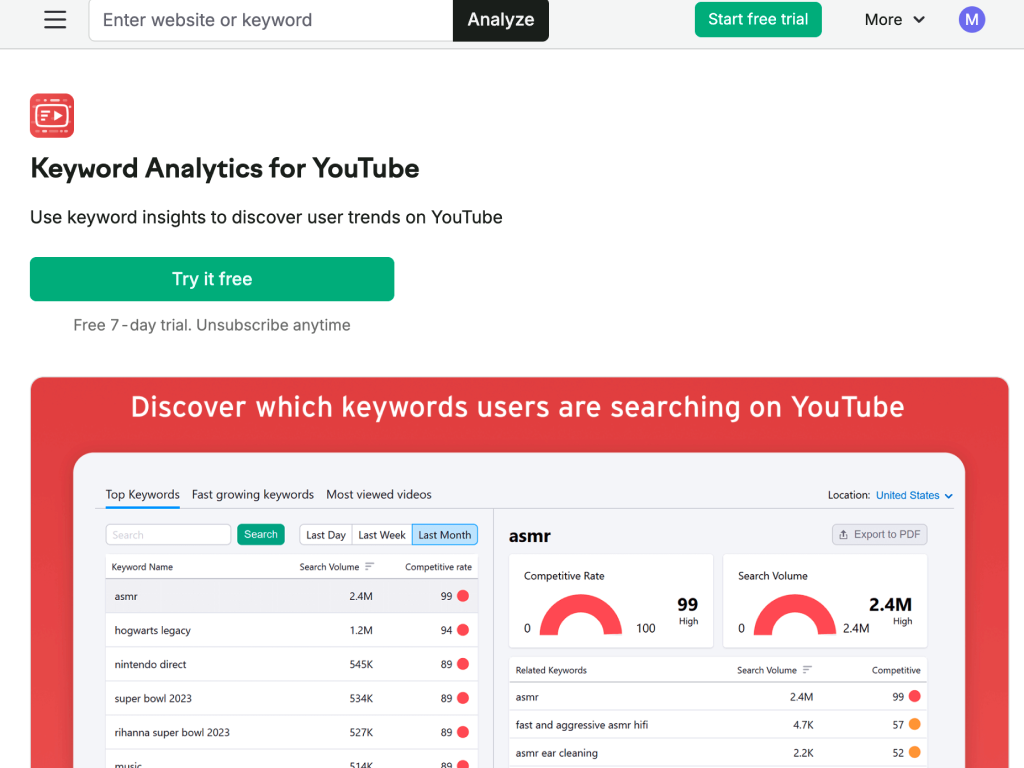
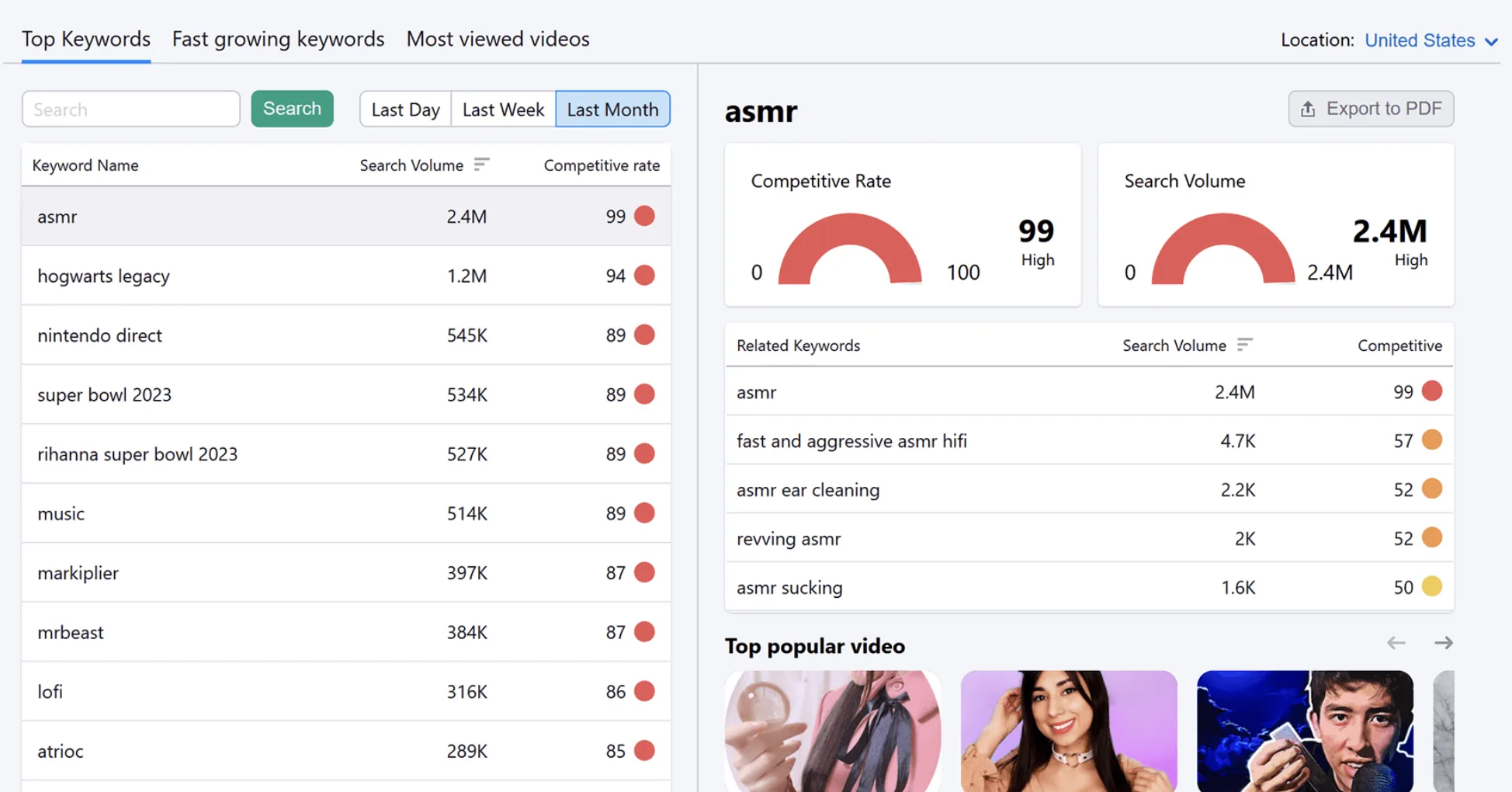
Semrush is a full-suite SEO and marketing platform built for websites first, with YouTube coverage as an add-on. Its Keyword Analytics for YouTube app (in the Semrush App Center) gives search volume, a competitive rate score, and related terms for any YouTube query, plus a "top popular video" view showing what's currently ranking for that topic.
Where it actually pulls ahead of dedicated YouTube tools is competitor and content-strategy depth: Organic Research can surface the keywords driving traffic to a competitor's channel or video pages. You can plan a video topic together with the blog post and landing page meant to support it, all from the same dashboard. That's a different, more global use case than vidIQ or TubeBuddy solve for.
What we liked
Folds YouTube keyword and competitor data into the same dashboard as site SEO
Organic Research surfaces the keywords driving traffic to a competitor's channel or video pages
Lets you plan a video topic alongside the blog post or landing page supporting it
What we disliked
Not YouTube-specific pricing, you pay for the whole SEO suite
Keyword Analytics for YouTube is an add-on app, not a headline feature
Costs more than 8x vidIQ's Boost plan just for the Pro tier
Keyword Analytics for YouTube
Search volume, competitive rate, and related terms scoped specifically to YouTube search, plus a look at currently-ranking videos on that topic.
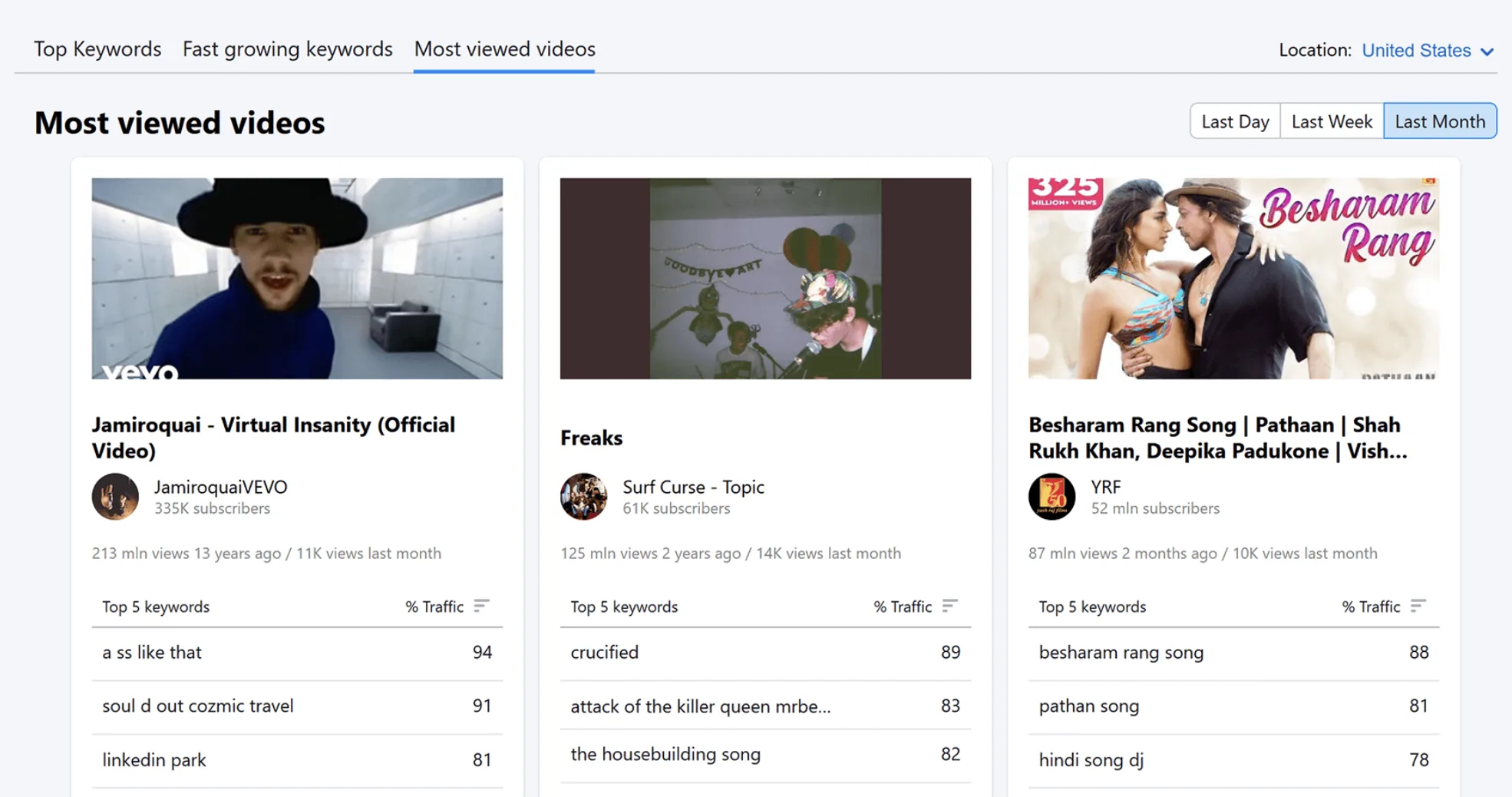
Organic Research & competitor tracking
See what keywords are driving traffic to a competitor's channel or video-linked pages, not just their tags.
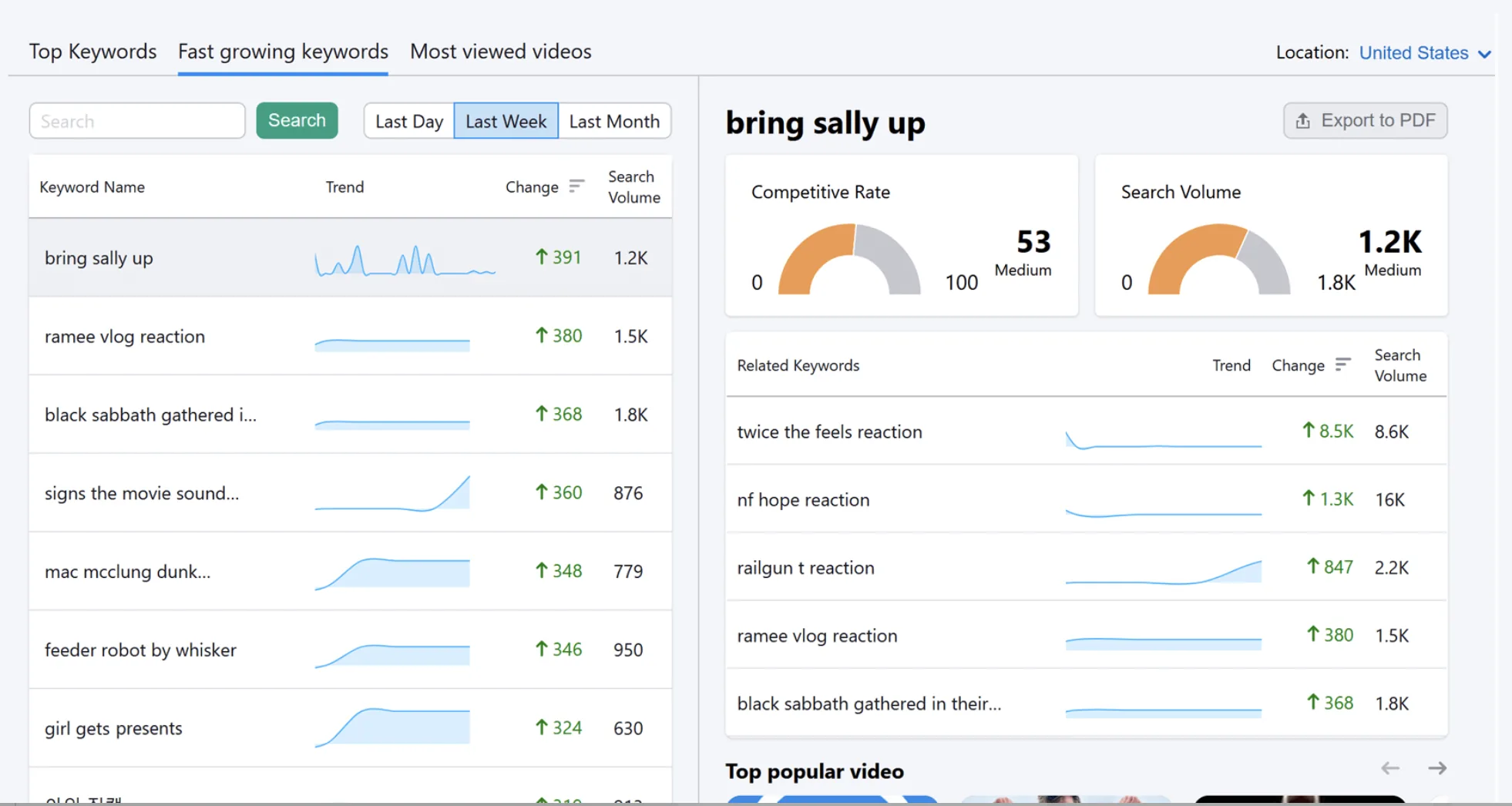
Cross-channel content planning
Plan a video topic alongside the blog post, landing page, or ad campaign supporting it, all in one dashboard instead of switching tools.
| Plan | Pro | Guru | Business |
|---|---|---|---|
| Price (billed annually) | $117.33/mo | $208.33/mo | $416.66/mo |
| Price (billed monthly) | $139.95/mo | $249.95/mo | $499.95/mo |
| Best for | Solo users, freelancers | Growing agencies, content teams | Large agencies, enterprise |
| Key limits/features | 5 projects, 500 tracked keywords, core keyword research & site audit | 15 projects, 1,500 keywords, historical data, Content Marketing Toolkit | 40 projects, 5,000 keywords, API access, white-label reporting |
None of these tiers are YouTube-specific pricing, you're paying for the whole SEO suite, and Keyword Analytics for YouTube comes as an add-on app rather than a headline feature on any tier. Recommendation: this only makes financial sense if YouTube is one piece of a broader strategy already justifying Semrush on its own. Don't buy Semrush just for the YouTube data, Pro alone runs more than 8x the cost of vidIQ's Boost plan.
See Semrush's full pricing →Managing YouTube alongside a website, blog, or paid campaigns — Yes, this is the one tool here that connects the two
Already using Semrush (or considering it) for site SEO — Yes, the YouTube app is a low-cost add-on at that point
Running an agency managing multiple clients' full marketing stack — Yes, Business tier's scope fits this
Just want YouTube keyword research — No, vidIQ or TubeBuddy do this cheaper and better
Solo creator or small channel on a budget — No, the price gap to vidIQ Boost isn't close
Free tools for basic audit
The cheapest dedicated YouTube SEO tool on this list, which comes with its ups and downs. It has actually useful free tools (tag extractor, channel audit) without a card required, but the paid tiers feel thin next to vidIQ or TubeBuddy. Plus, we found user complaints about subscription cancellation.
TubeRanker is a YouTube-specific SEO toolkit built around a handful of hyper-specific, single-purpose tools rather than one integrated dashboard: a tag generator, channel audit, keyword tool, rank tracker, and title/description generators. Most of these run individually rather than pulling from one shared data source, which is part of why the experience feels more like a stack of free tools than a unified platform.
The free tier is real and usable on its own: the channel audit gives a quick health check (branding elements, metadata completeness, basic engagement numbers), and the tag extractor pulls tags from competitor videos without asking for payment. Where it falls short is depth, the paid Basic plan's data feels aggregated from a third-party source rather than original research, and the free audit is admittedly surface-level.
What we liked
Free tag extractor and channel audit work without asking for a card
Cheapest dedicated YouTube SEO tool on this list
Useful supplementary check alongside a primary tool like vidIQ or TubeBuddy
What we disliked
Paid tiers feel thin next to vidIQ or TubeBuddy
Data feels aggregated from a third-party source rather than original research
User complaints found about subscription cancellation
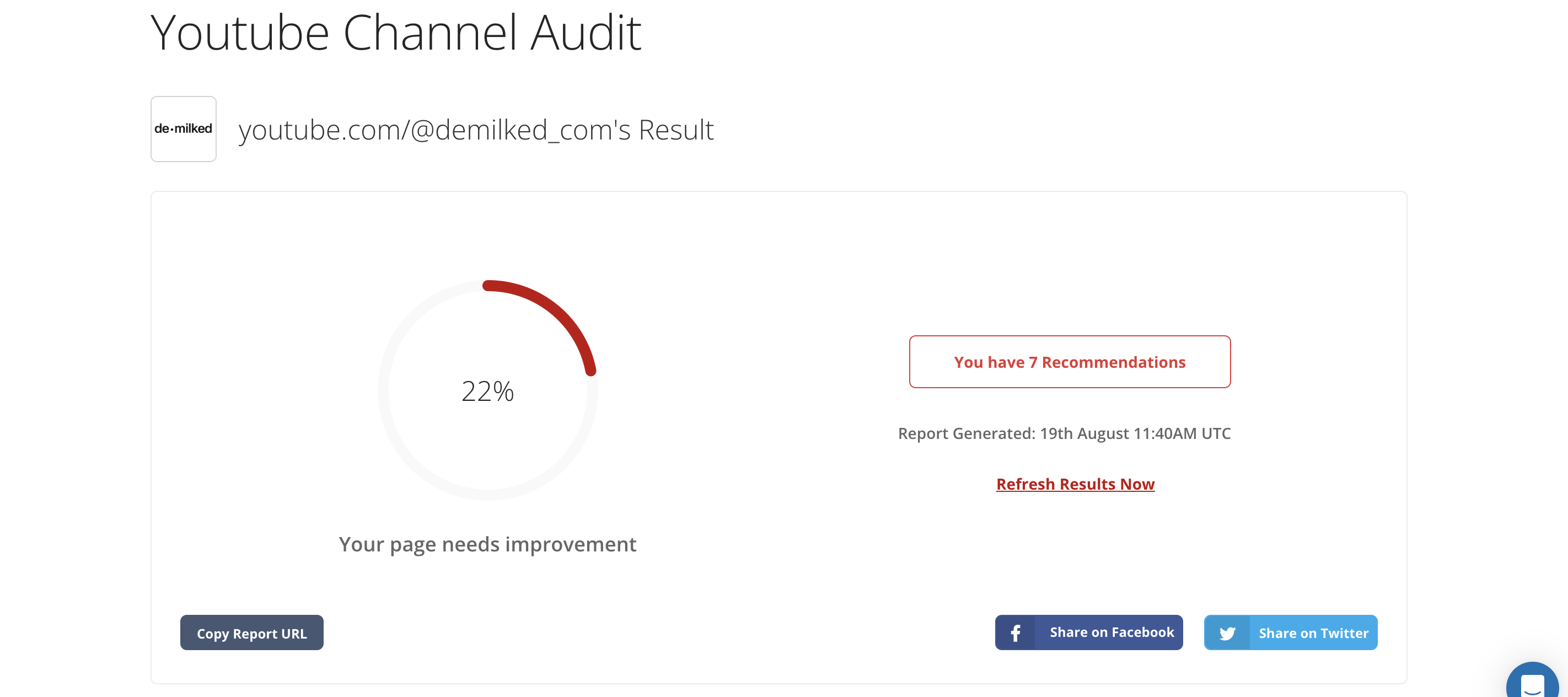
Channel Audit
Input a link to your channel and get a review of the main areas of improvement: branding, metadata completeness, and basic channel stats. The recommendations are very basic, but if you're just starting out and need a quick technical check on channel setup, this might be helpful.
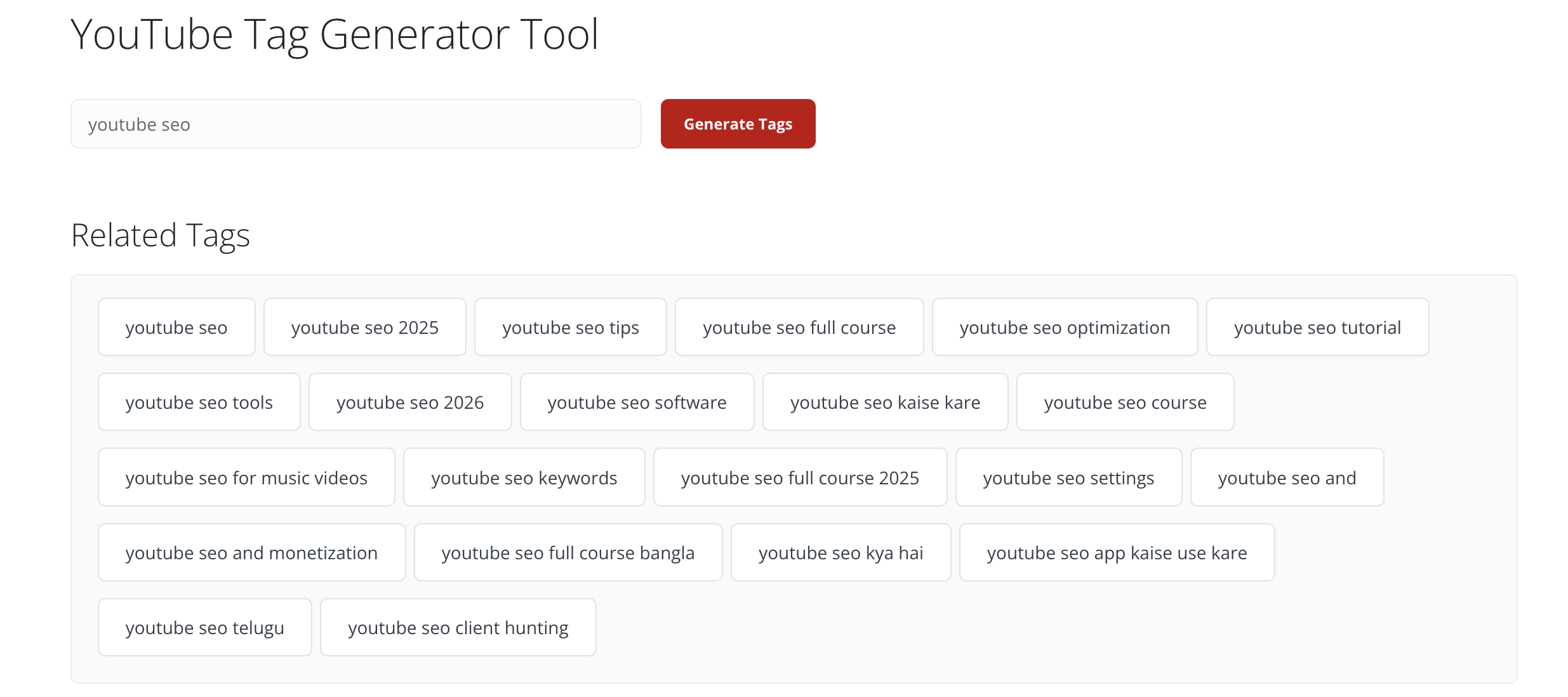
Tag Generator & Tag Extractor
Suggests tags from a seed keyword, or pulls tags directly from a competitor's video.
Rank Tracker
Monitors where your videos sit in search results for target keywords over time.
Title & Description Generator
Produces SEO-formatted titles and descriptions from a keyword input, useful as a first draft rather than a finished asset.
| Plan | Free | Basic | Advanced |
|---|---|---|---|
| Price | $0 | ~$19–20/mo | ~$49/mo |
| Key features | Tag extractor, channel audit (free tools) | Unlimited tag generation, channel audits, and keyword tool access | Adds 100 tracked keywords and 250 monthly keyword tool searches |
Use the free tools (audit, tag extractor) as a quick supplementary check alongside vidIQ or TubeBuddy, rather than paying for Basic or Advanced as a primary tool. Given the cancellation complaints we found, if you do subscribe, keep a close eye on your billing and confirm the cancellation process before signing up.
Want a free, no-signup tag or audit check — Yes, the free tools work fine for a quick look
On a genuinely zero budget and just starting out — Yes, as a supplement to YouTube Studio's own free data
Want your primary, paid SEO tool — No, vidIQ or TubeBuddy offer more integrated data for a similar or lower cost once you factor in Boost or Star
Concerned about subscription flexibility — No, multiple users reported difficulty canceling, worth caution before entering payment details
Best free, native starting point
You already have this installed, and most creators barely scratch what it can tell you. The trick isn't knowing the features exist, it's checking them with intent.
YouTube Studio is the free dashboard built into every channel, covering upload, analytics, and channel management. It's not a dedicated SEO tool, but the first-party data it surfaces, Research, Traffic Sources, Audience Retention, is the same real search and viewer behavior every paid tool on this list is ultimately trying to approximate.
What we liked
Free and already installed on every channel
Real first-party search and viewer behavior data, not modeled estimates
Tells you exactly where your bottleneck is before you pay for anything else
What we disliked
No keyword difficulty scores or competitor tracking
No AI-generated titles, thumbnails, or content ideas
Reading the data still takes manual interpretation, tools like vidIQ or TubeBuddy automate the suggestions
You already have this installed, most creators just don't check it with intent. Here's what to actually look at.
Use the Research tab before you film, not after
It shows what your specific audience is actually searching for on YouTube, gaps included. Check it before you plan a video, not as an afterthought once it's already live.
Read Traffic Sources like a diagnosis, not a stat
If "YouTube search" traffic is low on a video, that's your metadata underperforming. If "suggested videos" is low, that's a retention problem, not a keyword one. This single number tells you which fix to actually prioritize.
Watch the first 30 seconds of Audience Retention religiously
A steep early drop means your hook isn't working, no amount of tag optimization fixes that. This is the one graph worth checking on every upload before you touch anything else.
Use autocomplete as a free keyword tool
Type your topic into YouTube's own search bar and note what it suggests before opening any paid tool. It's real user search data, live, at zero cost.
Compare CTR against your own average, not a universal benchmark
A 4% CTR might be great for your channel and mediocre for someone else's. Track your own baseline over time and treat any video that beats it as a title/thumbnail combo worth repeating.
Live here for at least a month before paying for anything else. It'll tell you exactly where your actual bottleneck is, search visibility, click-through, or retention, so whatever tool you add next solves a problem you've already confirmed, not a guess.
vidIQ is our top pick because it's the only tool here that covers all three jobs: keyword research, growth ideation through Daily Ideas, and optimization automation, in one dashboard. If your bottleneck is deciding what to film next and you're publishing weekly or more, the Boost tier's trend research and Daily Ideas alone make it worth the ~$15–17/month.
TubeBuddy is the best alternative if you're managing an existing back catalog rather than finding new topics. It runs entirely inside YouTube Studio, so there's no separate dashboard, and Star's SEO Studio and A/B testing are what make it worth the ~$12/month. It's weaker than vidIQ for research and content ideation, but stronger for bulk editing and A/B testing videos you've already published. Many creators end up using both, for different jobs.
A few adjacent picks from our list that are also worth checking out. One for competitor benchmarking on public data, one free and already sitting inside your channel.
Get quick answers about how we evaluate tools and how to choose the right one for your needs.
YouTube SEO is the practice of optimizing your videos and channel, titles, descriptions, tags, and thumbnails, so YouTube's algorithm and search engine can understand, categorize, and recommend your content to the right viewers.
Yes, but its job has changed. Keyword-stuffing tags used to be enough to rank; now click-through rate, watch time, and retention are the dominant signals. Metadata still matters for getting the click and helping YouTube categorize your video correctly, but it won't save a video that doesn't hold attention.
Channel keywords are terms you set in YouTube Studio's channel settings that help YouTube understand your channel's overall topic and niche. They're separate from individual video tags and have a smaller, more indirect effect on discovery.
Add them in YouTube Studio when uploading: include your primary keyword naturally in the title and first line of the description, then add supporting tags in the tags field. Avoid stuffing, one clear primary keyword beats ten forced variations.
Yes, vidIQ has a free tier covering 150 AI credits a month, enough to explore keyword research and basic channel auditing. The Boost plan (~$16.58/month annual) unlocks thumbnails, unlimited trend data, and higher credit limits.
TubeBuddy has a free plan, but it's closer to a trial, Keyword Explorer is capped too tight for real research, and there's no A/B testing. Star (~$11–12/month annual) is where it becomes genuinely useful.
If you're just starting out, YouTube Studio alone is enough to learn how people actually use YouTube as a search engine, its Research, Traffic Sources, and Audience Retention tabs cover the fundamentals for free. Once you outgrow its native analytics, that's when a dedicated tool like vidIQ starts to pay for itself.
Dig deeper into the tools and comparisons covered in this guide.


Best for pure analytics and competitor benchmarking
Not an SEO tool, and it doesn't pretend to be. Social Blade closes out this list because it does one thing that none of the other tools attempts: benchmark your channel's growth against competitors using nothing but public data. No keyword research or optimization suggestions.
Social Blade is a public-stats tracker that pulls daily subscriber counts, view counts, and estimated earnings for any YouTube channel, then charts growth over time and projects where it's headed. Type in any channel name, yours or a competitor's, and you get rankings, historical charts, and a letter-grade report.
It's been around since 2008 and is the industry default for "how is this channel actually doing," which is why it shows up as a reference point across creator forums even among people who've never paid for it. The tradeoff is that it only tells you what happened, not why, and it has nothing to say about keywords, tags, or optimization.
What we liked
Free tier is genuinely functional: public stats, rankings, and basic charts with no account required
Up to 3 years of historical daily data on YouTube specifically
Industry-standard reference point for benchmarking channel growth
What we disliked
No keyword research or optimization suggestions at all
Shows the trend line, not the cause
Free tier is ad-supported
Channel & competitor tracking
Daily subscriber, view, and estimated earnings data for any public channel, including up to 3 years of historical daily data on YouTube specifically.
Growth projections
Estimates future subscriber and view milestones based on historical trend lines.
Report cards
A letter-grade snapshot of a channel's overall growth trajectory, useful for a fast first impression of a competitor.
Top lists & rankings
Browse top-performing channels by niche or category to spot who's actually growing right now.
The free tier is ad-supported but genuinely functional: public stats, rankings, and basic charts for any channel with no account required.
Most creators never need to go past the free tier or Bronze. Gold and Platinum are built for agencies tracking dozens of channels at once, not solo creators checking their own numbers. The jump between tiers is mostly about how many profiles you can track and how far back the historical data goes, not new categories of data.
See Social Blade's full pricing →Want to benchmark your growth against competitors, not just your own numbers — Yes, this is the one thing it does better than anything else on this list
Curious about a channel's trajectory before collaborating or studying it — Yes, the free tier alone covers this
Looking for keyword research or optimization help — No, it has none, pair it with vidIQ or TubeBuddy for that
Want to know why a channel is growing or shrinking — No, it shows the trend line, not the cause